> ## Documentation Index
> Fetch the complete documentation index at: https://docs.flowla.com/llms.txt
> Use this file to discover all available pages before exploring further.
# HubSpot automations
> Trigger Flowla workflows from HubSpot events like deal stage changes and property updates.
## TL;DR
Trigger Flowla workflows from HubSpot events — like a deal moving to a new stage or a contact property being updated — to automatically create rooms, send follow-ups, and keep your CRM in sync.
***
### Why it matters
Your HubSpot deals hold the source of truth for every customer relationship. When something happens in HubSpot, that's the perfect moment to act. By using HubSpot as a trigger, you can:
* **Create a personalised room the moment a deal is created or moves to a new stage** — auto-fill company name, logo, and contact details so your team doesn't start from scratch
* **Update HubSpot when something happens inside the room** — when a buyer completes an action or submits a form, automatically update a HubSpot property or deal field
* **Change the room status based on deal stage updates** — if a deal moves to "Closed Won" in HubSpot, Flowla can update the room's status and unlock onboarding sections automatically
***
### What you can use as triggers
Flowla currently supports the following HubSpot-triggered workflows:
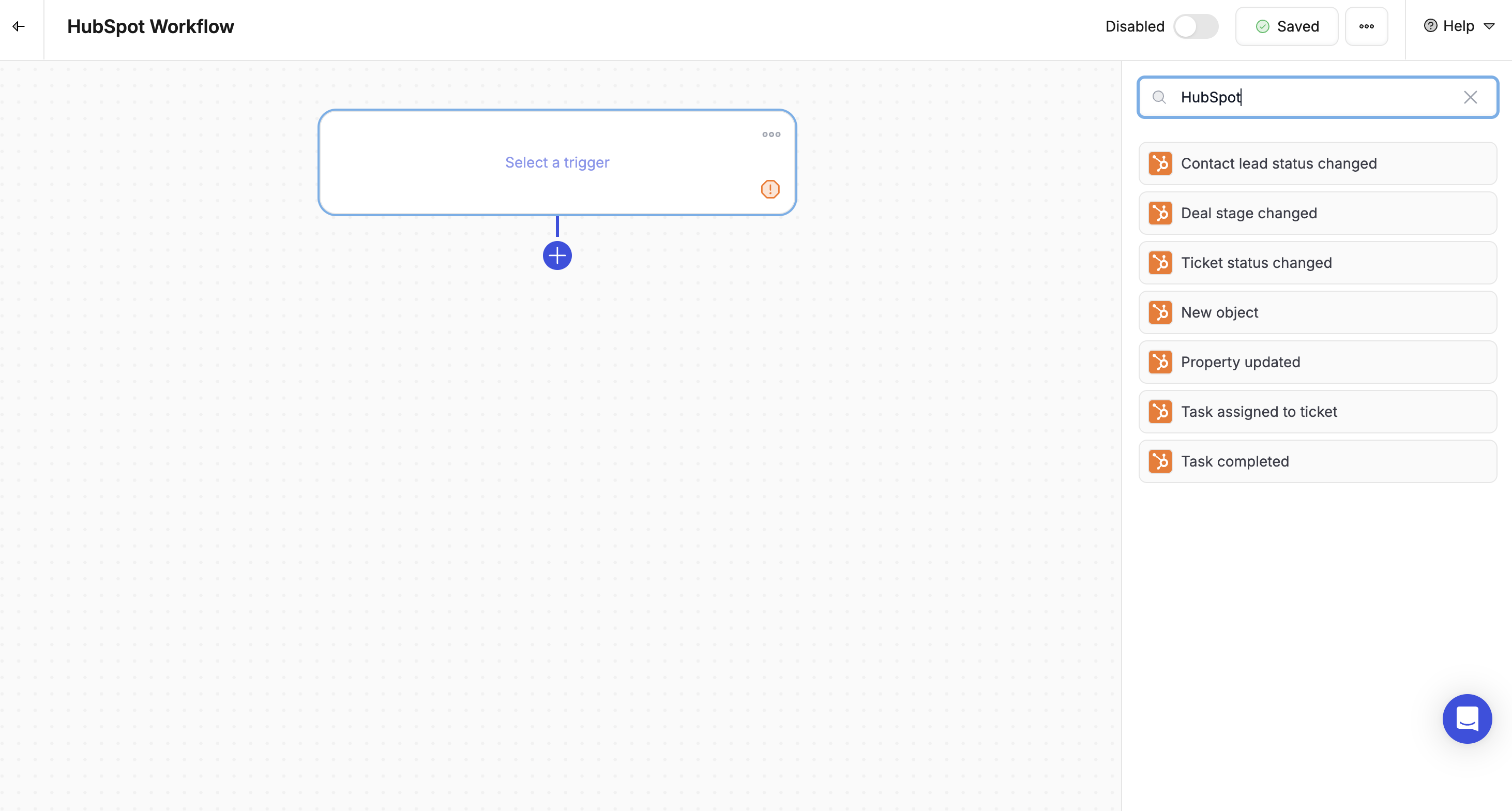
* **New Deal Created** — when a new deal is created in HubSpot, trigger a room automatically
* **Deal Stage Changed** — when a deal moves to a specific stage (e.g. *Proposal Sent* or *Closed Won*), trigger room creation, content updates, or a sync back to HubSpot
* **Property Updated** — when a contact or deal field is updated (e.g. "Contract Signed = True"), trigger room actions or field updates
#### Actions you can trigger from HubSpot events
Using the HubSpot triggers above, you can:
* **Create a room from a template**
* **Assign the room creator based on the deal owner**
* **Fill variables** using contact, company, or deal data from HubSpot
* **Update HubSpot fields** (e.g. mark onboarding as started when a room section is completed)
* **Unlock room sections** based on deal stage progression
* **Track room status changes** back into HubSpot
***
### How to set it up
In Flowla, navigate to **Workflows** in the main navigation.
Click **+ Create New Workflow** then **Add Trigger**.
Select **HubSpot** as the trigger type, then choose the event:
* **New deal** — when a new deal is created
* **Deal stage changed**
* **Property updated** — e.g. "Contract Signed = True"
Add the actions you want to trigger:
* Create a room from a template
* Unlock a section
* Update HubSpot fields
* Change the room's status
* Add CRM data as variables
You can also automate room creation directly from HubSpot deal records. Learn more about the [HubSpot integration](/integrations/HubSpot).