> ## Documentation Index
> Fetch the complete documentation index at: https://docs.flowla.com/llms.txt
> Use this file to discover all available pages before exploring further.
# Salesforce automations
> Trigger Flowla workflows from Salesforce events like opportunity stage changes and property updates.
## TL;DR
Trigger Flowla workflows from Salesforce events — like an opportunity stage changing or a property being updated — to automatically create rooms, send follow-ups, and keep your CRM in sync.
***
### Why it matters
Your CRM holds the source of truth for every deal. When something happens in Salesforce, that's the perfect moment to act. By using Salesforce as a trigger, you can:
* **Create a personalised room the moment a new opportunity is logged** — auto-fill company name, logo, and primary contact so your team doesn't start from scratch
* **Update Salesforce when something happens inside the room** — when a section is marked complete in Flowla, automatically update a Salesforce field
* **Change the room status based on Salesforce property updates** — if "Contract Signed" is checked in Salesforce, Flowla can update the room's status and unlock onboarding sections
***
### What you can use as triggers
Flowla currently supports the following Salesforce-triggered workflows:
* **New Object Created** — when a new Opportunity is created, trigger a room automatically
* **Opportunity Stage Changed** — when an opportunity moves to a specific stage (e.g. *Proposal Sent* or *Closed Won*), trigger room creation, content updates, or a sync back to Salesforce
* **Property Updated** — when a field (e.g. "Contract Signed") is updated, trigger room actions or field updates
#### Actions you can trigger from Salesforce events
Using the Salesforce triggers above, you can:
* **Create a room from a template**
* **Assign the room creator based on the opportunity owner**
* **Fill variables** using contact, company, or deal data
* **Update Salesforce fields** (e.g. mark onboarding as started when a section is completed)
* **Unlock room sections** based on deal progression
* **Track room status changes** back into Salesforce
***
### How to set it up
In Flowla, navigate to **Workflows** in the main navigation.
Click **+ Create New Workflow** then **Add Trigger**.
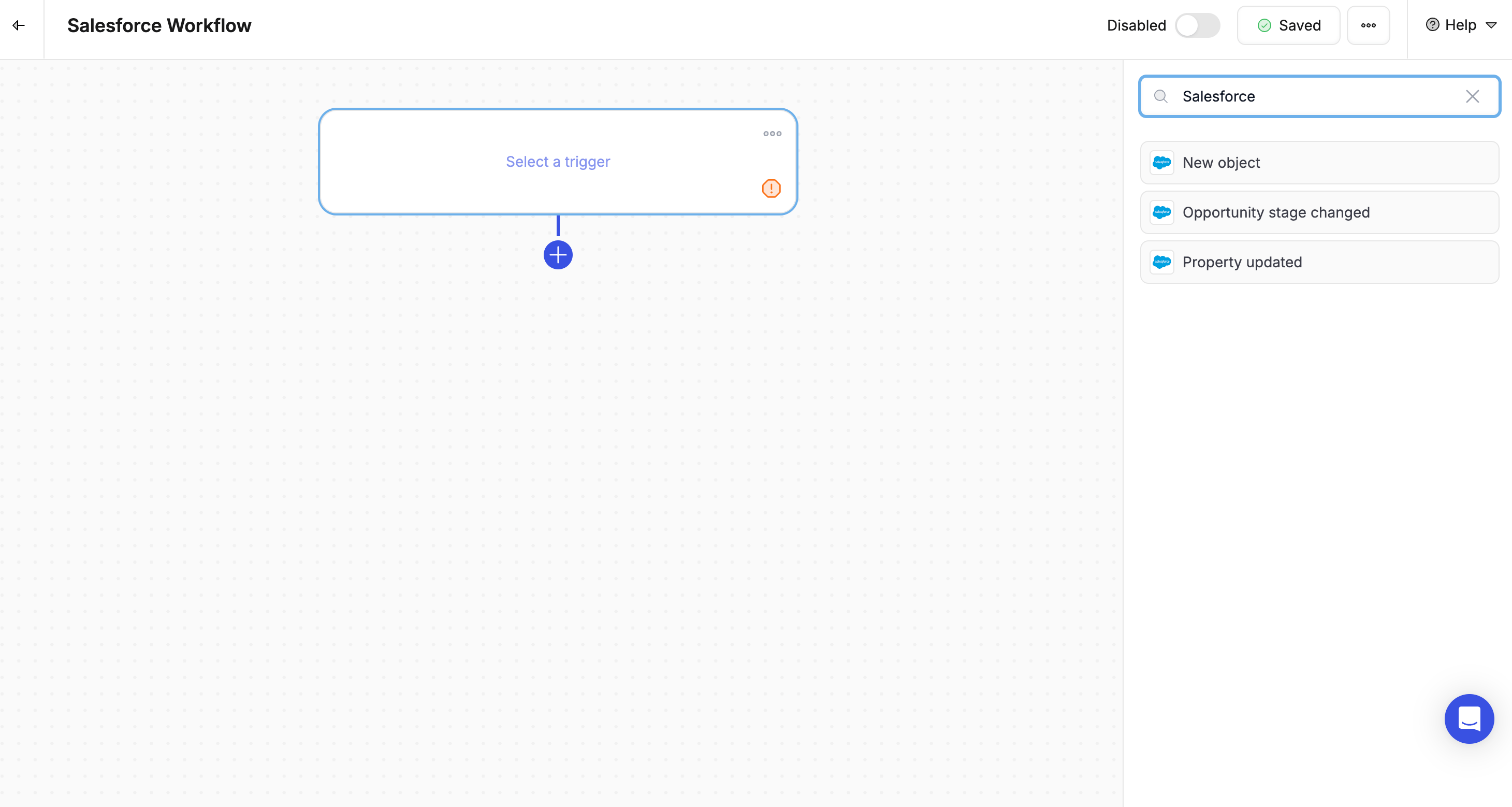
Select **Salesforce** as the trigger type, then choose the event:
* **New object** — e.g. when a new opportunity is created
* **Opportunity stage changed**
* **Property updated** — e.g. "Contract Signed = True"
Add the actions you want to trigger:
* Create a room from a template
* Unlock a section
* Update Salesforce fields
* Change the room's status
* Add CRM data as variables
Learn more about setting up the two-way sync between Flowla and Salesforce in the [Salesforce integration guide](/integrations/SalesForce).