> ## Documentation Index
> Fetch the complete documentation index at: https://docs.flowla.com/llms.txt
> Use this file to discover all available pages before exploring further.
# Actions
> See everything your workflows can do — from creating rooms to sending emails and updating your CRM.
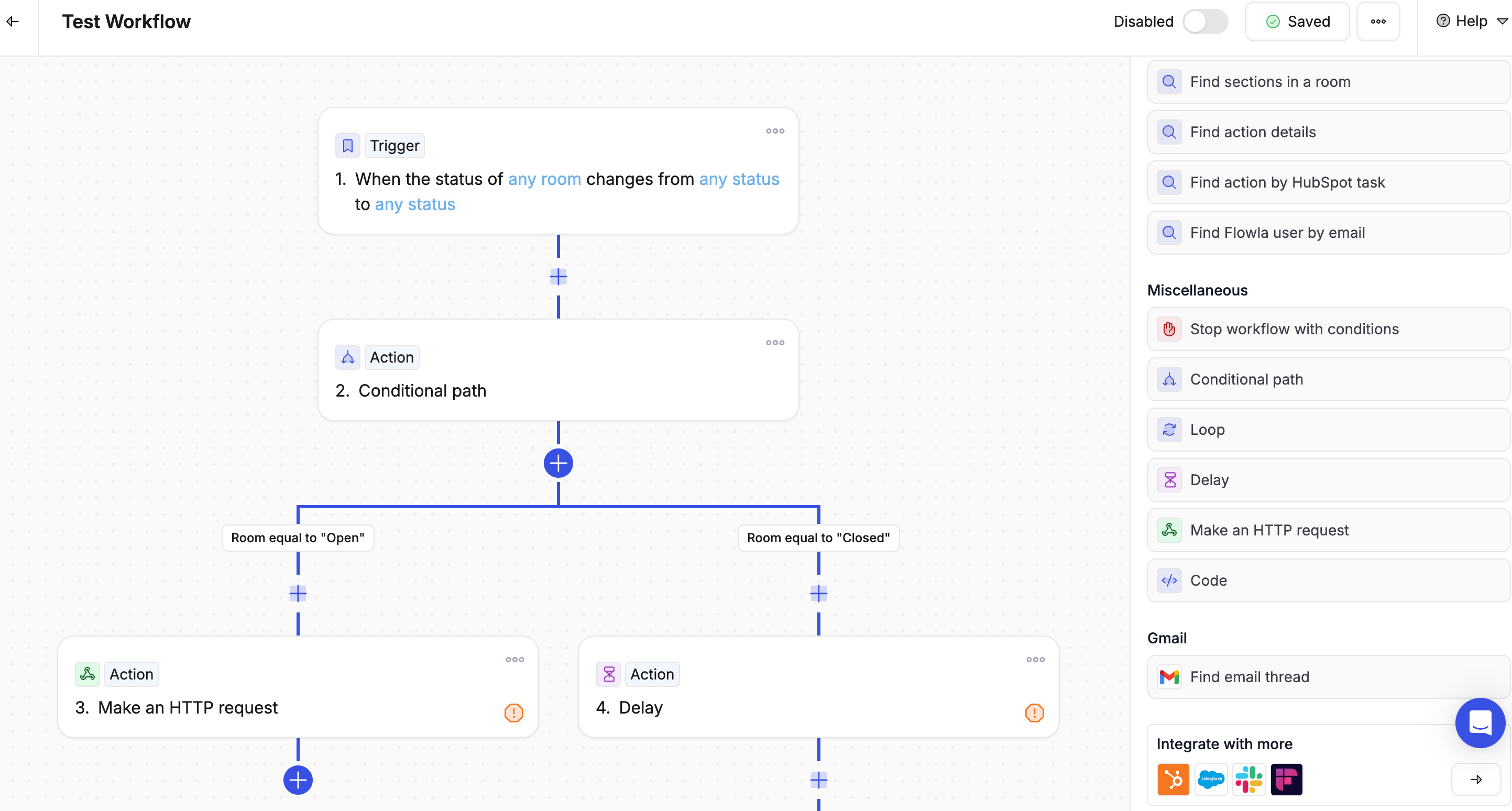
Actions are what your workflow actually does — the steps Flowla takes once a trigger fires.
***
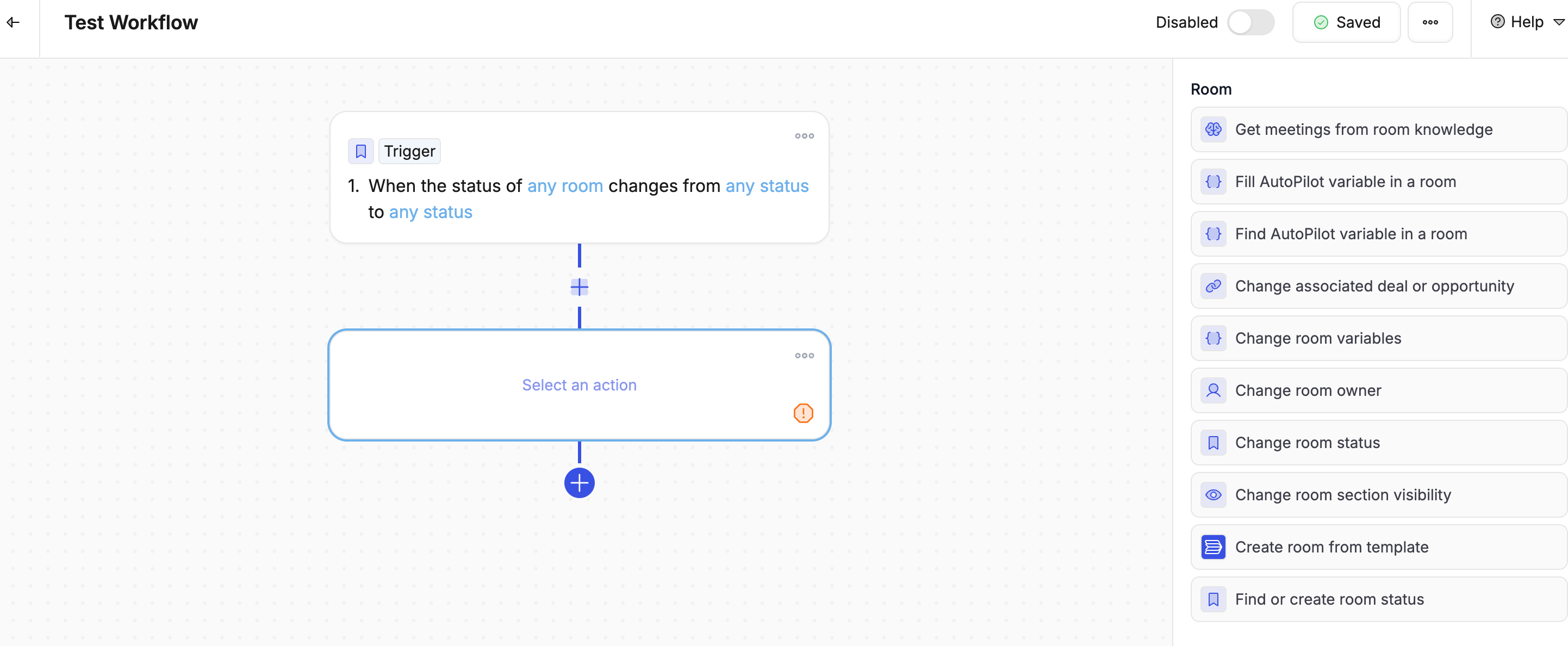
### Room actions
| Action | What it does |
| ----------------------------- | -------------------------------------------------- |
| **Create room from template** | Creates a new room using a template you choose |
| **Change room status** | Updates the room's status (e.g. active, closed) |
| **Change section access** | Lock, unlock, hide, or show sections inside a room |
 ***
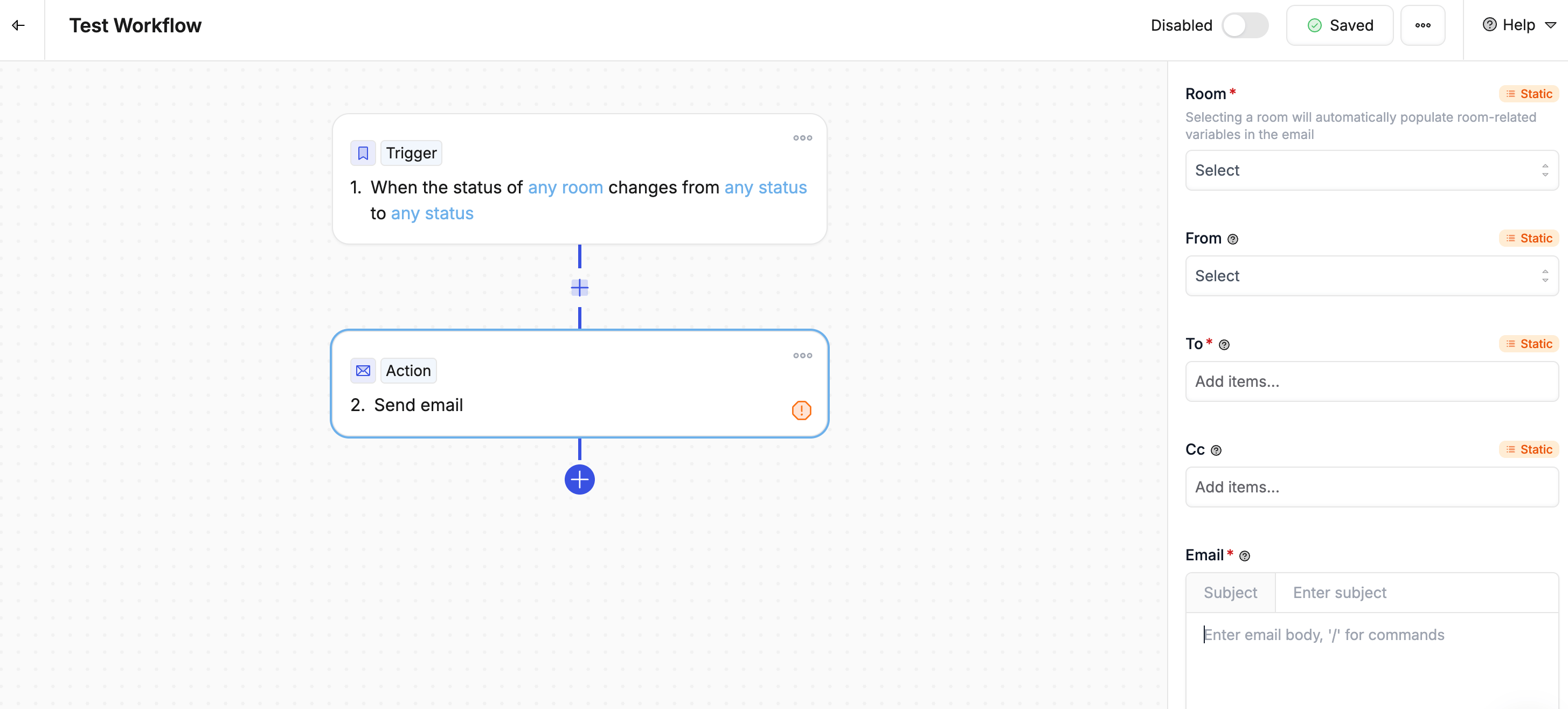
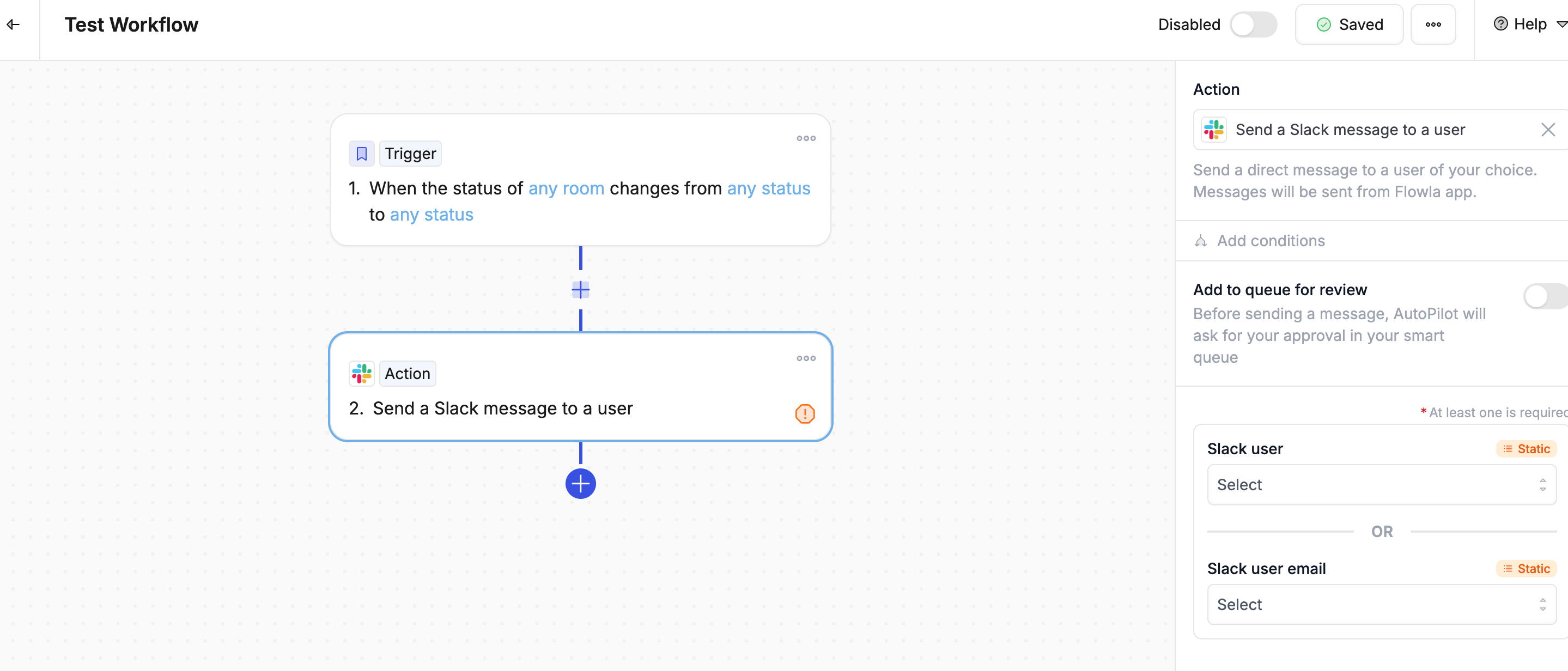
### Communication actions
| Action | What it does |
| ---------------------- | ------------------------------------------------------------------------- |
| **Send email** | Sends an email from Flowla or via your connected Gmail or Outlook account |
| **Slack send message** | Posts a message to a Slack channel or a specific person |
***
### Communication actions
| Action | What it does |
| ---------------------- | ------------------------------------------------------------------------- |
| **Send email** | Sends an email from Flowla or via your connected Gmail or Outlook account |
| **Slack send message** | Posts a message to a Slack channel or a specific person |
 ***
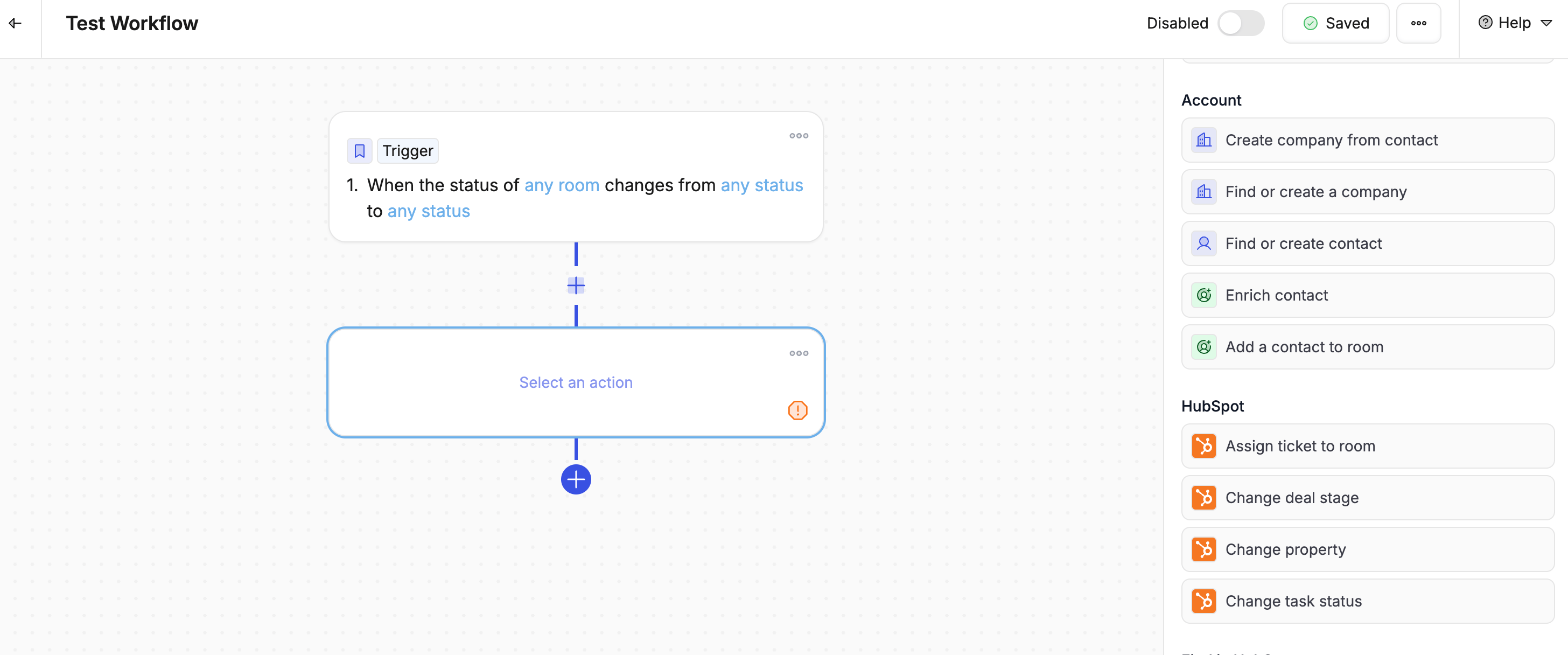
### Contact & company actions
| Action | What it does |
| ------------------------------- | -------------------------------------------------------------------------- |
| **Create company from contact** | Creates a company record using the contact's email domain and details |
| **Find or create a company** | Looks up an existing company or creates a new one if it doesn't exist yet |
| **Find or create contact** | Looks up a contact by email and creates one if they're not already there |
| **Enrich contact** | Pulls in extra details about a contact — job title, LinkedIn, company info |
| **Add a contact to room** | Adds an existing contact as a stakeholder in the current room |
***
### Contact & company actions
| Action | What it does |
| ------------------------------- | -------------------------------------------------------------------------- |
| **Create company from contact** | Creates a company record using the contact's email domain and details |
| **Find or create a company** | Looks up an existing company or creates a new one if it doesn't exist yet |
| **Find or create contact** | Looks up a contact by email and creates one if they're not already there |
| **Enrich contact** | Pulls in extra details about a contact — job title, LinkedIn, company info |
| **Add a contact to room** | Adds an existing contact as a stakeholder in the current room |
 ***
### Task actions
| Action | What it does |
| ------------------------ | ---------------------------------------------------- |
| **Create action** | Adds a new task to a room |
| **Change action status** | Marks a task as done, in progress, or another status |
| **Duplicate action** | Copies an existing task |
***
### CRM actions — HubSpot
| Action | What it does |
| --------------------- | -------------------------------------------- |
| **Change deal stage** | Moves a deal to a different stage in HubSpot |
| **Change property** | Updates any field in HubSpot |
***
### Task actions
| Action | What it does |
| ------------------------ | ---------------------------------------------------- |
| **Create action** | Adds a new task to a room |
| **Change action status** | Marks a task as done, in progress, or another status |
| **Duplicate action** | Copies an existing task |
***
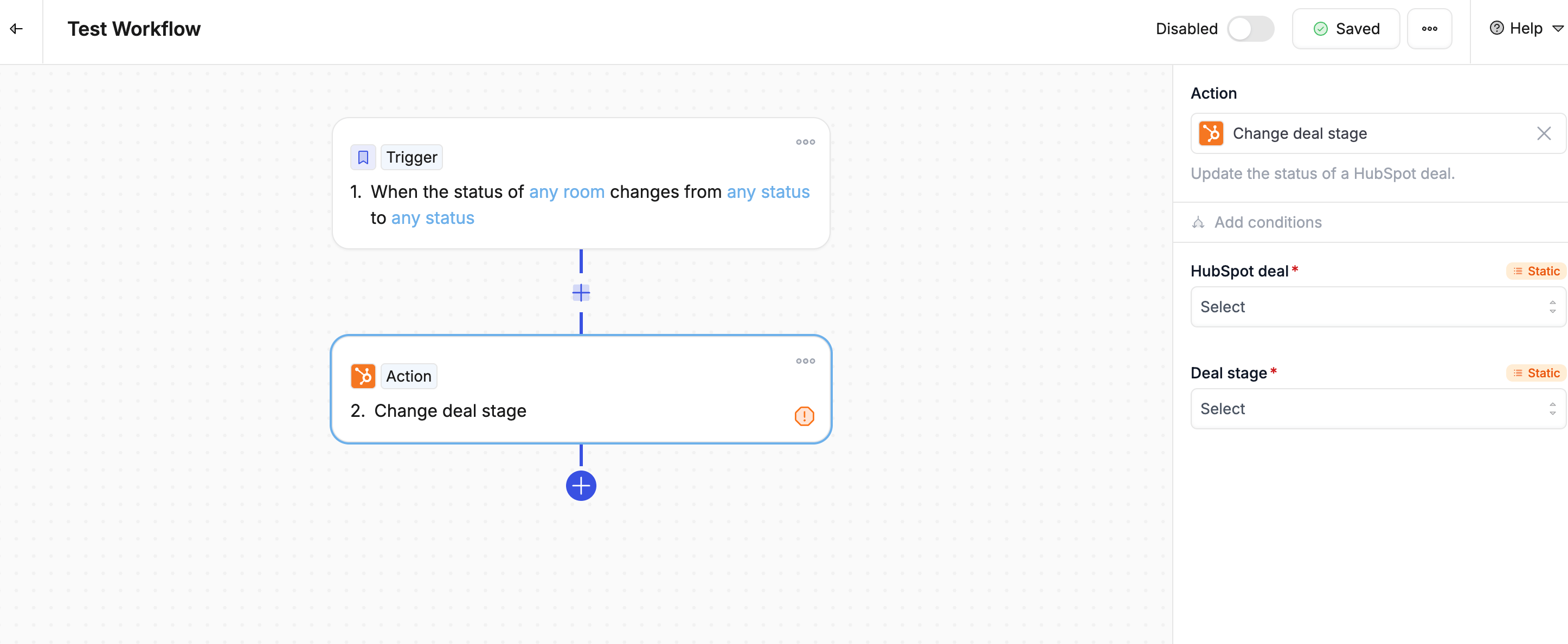
### CRM actions — HubSpot
| Action | What it does |
| --------------------- | -------------------------------------------- |
| **Change deal stage** | Moves a deal to a different stage in HubSpot |
| **Change property** | Updates any field in HubSpot |
 ***
### CRM actions — Salesforce
| Action | What it does |
| ----------------------------- | ------------------------------------------------------- |
| **Change opportunity status** | Moves an opportunity to a different stage in Salesforce |
| **Change property** | Updates any field in Salesforce |
***
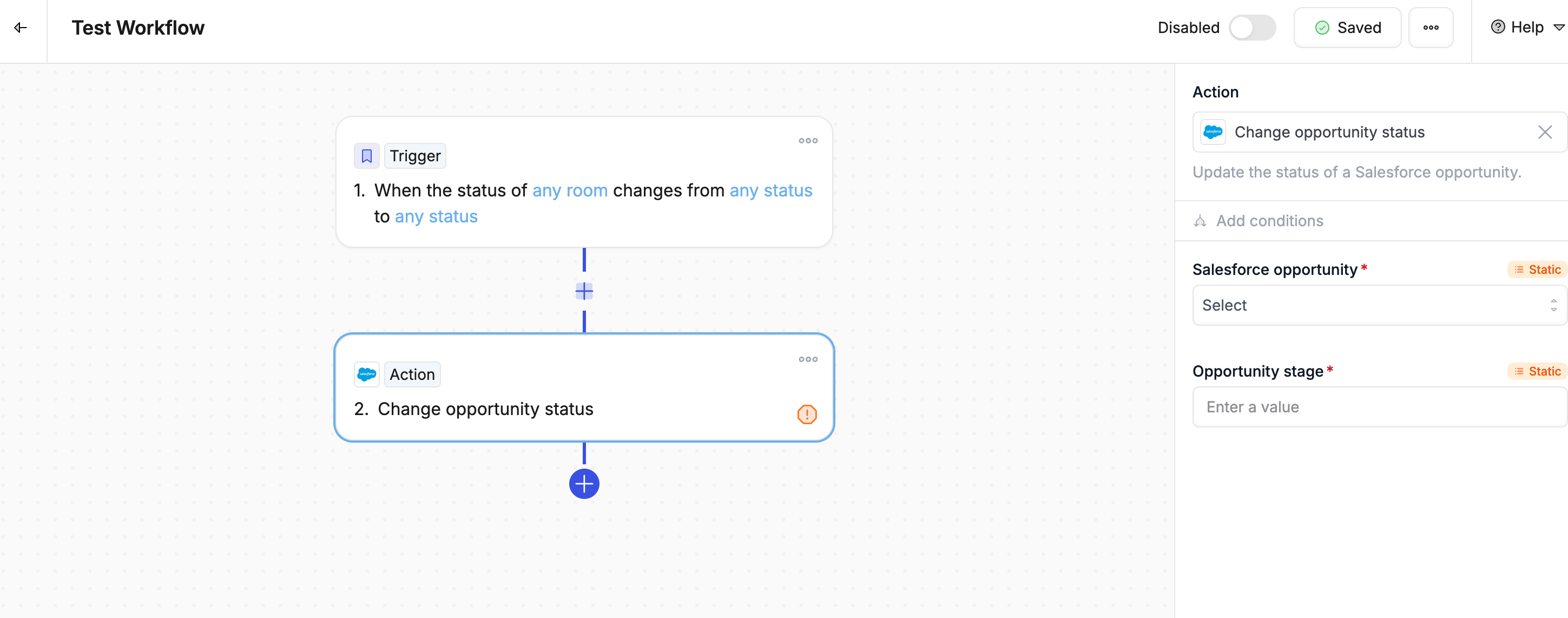
### CRM actions — Salesforce
| Action | What it does |
| ----------------------------- | ------------------------------------------------------- |
| **Change opportunity status** | Moves an opportunity to a different stage in Salesforce |
| **Change property** | Updates any field in Salesforce |
 ***
### CRM actions — Attio
| Action | What it does |
| ------------------- | --------------------------------------------- |
| **Find Attio deal** | Searches for an existing deal record in Attio |
| **Change property** | Updates any field in Attio |
***
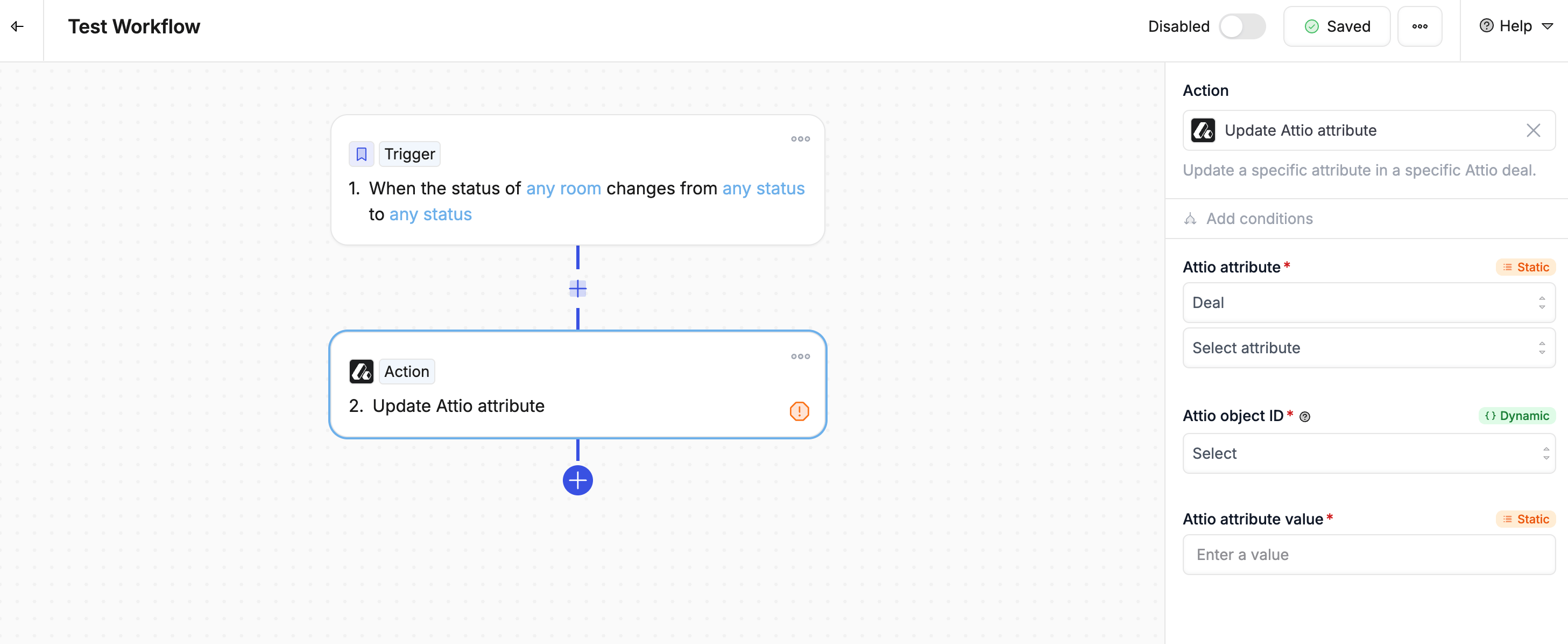
### CRM actions — Attio
| Action | What it does |
| ------------------- | --------------------------------------------- |
| **Find Attio deal** | Searches for an existing deal record in Attio |
| **Change property** | Updates any field in Attio |
 ***
### AI actions
| Action | What it does |
| ------------- | ------------------------------------------------------- |
| **AI prompt** | Generates content using custom instructions you provide |
***
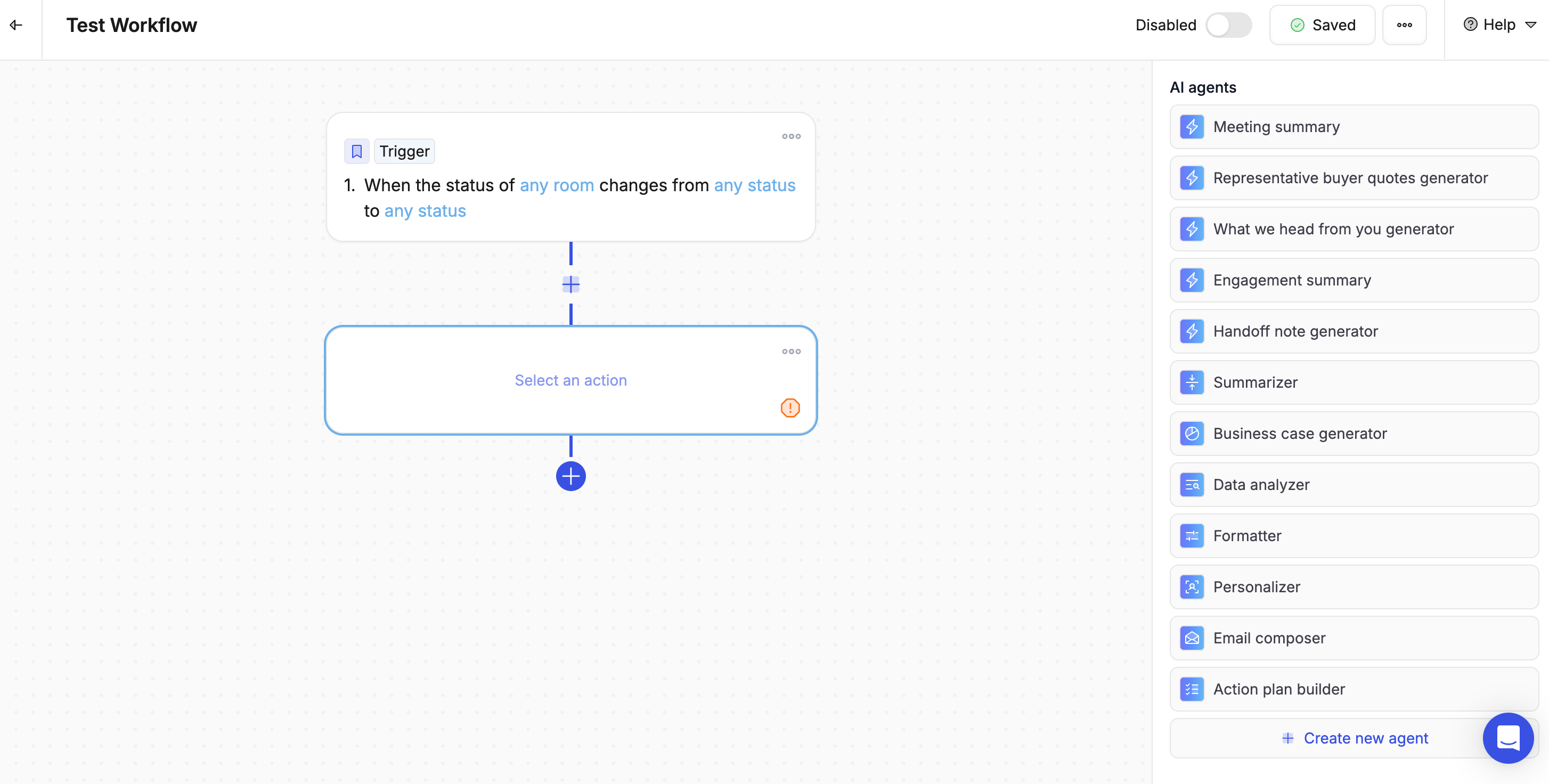
### AI actions
| Action | What it does |
| ------------- | ------------------------------------------------------- |
| **AI prompt** | Generates content using custom instructions you provide |
 ***
### Advanced actions
| Action | What it does |
| --------------------------------- | -------------------------------------------------------------- |
| **Stop workflow with conditions** | Stops the workflow if certain conditions are met |
| **Conditional path** | Branches the workflow in different directions based on logic |
| **Loop** | Repeats a set of actions for each item in a list |
| **Delay** | Pauses the workflow for a set amount of time before continuing |
| **Make an HTTP request** | Sends a request to an external tool or service |
| **Code** | Runs custom code at a specific point in the workflow |
***
### Advanced actions
| Action | What it does |
| --------------------------------- | -------------------------------------------------------------- |
| **Stop workflow with conditions** | Stops the workflow if certain conditions are met |
| **Conditional path** | Branches the workflow in different directions based on logic |
| **Loop** | Repeats a set of actions for each item in a list |
| **Delay** | Pauses the workflow for a set amount of time before continuing |
| **Make an HTTP request** | Sends a request to an external tool or service |
| **Code** | Runs custom code at a specific point in the workflow |
 ***
### Configuring actions
**Using dynamic values**
You can pull in real data from earlier in the workflow — like the contact's name, the room link, or the deal name — so each action is personalized automatically.
Examples:
* `{{trigger.deal_name}}` — the name of the deal that triggered the workflow
* `{{contact.email}}` — the contact's email address
* `{{room.link}}` — the shareable link to the room
Use dynamic values wherever possible — hardcoding a contact name or email address makes the workflow brittle and less useful across your team.
**Sending to the Smart Queue for review**
Toggle on **"Add to queue for review"** on any action to hold it for your approval before it runs. This is especially useful for AI-generated emails or updates you want to check before they go out.
***
### Best practices
1. **Order actions logically** — Run them in the sequence they should happen
2. **Use dynamic values** — Personalise each action with real data from the trigger
3. **Plan for errors** — Think about what should happen if an action doesn't work
4. **Test one step at a time** — Add actions gradually and verify each one before adding the next
***
### Configuring actions
**Using dynamic values**
You can pull in real data from earlier in the workflow — like the contact's name, the room link, or the deal name — so each action is personalized automatically.
Examples:
* `{{trigger.deal_name}}` — the name of the deal that triggered the workflow
* `{{contact.email}}` — the contact's email address
* `{{room.link}}` — the shareable link to the room
Use dynamic values wherever possible — hardcoding a contact name or email address makes the workflow brittle and less useful across your team.
**Sending to the Smart Queue for review**
Toggle on **"Add to queue for review"** on any action to hold it for your approval before it runs. This is especially useful for AI-generated emails or updates you want to check before they go out.
***
### Best practices
1. **Order actions logically** — Run them in the sequence they should happen
2. **Use dynamic values** — Personalise each action with real data from the trigger
3. **Plan for errors** — Think about what should happen if an action doesn't work
4. **Test one step at a time** — Add actions gradually and verify each one before adding the next