> ## Documentation Index
> Fetch the complete documentation index at: https://docs.flowla.com/llms.txt
> Use this file to discover all available pages before exploring further.
# Triggers
> Choose the event that starts your workflow — from room activity to CRM changes and call recordings.
A trigger is the starting signal for your workflow — the moment Flowla knows it's time to act.
***
### What is a trigger?
Think of a trigger as Flowla's way of listening. You tell it what to watch for, and the moment it happens, your workflow kicks off automatically.
That could be something like:
* A prospect opens your room for the first time
* A customer submits a form
* A deal moves to a new stage in your CRM (your customer relationship tool, like HubSpot or Salesforce)
* A contact hasn't opened their room in 3 days
You decide what counts as the right moment. Flowla does the rest.
***
### Types of triggers
#### Room activity
| Trigger | What it does |
| -------------------------- | ------------------------------------------------------------- |
| **Room viewed** | Fires when any visitor opens the room |
| **Room viewed first time** | Fires only on a visitor's very first view |
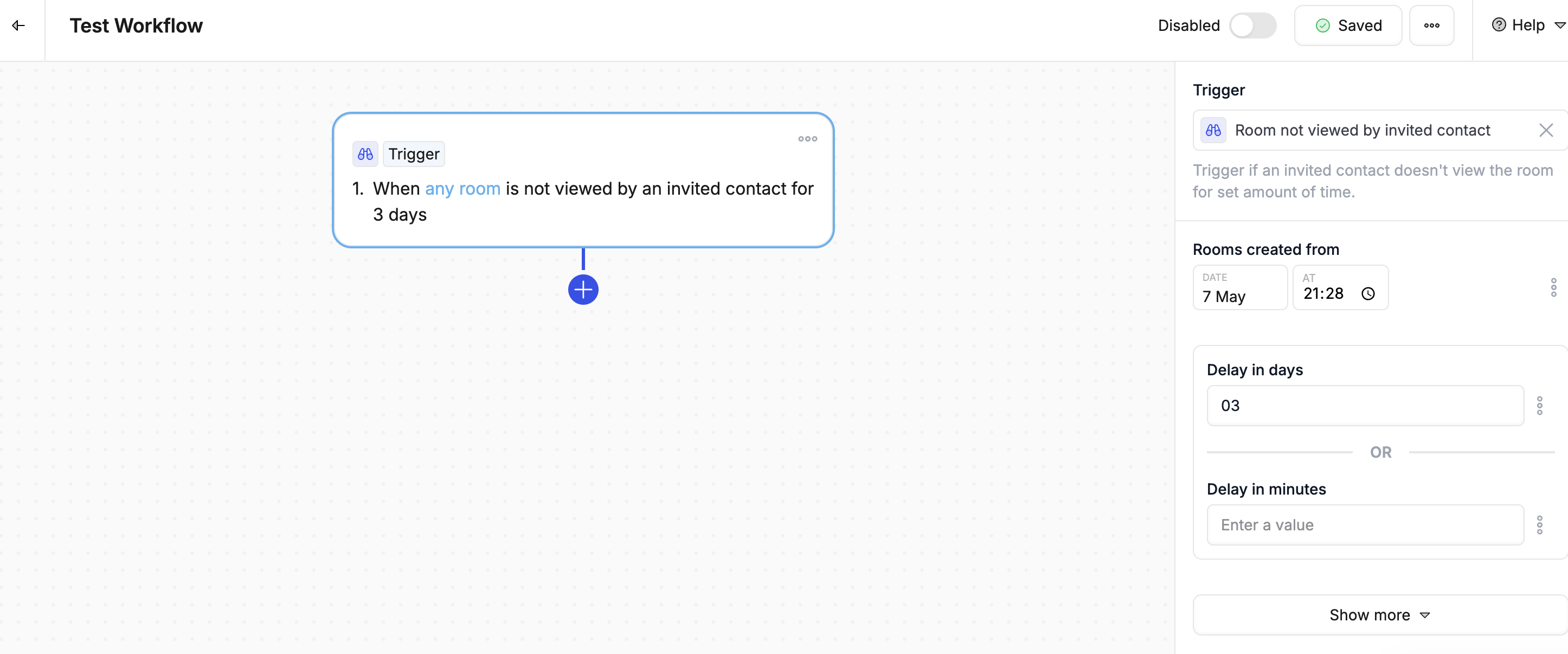
| **Room not viewed** | Fires when a room hasn't been opened within a set time period |
| **Room status changed** | Fires when the room's status is updated |
| **Room met criteria** | Fires when the room matches conditions you define |
 #### Forms
| Trigger | What it does |
| ------------------ | -------------------------------------------------- |
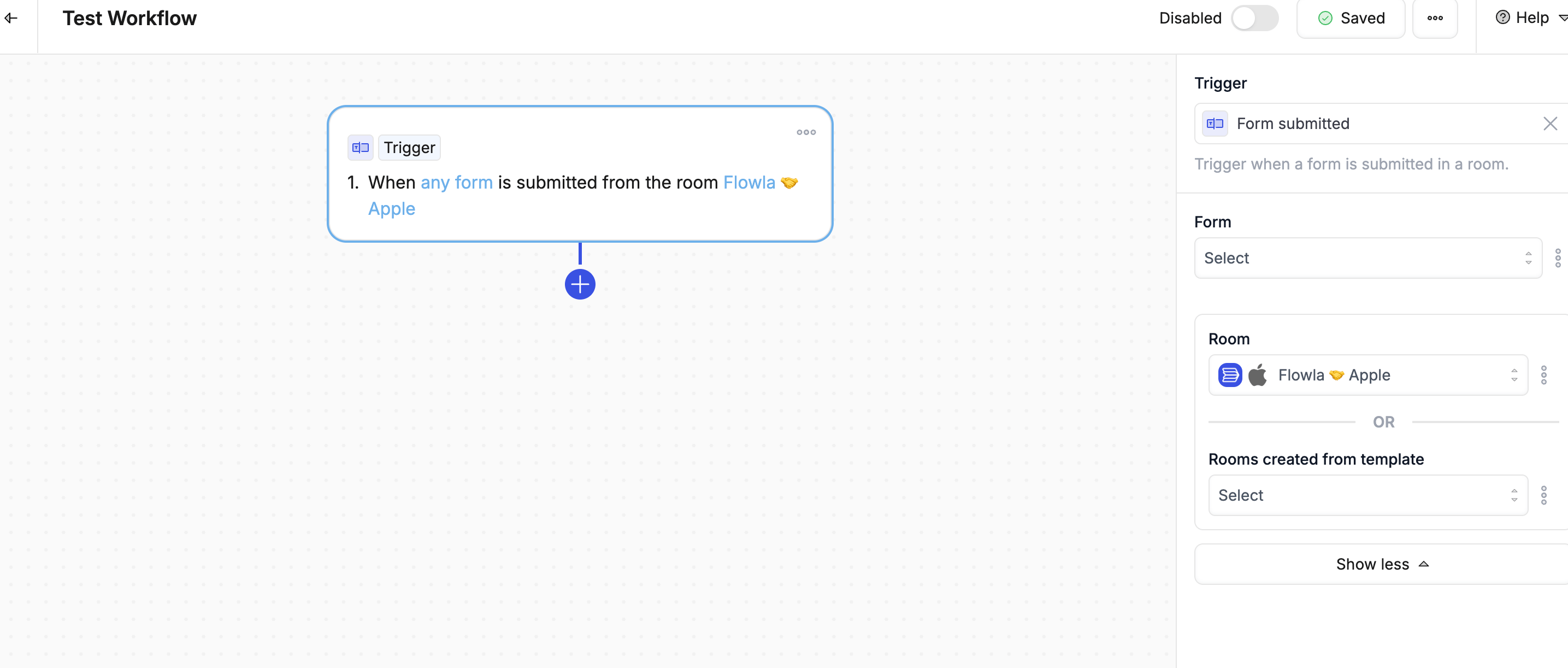
| **Form submitted** | Fires when a customer completes a form in the room |
#### Forms
| Trigger | What it does |
| ------------------ | -------------------------------------------------- |
| **Form submitted** | Fires when a customer completes a form in the room |
 #### Actions (tasks inside rooms)
| Trigger | What it does |
| ------------------------- | ----------------------------------------------------------- |
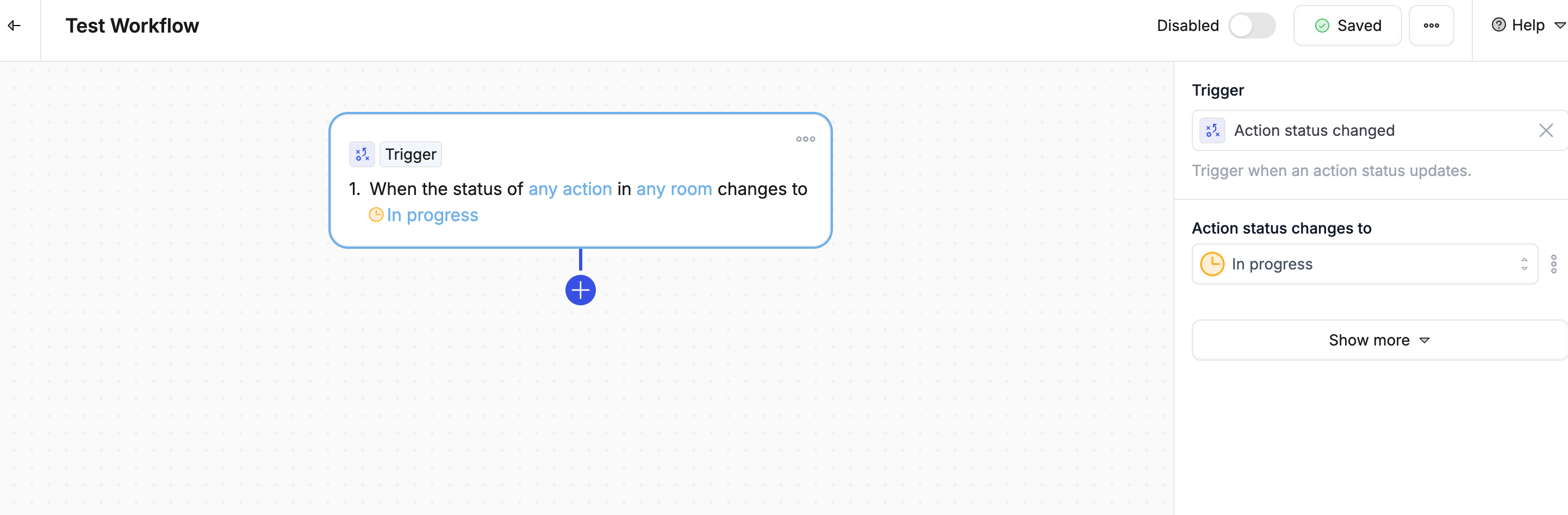
| **Action status changed** | Fires when a task is marked done, in progress, or cancelled |
| **Action not completed** | Fires when a task is still incomplete after its due date |
| **Stage completed** | Fires when every task in a section is finished |
#### Actions (tasks inside rooms)
| Trigger | What it does |
| ------------------------- | ----------------------------------------------------------- |
| **Action status changed** | Fires when a task is marked done, in progress, or cancelled |
| **Action not completed** | Fires when a task is still incomplete after its due date |
| **Stage completed** | Fires when every task in a section is finished |
 #### CRM — HubSpot
| Trigger | What it does |
| ------------------------------- | --------------------------------------------------- |
| **Deal stage changed** | Fires when a deal moves to a different stage |
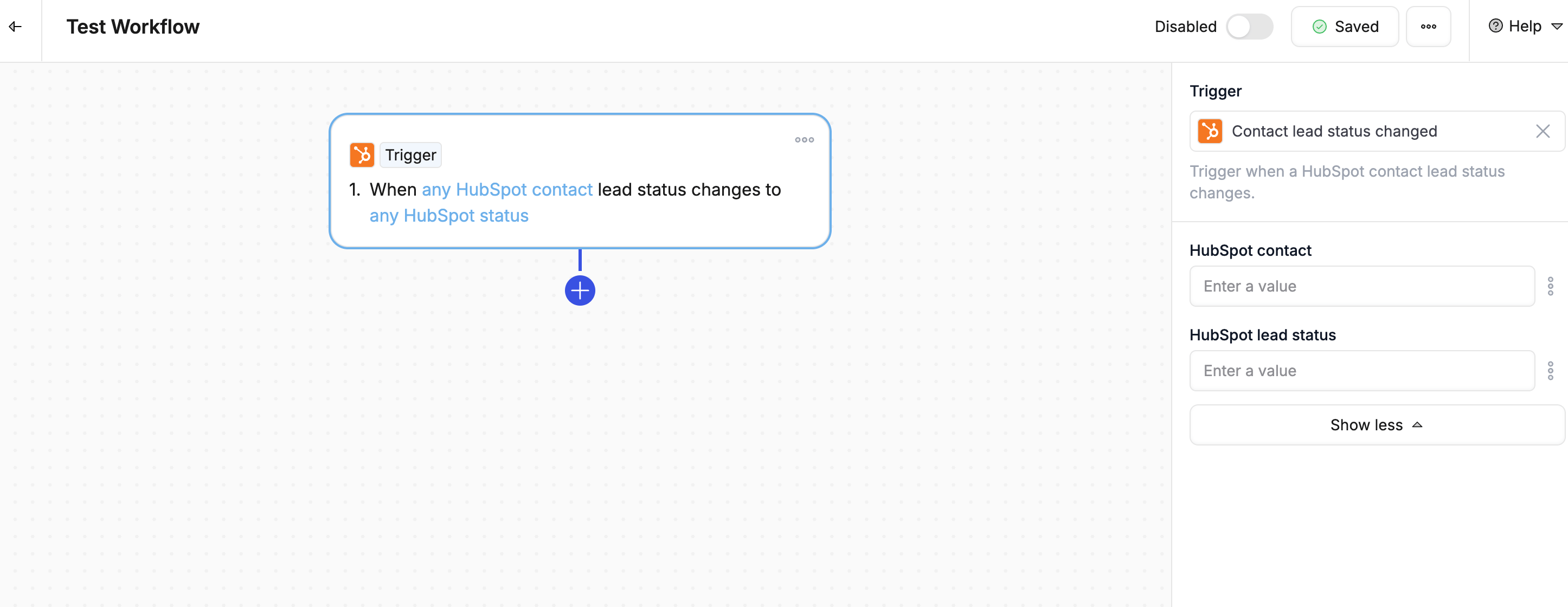
| **Contact lead status changed** | Fires when a lead's status is updated |
| **Object created** | Fires when a new deal, contact, or company is added |
| **Property changed** | Fires when any HubSpot field is updated |
| **Ticket status changed** | Fires when a support ticket status changes |
| **Task completed** | Fires when a HubSpot task is marked complete |
#### CRM — HubSpot
| Trigger | What it does |
| ------------------------------- | --------------------------------------------------- |
| **Deal stage changed** | Fires when a deal moves to a different stage |
| **Contact lead status changed** | Fires when a lead's status is updated |
| **Object created** | Fires when a new deal, contact, or company is added |
| **Property changed** | Fires when any HubSpot field is updated |
| **Ticket status changed** | Fires when a support ticket status changes |
| **Task completed** | Fires when a HubSpot task is marked complete |
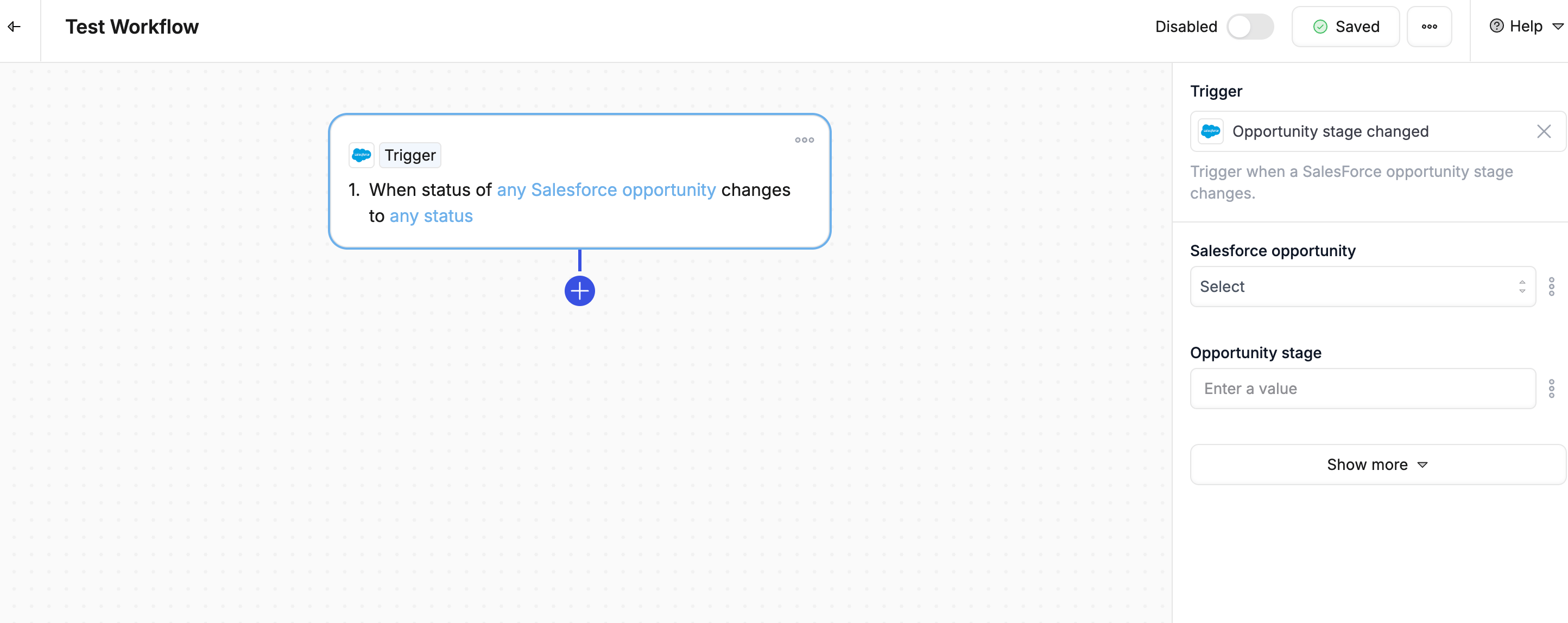
 #### CRM — Salesforce
| Trigger | What it does |
| ----------------------------- | -------------------------------------------- |
| **Opportunity stage changed** | Fires when a deal moves to a different stage |
| **Object created** | Fires when a new record is added |
| **Property changed** | Fires when any Salesforce field is updated |
#### CRM — Salesforce
| Trigger | What it does |
| ----------------------------- | -------------------------------------------- |
| **Opportunity stage changed** | Fires when a deal moves to a different stage |
| **Object created** | Fires when a new record is added |
| **Property changed** | Fires when any Salesforce field is updated |
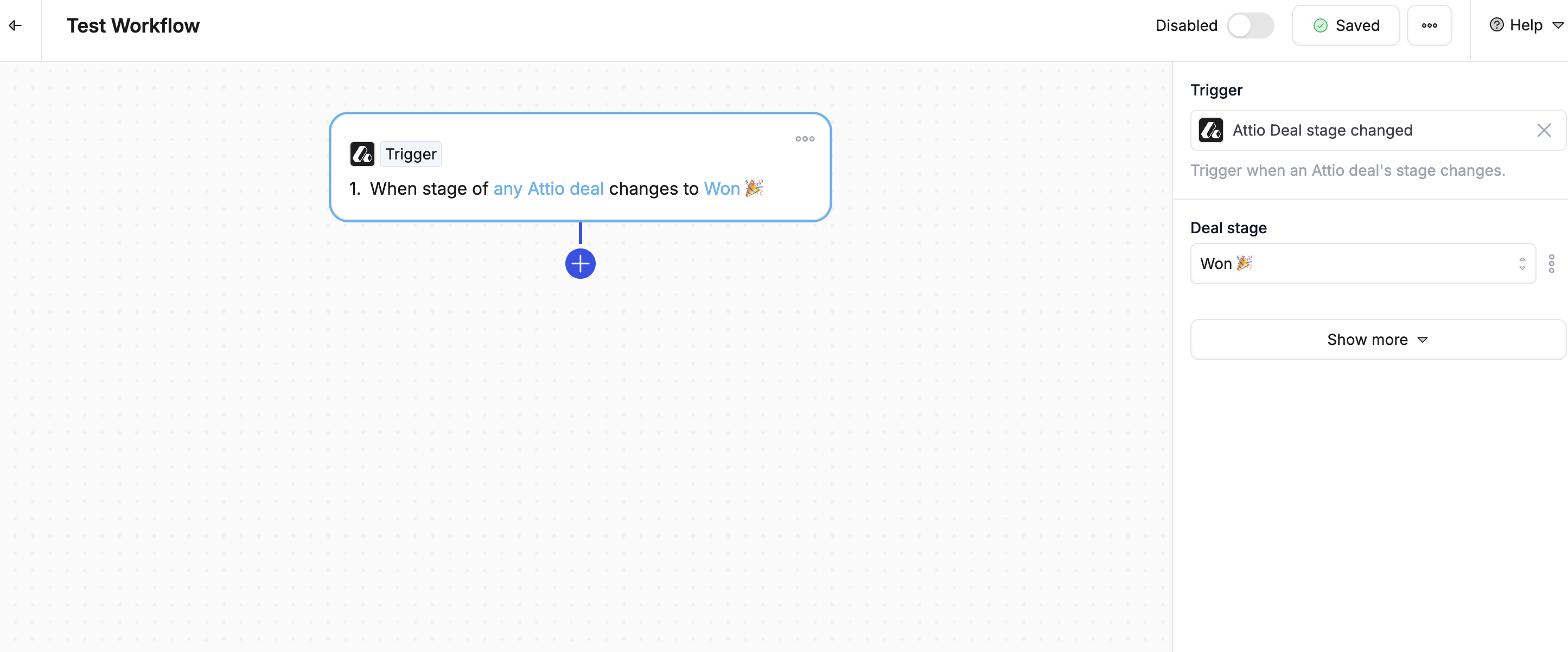
 #### CRM — Attio
| Trigger | What it does |
| -------------------- | ----------------------------------------- |
| **Record created** | Fires when a new record is added in Attio |
| **Property changed** | Fires when any Attio field is updated |
#### CRM — Attio
| Trigger | What it does |
| -------------------- | ----------------------------------------- |
| **Record created** | Fires when a new record is added in Attio |
| **Property changed** | Fires when any Attio field is updated |
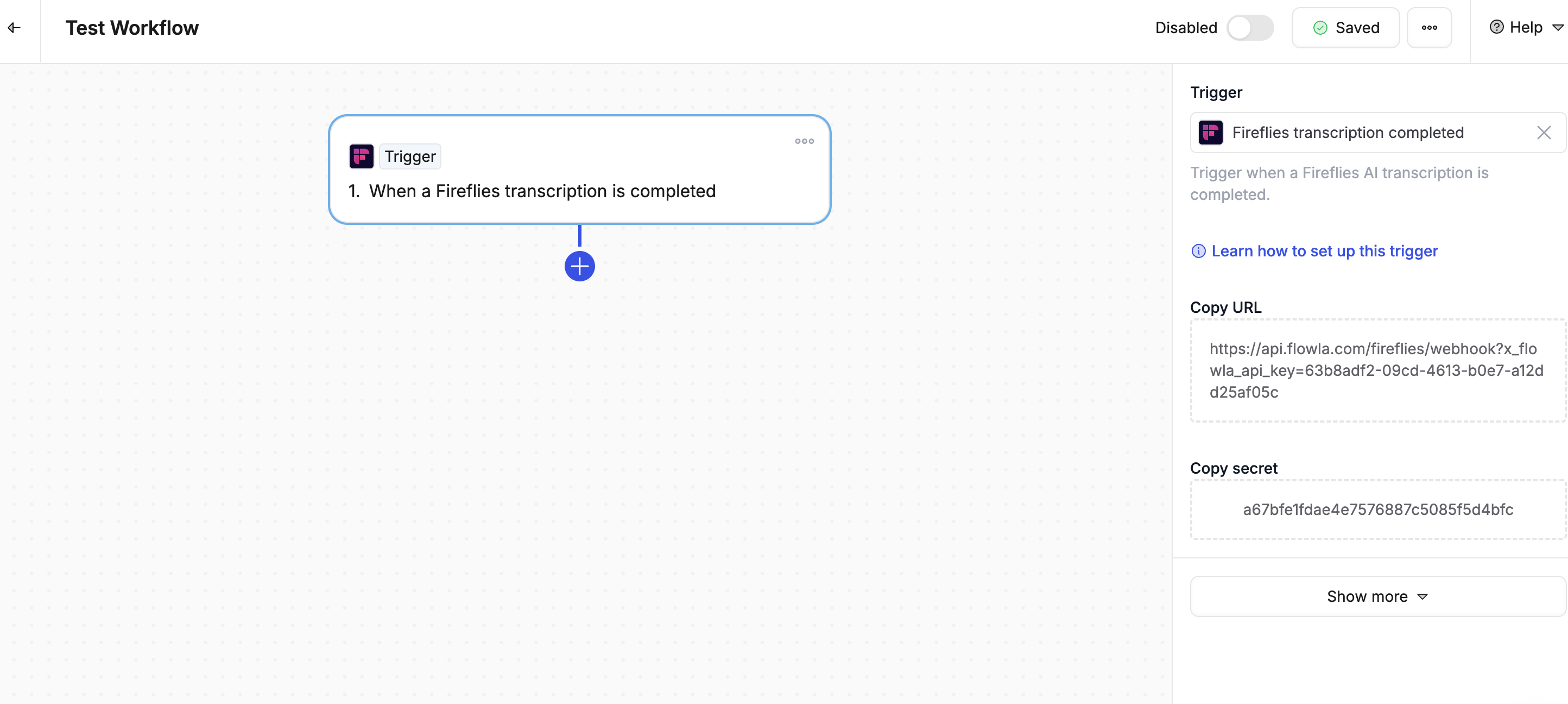
 #### Call transcripts
| Trigger | What it does |
| ------------------------------------- | -------------------------------------------------- |
| **Fireflies transcription completed** | Fires when Fireflies.ai finishes processing a call |
| **Gong transcription completed** | Fires when Gong finishes processing a call |
#### Call transcripts
| Trigger | What it does |
| ------------------------------------- | -------------------------------------------------- |
| **Fireflies transcription completed** | Fires when Fireflies.ai finishes processing a call |
| **Gong transcription completed** | Fires when Gong finishes processing a call |
 #### Email
| Trigger | What it does |
| ------------------------------- | -------------------------------------------------- |
| **Gmail thread email received** | Fires when a new email arrives in a tracked thread |
#### Webhooks & external apps
| Trigger | What it does |
| ------------------ | ---------------------------------------------------- |
| **Custom webhook** | Fires when an external tool sends a signal to Flowla |
***
### What are scopes?
Sometimes you don't want a workflow to fire every time a trigger happens — only when something **specific** is true.
That's what **scopes** are for. A scope acts as a filter, so your workflow only runs at exactly the right moment.
### Example
* **Trigger**: Deal stage changed
* **Scope**: Only when the new stage is *Contract Sent*
Without a scope, the workflow fires every time the deal stage changes. With a scope, it only fires when the deal reaches that one specific stage.
After setting up a new trigger, check your [workflow logs](/automations/automations-overview) to confirm it fires exactly when expected — it's the quickest way to catch a misconfigured scope before it causes issues.
***
### Best practices
1. **Start specific** — Begin with narrow conditions and expand later if needed
2. **Check for duplicates** — Make sure you don't have two workflows with the same trigger
3. **Test before going live** — Create a test record to confirm the trigger fires correctly
4. **Use scopes** — Filter down to exactly the scenario you care about
5. **Review regularly** — Check your workflow logs to make sure triggers are firing as expected
#### Email
| Trigger | What it does |
| ------------------------------- | -------------------------------------------------- |
| **Gmail thread email received** | Fires when a new email arrives in a tracked thread |
#### Webhooks & external apps
| Trigger | What it does |
| ------------------ | ---------------------------------------------------- |
| **Custom webhook** | Fires when an external tool sends a signal to Flowla |
***
### What are scopes?
Sometimes you don't want a workflow to fire every time a trigger happens — only when something **specific** is true.
That's what **scopes** are for. A scope acts as a filter, so your workflow only runs at exactly the right moment.
### Example
* **Trigger**: Deal stage changed
* **Scope**: Only when the new stage is *Contract Sent*
Without a scope, the workflow fires every time the deal stage changes. With a scope, it only fires when the deal reaches that one specific stage.
After setting up a new trigger, check your [workflow logs](/automations/automations-overview) to confirm it fires exactly when expected — it's the quickest way to catch a misconfigured scope before it causes issues.
***
### Best practices
1. **Start specific** — Begin with narrow conditions and expand later if needed
2. **Check for duplicates** — Make sure you don't have two workflows with the same trigger
3. **Test before going live** — Create a test record to confirm the trigger fires correctly
4. **Use scopes** — Filter down to exactly the scenario you care about
5. **Review regularly** — Check your workflow logs to make sure triggers are firing as expected