> ## Documentation Index
> Fetch the complete documentation index at: https://docs.flowla.com/llms.txt
> Use this file to discover all available pages before exploring further.
# Form fields
> Understand all available field types and how to configure them for your forms.
Flowla forms support a range of field types so you can collect exactly the right kind of information — whether that's a date, a file, a number, or a simple yes/no. Choosing the right field type makes forms easier to complete and keeps the data clean and usable on your end.
***
## All field types
| Type | Description | Best for |
| ------------------- | ---------------------------------------- | ----------------------------- |
| **Text** | Short or long text input | Names, descriptions, comments |
| **Email** | Email address with validation | Contact information |
| **Number** | Numeric input only | Quantities, budgets, scores |
| **Link** | URL input with validation | Website URLs, resource links |
| **Date** | Single date picker | Deadlines, target dates |
| **Date Range** | Start and end date | Project timelines, periods |
| **Date Time** | Date with time selection | Meeting scheduling, deadlines |
| **File Upload** | Accept file attachments | Documents, images, contracts |
| **Single Choice** | Radio buttons — one selection only | Yes/No, categories |
| **Multiple Choice** | Checkboxes — multiple selections allowed | Features, preferences |
***
## Field settings
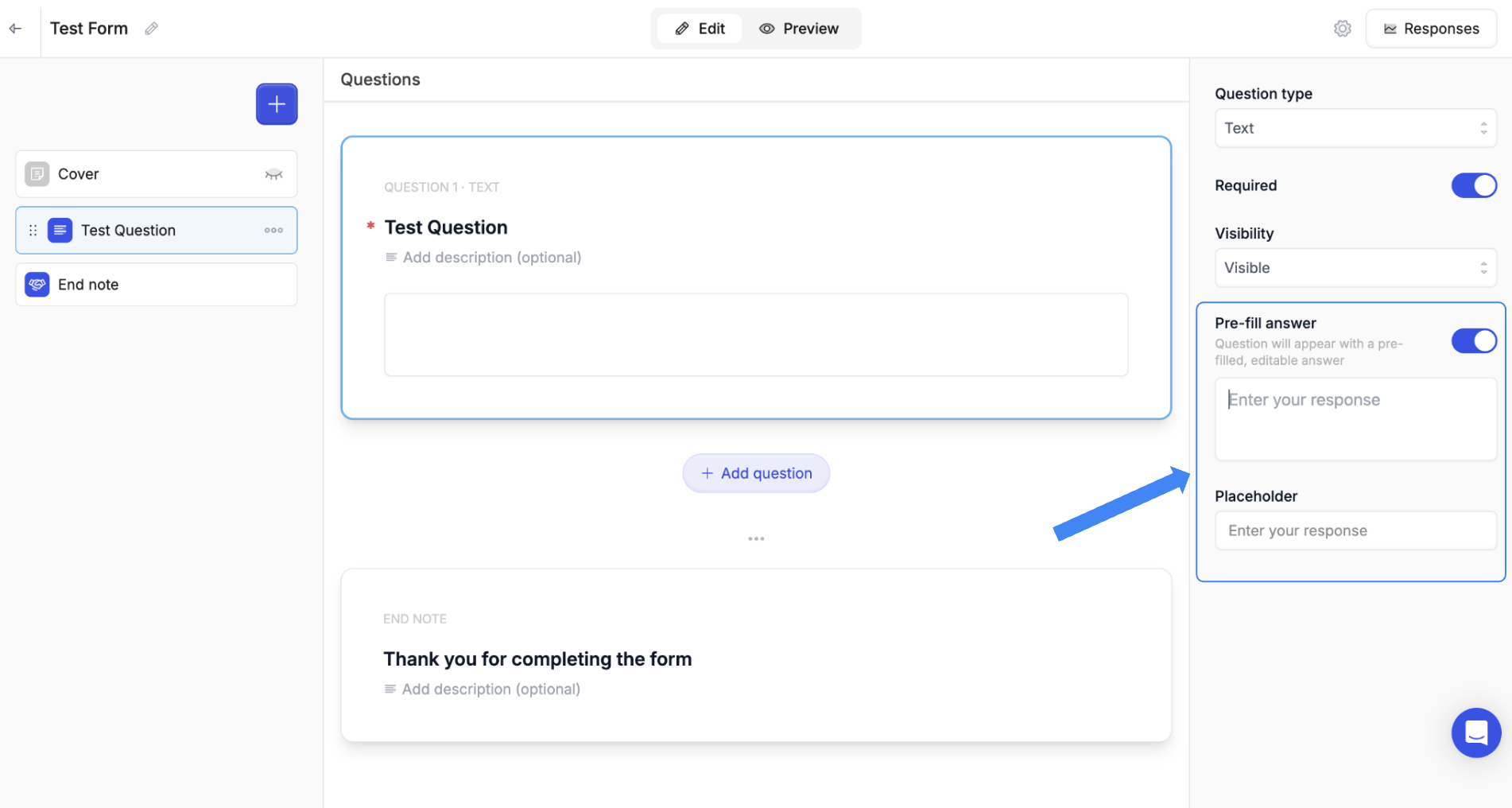
Each field has additional configuration options available when building your form.
**Pre-fill answer**
When enabled, the field appears with a default answer already filled in. The respondent can edit or overwrite it before submitting. Useful for suggesting a typical answer or pre-populating information you already know.
**Placeholder**
The helper text displayed inside an empty field (e.g. *Enter your response*). Guides respondents on what to type without pre-filling the field — the text disappears as soon as they start typing.