> ## Documentation Index
> Fetch the complete documentation index at: https://docs.flowla.com/llms.txt
> Use this file to discover all available pages before exploring further.
# 4️⃣ Utilize analytics
> Learn how to track room engagement, identify active prospects, and use data to prioritize follow-ups.
### Why analytics matter
Flowla analytics show you exactly how prospects engage with your rooms—who's viewing, what they're looking at, and when they're active. Use this data to prioritize follow-ups, identify stuck deals, and understand what content resonates.
Without visibility into buyer behavior, you're guessing. With Flowla analytics, you know:
* Which deals are hot (and which have gone cold)
* Who the key stakeholders are in each deal
* What content gets the most attention
* When to follow up for maximum impact
### Key metrics to watch
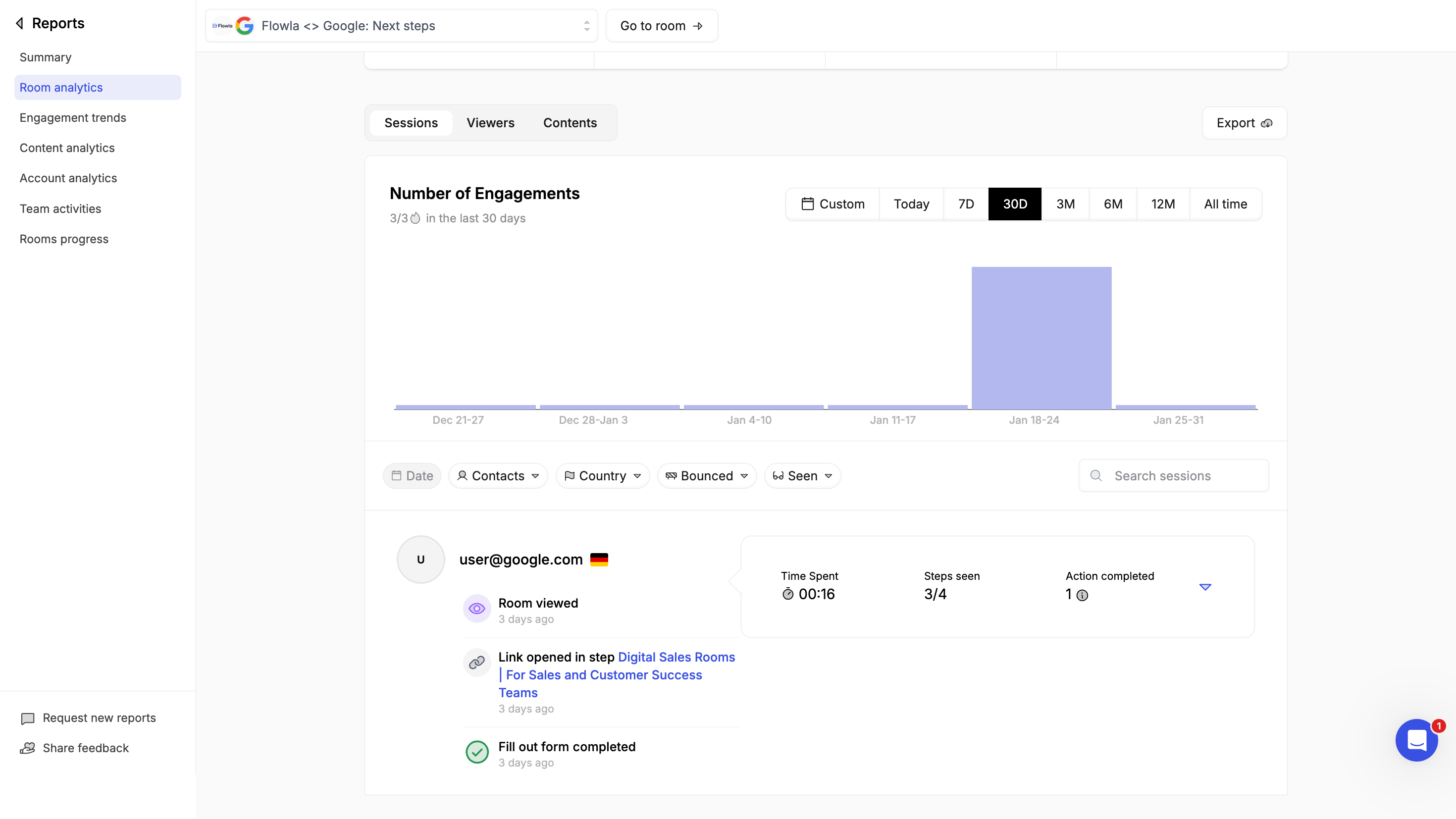
**Engagement signals:**
* **Room views** - Who viewed and how often
* **Time spent** - How long visitors engaged with which content
* **Last activity** - When the room was most recently viewed
* **Tasks completed** - Progress on mutual action plans
* **Forms submitted** - Customer submitted their data
 **Content performance:**
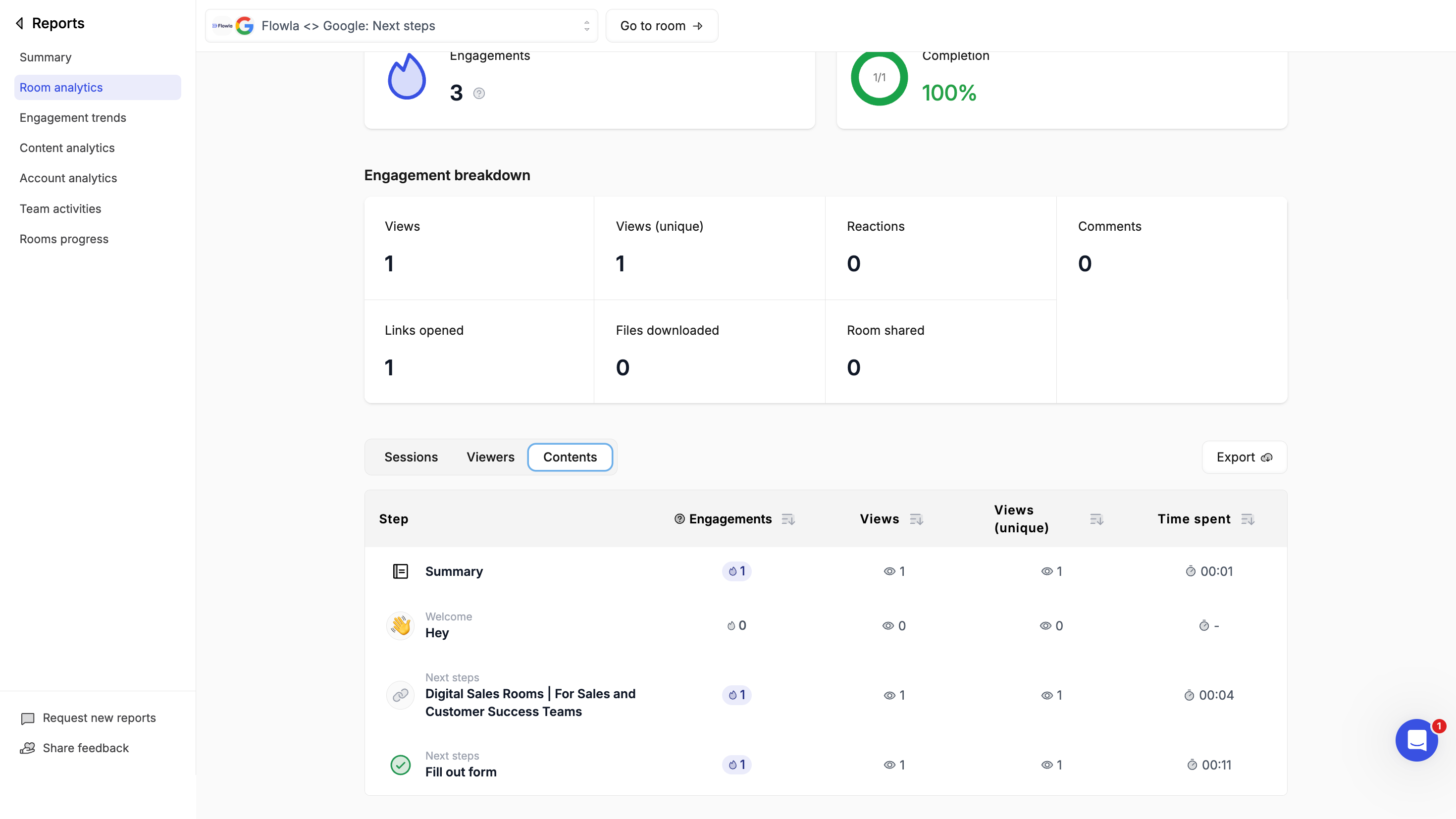
* **Asset views** - Which files and materials get opened
* **Downloads** - What content prospects save locally
* **Section engagement** - Which parts of your room get the most attention
**Content performance:**
* **Asset views** - Which files and materials get opened
* **Downloads** - What content prospects save locally
* **Section engagement** - Which parts of your room get the most attention
 ### Using analytics to prioritize
**Hot deals** - Rooms with recent activity and multiple stakeholders viewing indicate active evaluation. Prioritize these for follow-up.
**Cold deals** - Rooms with no activity for 7+ days may need a nudge. Use this signal to re-engage.
Set up a workflow triggered by room inactivity to send an automated nudge after 7 days — no manual follow-up needed. Learn more in [Automations](/automations/automations-overview).
**Champion identification** - See which contacts view most frequently. These are likely your internal champions.
**Content optimization** - Notice which assets get ignored? Consider replacing or repositioning them.
### Learn more
Dive deeper into specific analytics views:
* [Room Analytics](/reports-analytics/room-analytics) - Individual room performance
* [Engagement Trends](/reports-analytics/engagement-trends) - Patterns over time
* [Content Analytics](/reports-analytics/content-analytics) - Asset performance
* [Account Analytics](/reports-analytics/account-analytics) - Company-level insights
* [Team Activity](/reports-analytics/team-activity) - Team performance metrics
### Using analytics to prioritize
**Hot deals** - Rooms with recent activity and multiple stakeholders viewing indicate active evaluation. Prioritize these for follow-up.
**Cold deals** - Rooms with no activity for 7+ days may need a nudge. Use this signal to re-engage.
Set up a workflow triggered by room inactivity to send an automated nudge after 7 days — no manual follow-up needed. Learn more in [Automations](/automations/automations-overview).
**Champion identification** - See which contacts view most frequently. These are likely your internal champions.
**Content optimization** - Notice which assets get ignored? Consider replacing or repositioning them.
### Learn more
Dive deeper into specific analytics views:
* [Room Analytics](/reports-analytics/room-analytics) - Individual room performance
* [Engagement Trends](/reports-analytics/engagement-trends) - Patterns over time
* [Content Analytics](/reports-analytics/content-analytics) - Asset performance
* [Account Analytics](/reports-analytics/account-analytics) - Company-level insights
* [Team Activity](/reports-analytics/team-activity) - Team performance metrics