> ## Documentation Index
> Fetch the complete documentation index at: https://docs.flowla.com/llms.txt
> Use this file to discover all available pages before exploring further.
# Room progress
> Track task completion and milestone progress across your rooms.
Room progress shows you how deals and processes are moving forward based on action completion. It answers the question your CRM can't: are customers actually doing the things they need to do to get to close? See which rooms are on track, which are stuck, and where to focus your energy.
 ***
## How to access
Open the Reports section from the main navigation.
Choose from preset periods or set a custom range.
***
## Totals
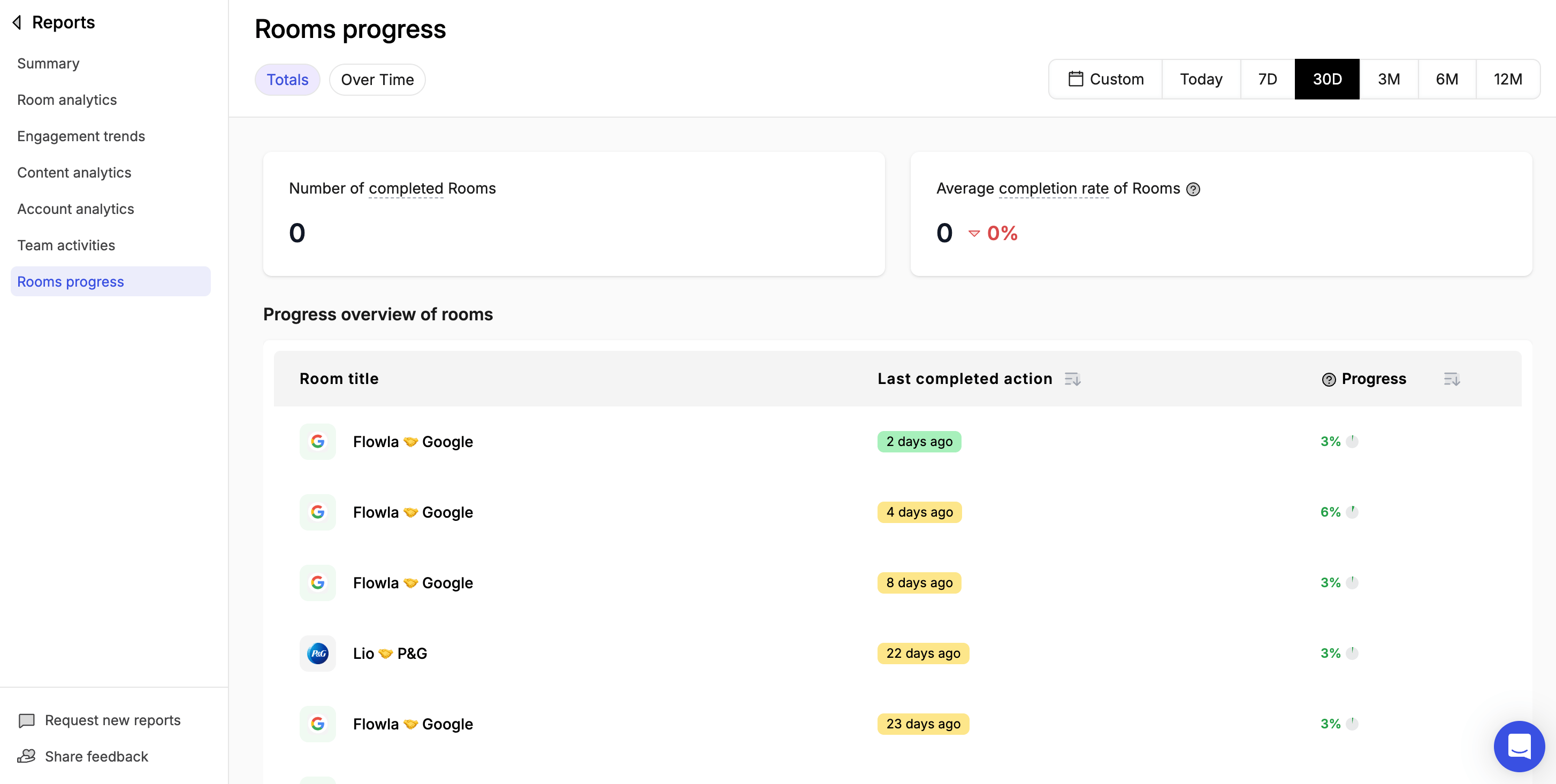
**Number of completed rooms** — Rooms where all actions have been completed in the selected time frame.
**Average completion rate of rooms** — The average percentage of actions completed across all rooms. A low number across the board may indicate that action items need to be simplified or re-scoped.
**Progress overview of rooms** — A table showing each room with its last completed action and overall progress percentage.
***
## Over time
**Number of completed rooms over time** — Completed rooms charted over the selected time period.
**Average completion rate of rooms over time** — Average room completion rate charted over the selected time period.
***
## Filter by time period
* Last 7 days
* Last 30 days
* Last 90 days
* Custom date range
***
## How to access
Open the Reports section from the main navigation.
Choose from preset periods or set a custom range.
***
## Totals
**Number of completed rooms** — Rooms where all actions have been completed in the selected time frame.
**Average completion rate of rooms** — The average percentage of actions completed across all rooms. A low number across the board may indicate that action items need to be simplified or re-scoped.
**Progress overview of rooms** — A table showing each room with its last completed action and overall progress percentage.
***
## Over time
**Number of completed rooms over time** — Completed rooms charted over the selected time period.
**Average completion rate of rooms over time** — Average room completion rate charted over the selected time period.
***
## Filter by time period
* Last 7 days
* Last 30 days
* Last 90 days
* Custom date range