> ## Documentation Index
> Fetch the complete documentation index at: https://docs.flowla.com/llms.txt
> Use this file to discover all available pages before exploring further.
# Sharing and share settings
> Control how visitors access and interact with your rooms.
Rooms are designed to be shared — here's how to get them in front of the right people and configure exactly how they'll experience them. The right access settings protect your content while making it as frictionless as possible for the right people to get in.
***
## Invite prospects
Share rooms with external stakeholders like prospects and customers.
Click **Share** → **Copy link, thumbnail or QR code** and send it via email, Slack, or any channel. Anyone with the link can access the room based on your access settings.
Click **Share** → **Invite by email**, enter recipient email addresses, and customise the invitation message. Flowla sends branded email invitations on your behalf.
Use [workflows](/automations/automations-overview) to automatically send room invitations when deals reach specific stages. Include personalised messaging using variables.
Learn more about [Share settings](#share-settings) to control exactly how recipients access the room.
***
## Share settings
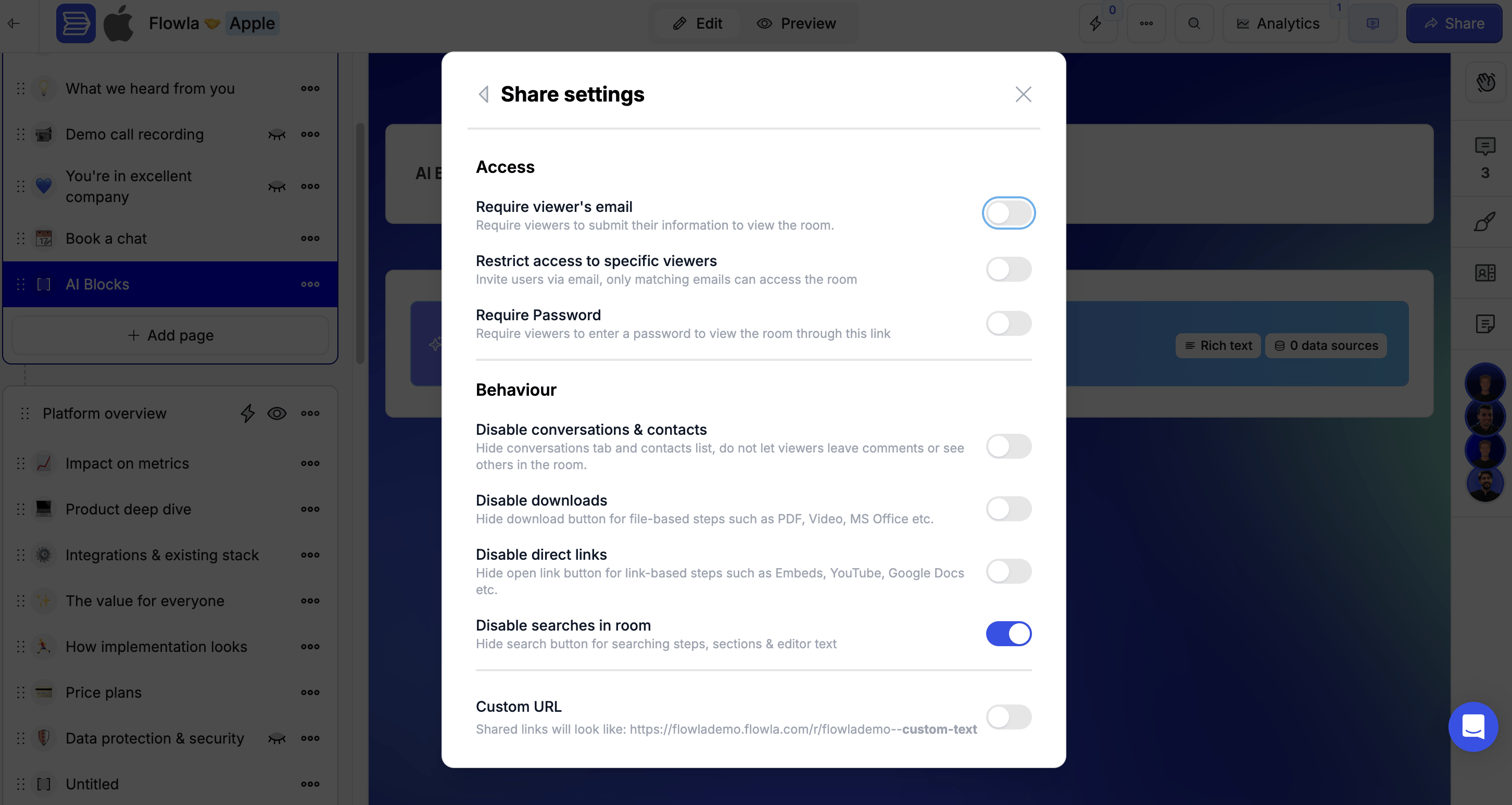
To open the **Share settings** menu, click **Share** in the top right corner of the room, then select **Share settings**.
### Require viewer's email
This is the toggle you'll use most often. Knowing who's in your room is one of the most valuable signals in sales — it tells you which stakeholders are actively engaged so you can prioritise your follow-ups.
**Enabled:** Visitors must enter their email address before viewing the room for the first time. This lets you:
* Identify who viewed your room
* Track individual stakeholder engagement
* Spot potential stakeholders via [Room Analytics](/reports-analytics/room-analytics)
**Disabled:** Anyone with the link can view the room anonymously. Use this for public content or when identification isn't needed.
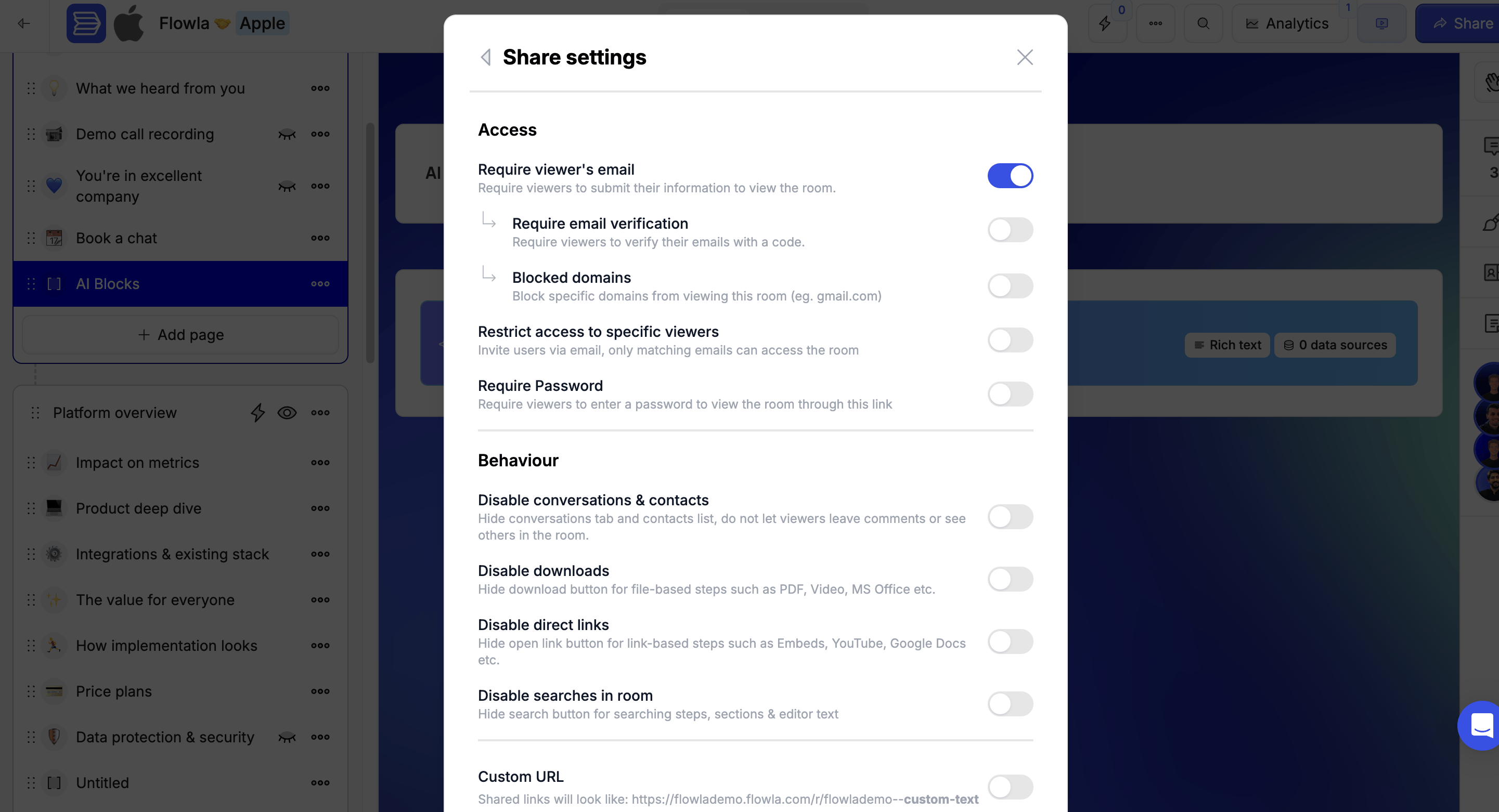 #### Require email verification
Available when **Require viewer's email** is enabled.
When turned on, Flowla sends a one-time verification code to the visitor's email. They must enter the code before gaining access — confirming the email they submitted is valid.
Turn on email verification for rooms containing NDAs or pricing — it creates a verified audit trail of exactly who accessed the content and when.
#### Require email verification
Available when **Require viewer's email** is enabled.
When turned on, Flowla sends a one-time verification code to the visitor's email. They must enter the code before gaining access — confirming the email they submitted is valid.
Turn on email verification for rooms containing NDAs or pricing — it creates a verified audit trail of exactly who accessed the content and when.
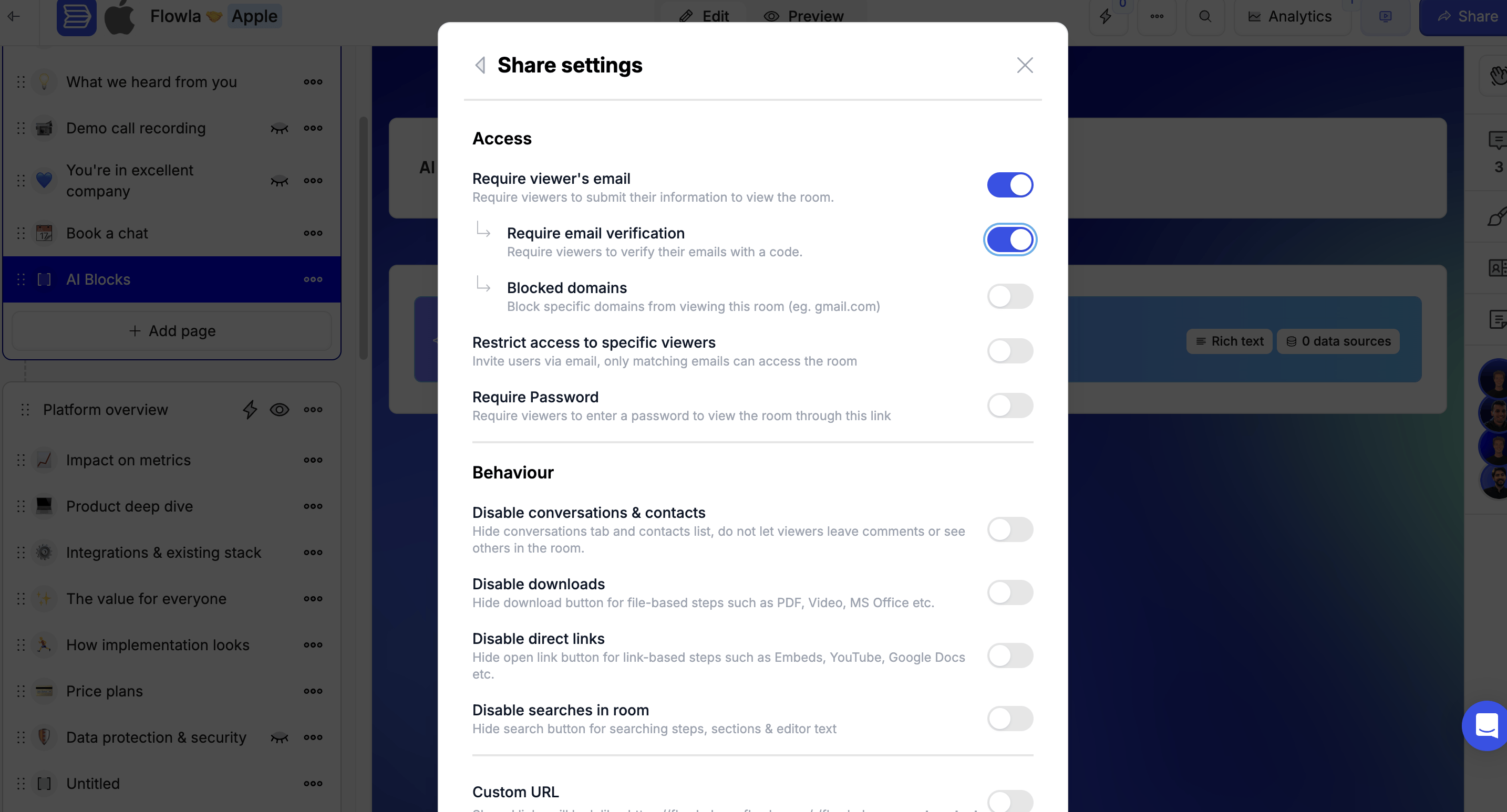 #### Blocked domains
Available when **Require viewer's email** is enabled.
Block specific email domains from accessing the room. For example, adding `gmail.com` prevents anyone with a Gmail address from viewing the room — useful for keeping out competitors or anyone you don't want accessing your content.
#### Blocked domains
Available when **Require viewer's email** is enabled.
Block specific email domains from accessing the room. For example, adding `gmail.com` prevents anyone with a Gmail address from viewing the room — useful for keeping out competitors or anyone you don't want accessing your content.
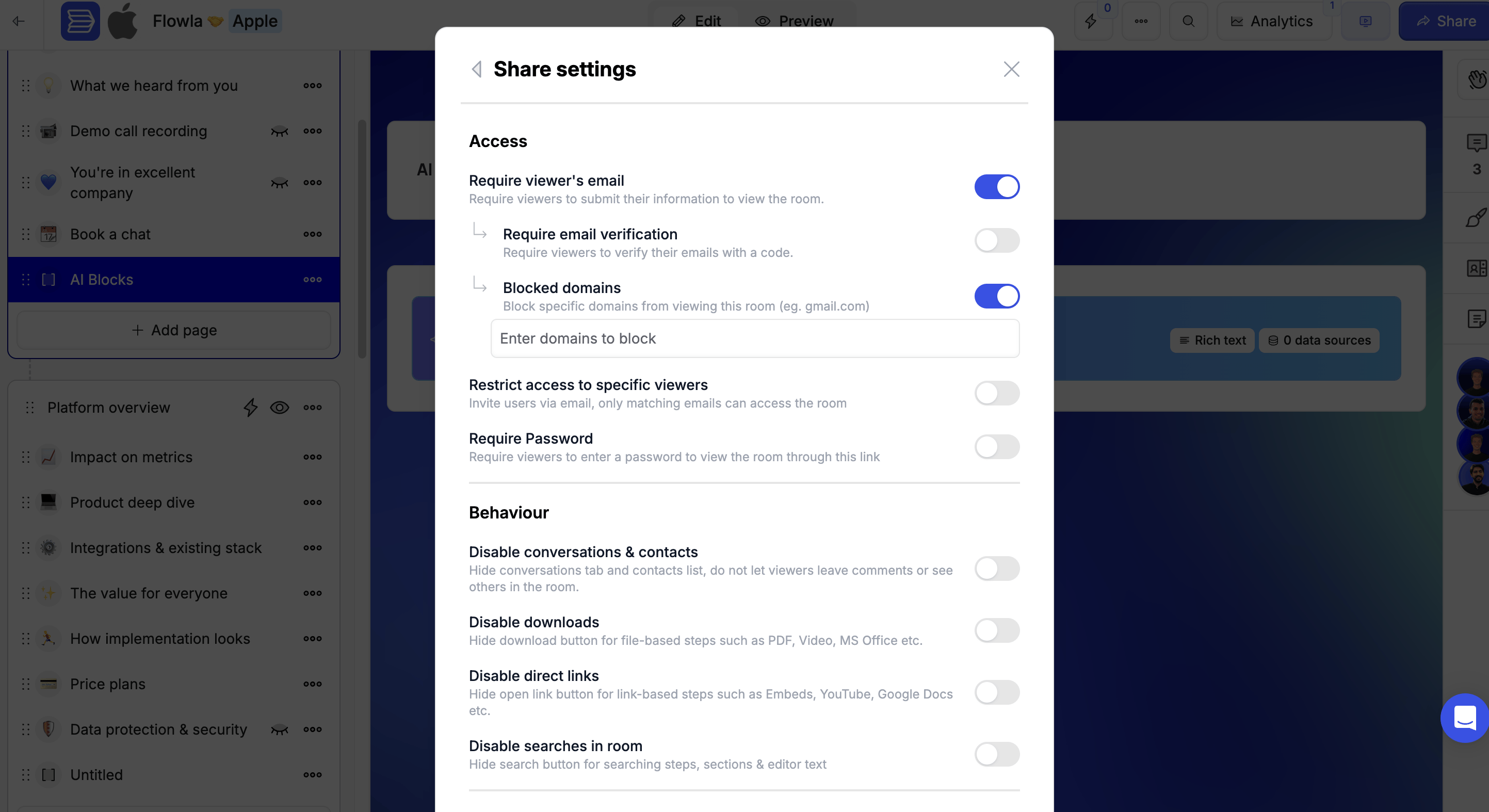 ### Restrict access to specific viewers
Use this when you need tight control — for example, with sensitive proposals, pricing documents, or NDAs where the wrong person seeing the content could be a problem.
**Enabled:** Only viewers you've explicitly invited by email can access the room. Anyone else who tries to open the link will be denied, even if they have the URL.
**Disabled:** Anyone with the link can access the room (subject to your other access settings).
### Restrict access to specific viewers
Use this when you need tight control — for example, with sensitive proposals, pricing documents, or NDAs where the wrong person seeing the content could be a problem.
**Enabled:** Only viewers you've explicitly invited by email can access the room. Anyone else who tries to open the link will be denied, even if they have the URL.
**Disabled:** Anyone with the link can access the room (subject to your other access settings).
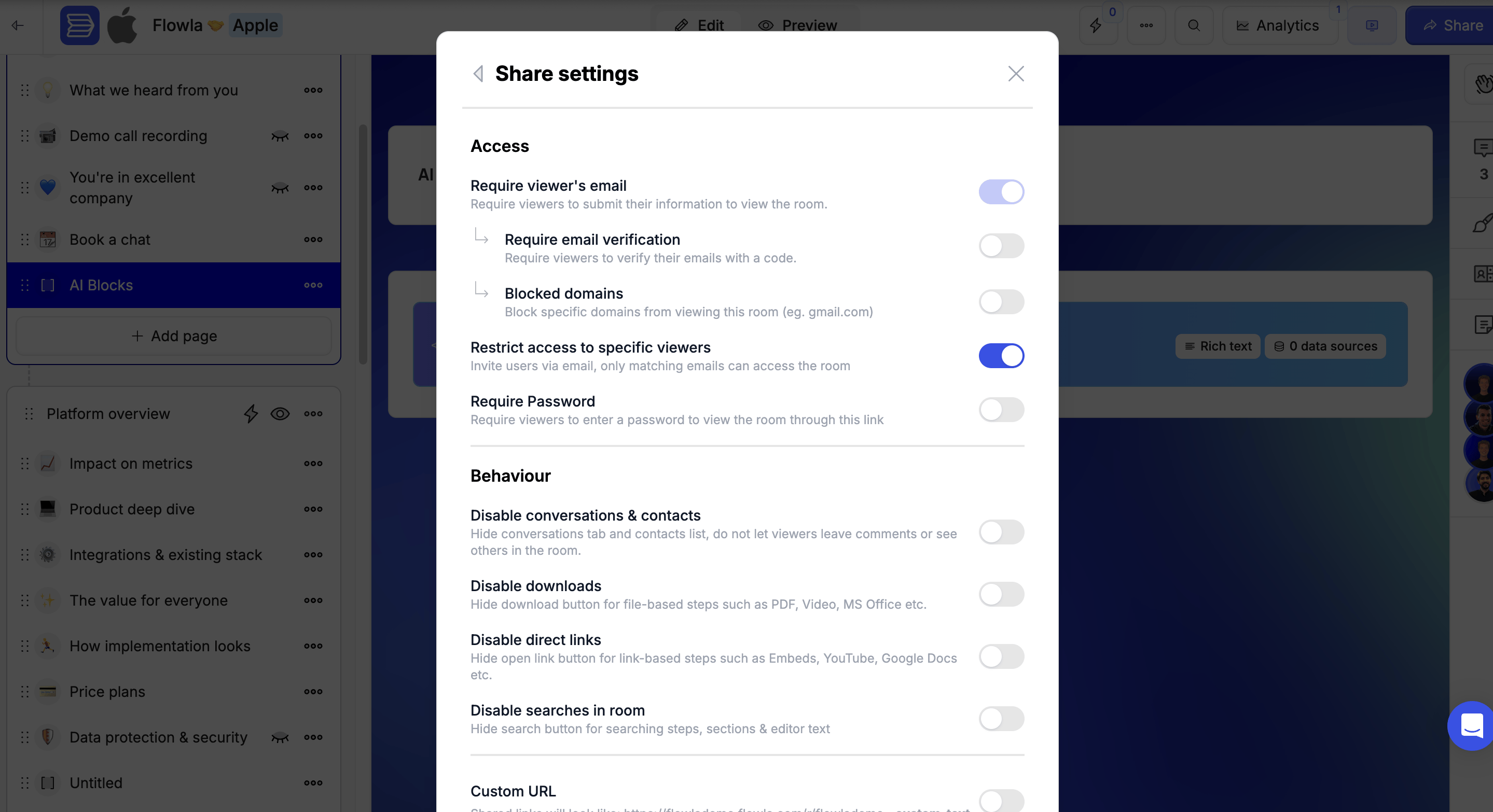 ### Require password
When turned on, visitors are prompted to enter a password before accessing the room. Set the password directly in the field that appears below the toggle.
### Require password
When turned on, visitors are prompted to enter a password before accessing the room. Set the password directly in the field that appears below the toggle.
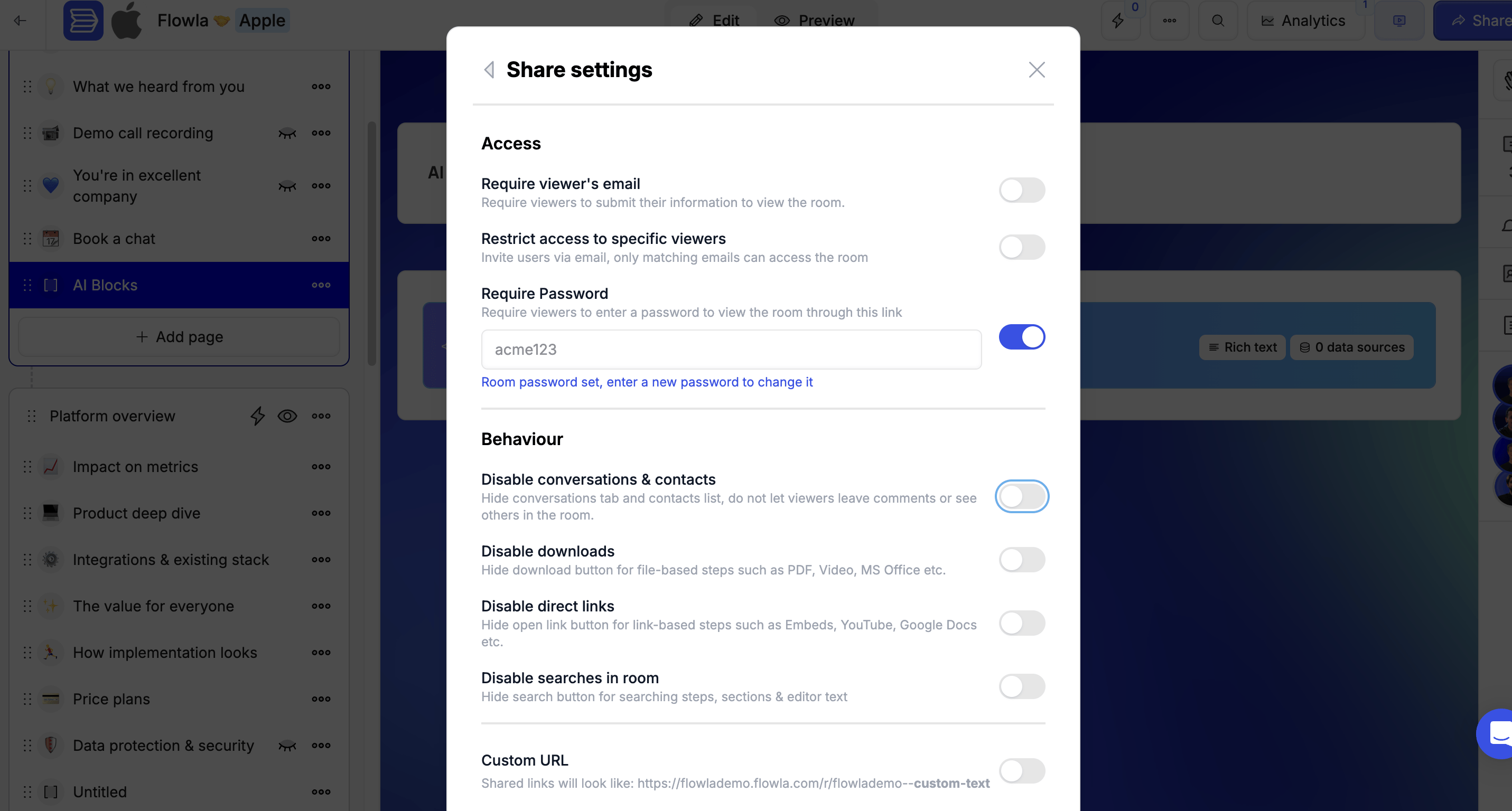 ### Disable conversations & contacts
**Enabled:** Viewers can leave comments in the social bar and see other people who have accessed the room. Comments and previous viewers are visible to everyone.
**Disabled:** The social bar is hidden. Viewers can't write comments or see who else has accessed the room.
Disable this toggle when sharing a room with multiple target companies to keep each party's experience separate.
### Disable conversations & contacts
**Enabled:** Viewers can leave comments in the social bar and see other people who have accessed the room. Comments and previous viewers are visible to everyone.
**Disabled:** The social bar is hidden. Viewers can't write comments or see who else has accessed the room.
Disable this toggle when sharing a room with multiple target companies to keep each party's experience separate.
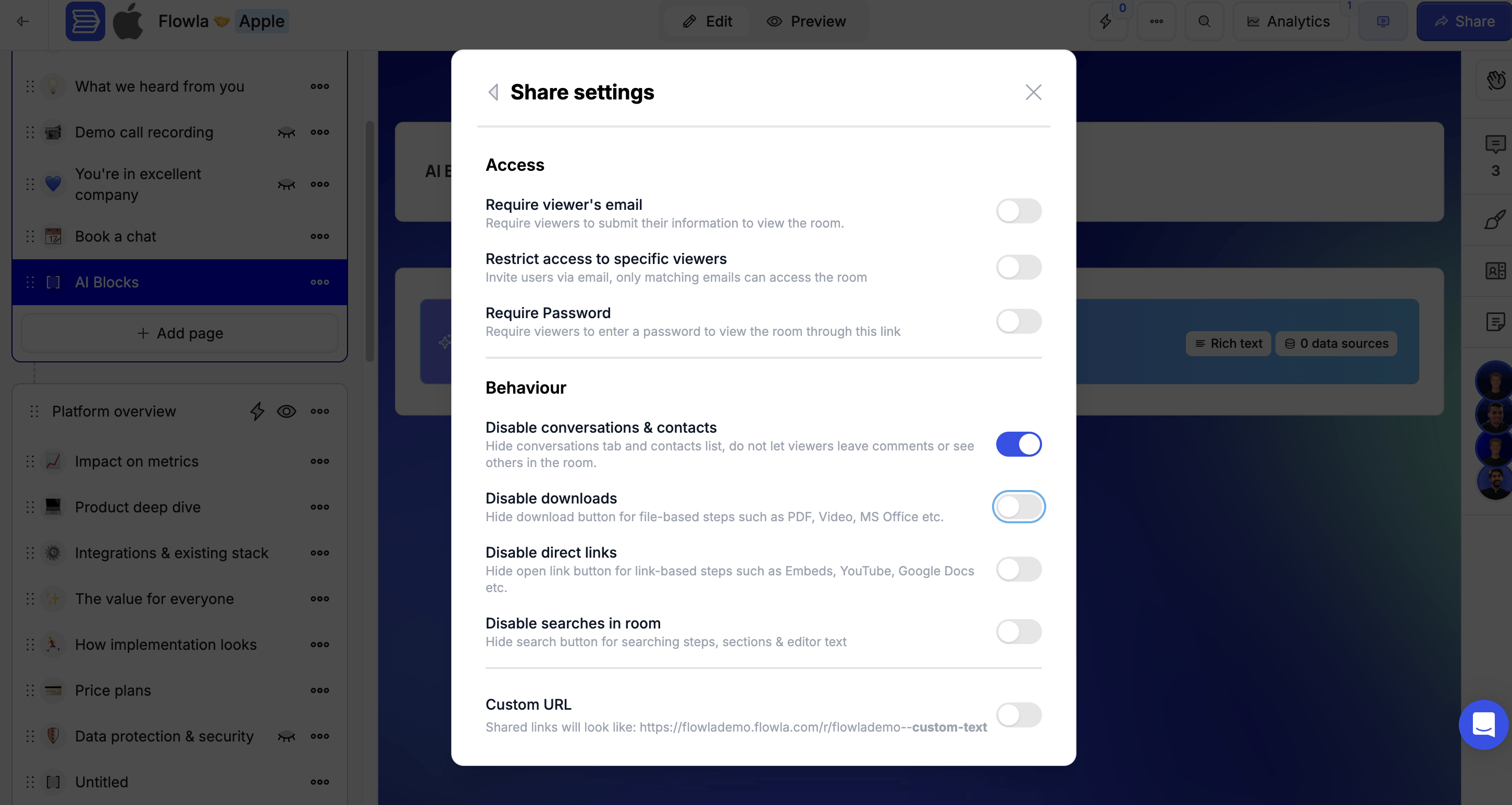 ### Disable downloads
When turned on, room viewers can't download file-based content such as PDFs or videos.
### Disable downloads
When turned on, room viewers can't download file-based content such as PDFs or videos.
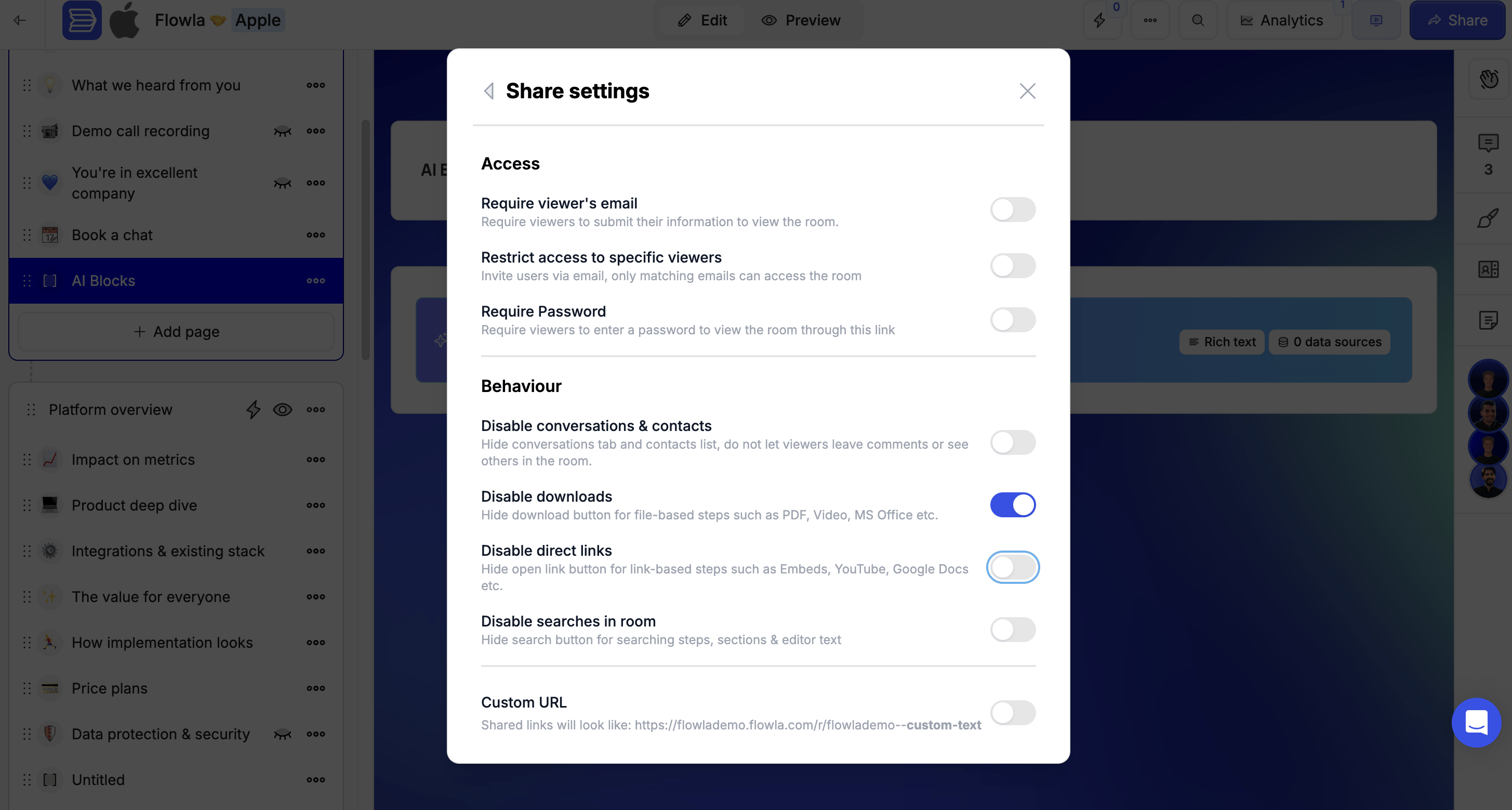 ### Disable direct links
When turned on, the **Open Link** button for embedded links is hidden. Viewers can't leave Flowla and view the embedded content on an external platform (e.g. YouTube).
### Disable direct links
When turned on, the **Open Link** button for embedded links is hidden. Viewers can't leave Flowla and view the embedded content on an external platform (e.g. YouTube).
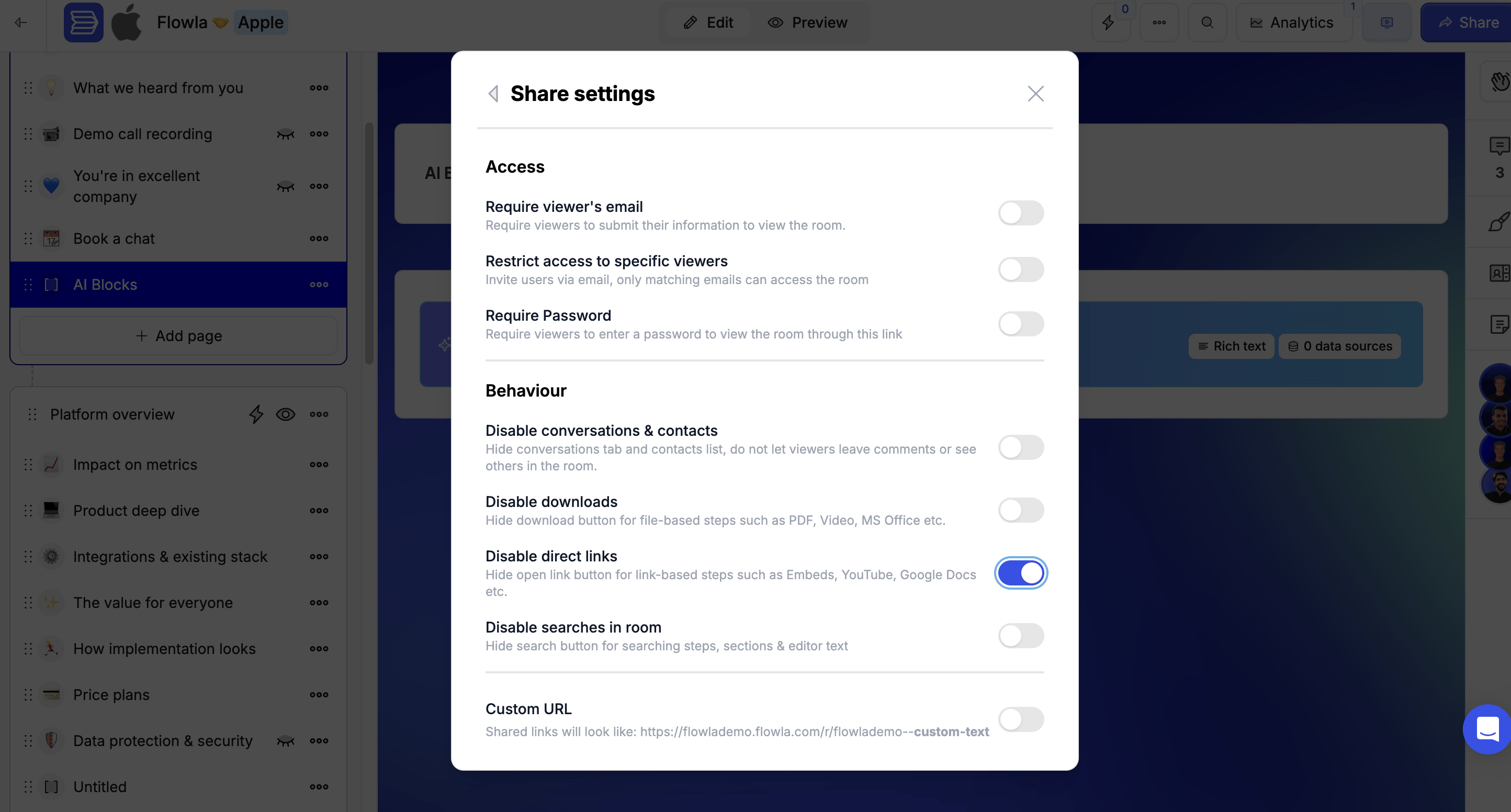 ### Disable searches in room
When turned on, the search button inside the room is hidden — viewers can't search through steps, sections, or editor text.
### Disable searches in room
When turned on, the search button inside the room is hidden — viewers can't search through steps, sections, or editor text.
 ***
## Troubleshooting
**Likely cause:** A room access setting may have been updated, or the link type changed.
**Fix:** Check the room's share settings. Make sure **Public access** is enabled if you want anyone with the link to view without logging in.
**Likely cause:** Could be a browser-side rendering error or a permissions issue.
**Fix:** Ask the prospect to try in a different browser or incognito mode. If the issue persists, share the room URL and error message with Flowla support.
**Likely cause:** Session token issue or account-level access problem.
**Fix:** Log out and log back in. Clear your browser cache. If the issue continues, contact support — it may be a platform-level incident.
***
## Troubleshooting
**Likely cause:** A room access setting may have been updated, or the link type changed.
**Fix:** Check the room's share settings. Make sure **Public access** is enabled if you want anyone with the link to view without logging in.
**Likely cause:** Could be a browser-side rendering error or a permissions issue.
**Fix:** Ask the prospect to try in a different browser or incognito mode. If the issue persists, share the room URL and error message with Flowla support.
**Likely cause:** Session token issue or account-level access problem.
**Fix:** Log out and log back in. Clear your browser cache. If the issue continues, contact support — it may be a platform-level incident.