

A clearer room workspace
Rooms are organized into Pulse, Room and Internal, so customer-facing content stays separate from what your team uses behind the scenes. Pulse brings together next steps, deal health and contacts. Room is where you edit and preview what the buyer sees. Internal holds meetings, emails and notes that are never visible in the shared room.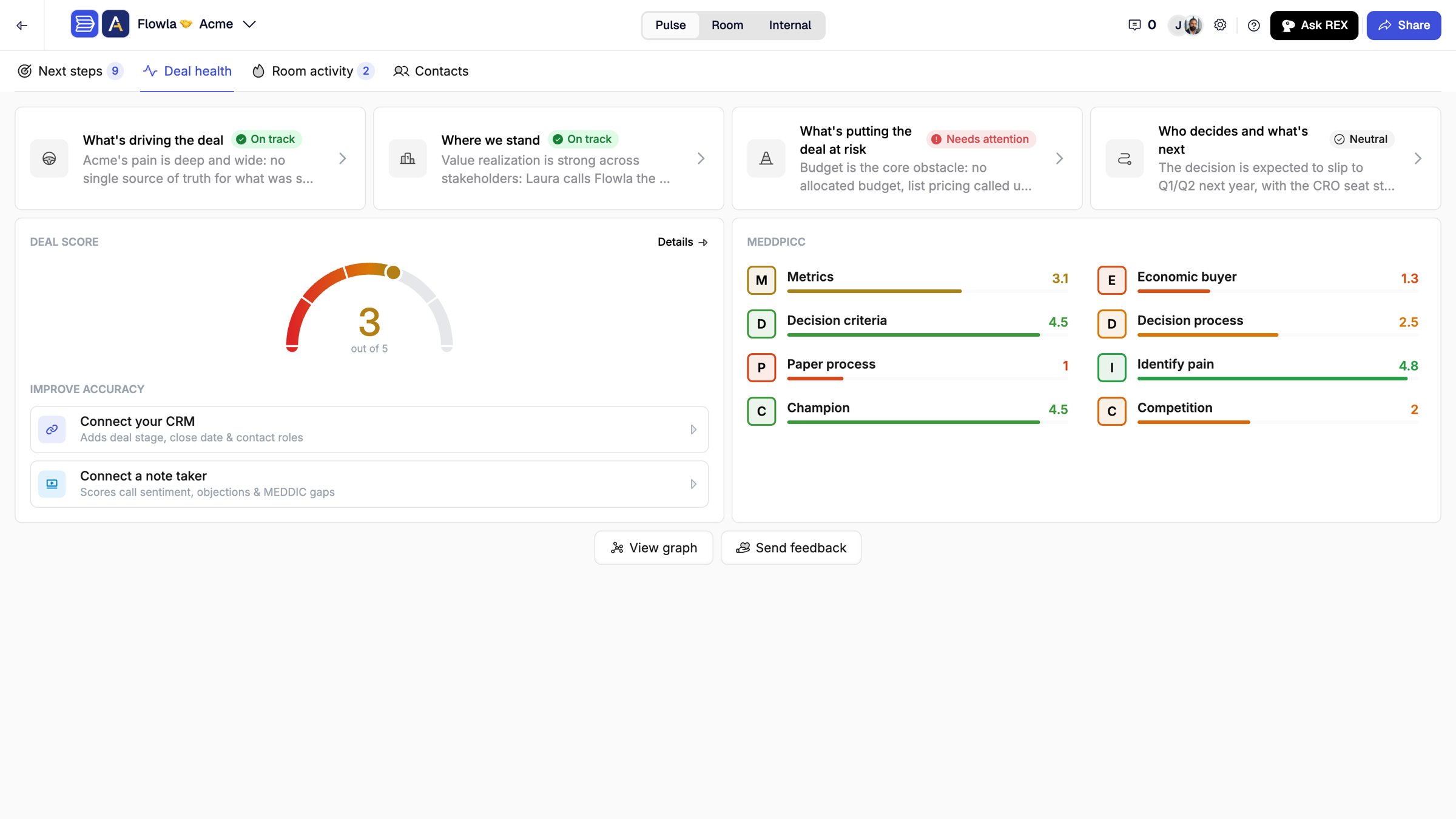
Pulse, Room and Internal at the top of a room
Next steps across all your rooms
The global Next steps view collects REX’s recommendations from every room in one list, with an All rooms filter. Inside a room, each next step explains Why this came up and What to do now, grouped by priority. Let REX go ahead (Proceed with …), pick specific steps with Choose steps…, ask for Suggest changes, or Dismiss it. Learn moreTable blocks
Add native tables to any page: pick Table from the block menu. Merge cells, reorder rows and columns, set fills and alignment, and choose grid lines and header rows. Tables follow the room theme. Learn moreAdding a table to a page
Add files from Google Drive
Connect Google Drive from Integrations, then pick files directly in a room (Add from Google Drive in the block menu) or in the Library (Add asset > Add from Google Drive). Turn on Keep in sync with Google Drive to pick up new versions every hour. Learn moreButton blocks
Add a standalone call to action: pick Button from the block menu, with its own label, link, icon and style. Buttons follow the theme until you override a setting. Learn moreCustom action button labels
Rename an action’s primary button, up to 24 characters, so it says what happens next, like Sign MSA. Custom labels carry over from plan templates. Learn moreRoom heading synced to the room title
The room heading follows the room title by default. Turn off Sync with room title to give buyers a different heading. Learn moreMore you can do with REX
- REX in Slack: ask questions and approve, reject or refine REX’s proposed changes without leaving Slack.
- Embeds: Create with REX or Edit with REX from an embed block. Generated embeds use the room theme.
- Branding: ask REX to change theme colors, or use an attached image for the heading or background.
- AI blocks, templates, meeting blocks and contact cards: create and configure them by asking REX.
- Your profile: REX can update your own profile after confirming which rooms it affects.
- Product help: REX answers from these docs, links the page, and hands off to support with your question pre-filled.
- Salesforce and Outlook: REX reads opportunity products, updates records, and drafts emails in Outlook.
Slack notification sets
Route Slack notifications by audience. Each set has its own destination (a channel, a user, or each room owner) and its own events. Learn moreGranola and Avoma meeting sync
Meetings from Granola and Avoma sync to the right rooms automatically.Personalization, contacts and action plans
- Viewer variable:
viewer.namegreets whoever is viewing the room, with a fallback when the name isn’t known. Learn more - Assignee filter: filter a mutual action plan by assignee, including No assignee.
- Merge contacts: combine duplicate room contacts so activity, assignments and insights sit on one person.
- Reset font color: choose Clear in the font color picker to return text to the theme color.
Fixes
- The Summary page no longer appears empty on mobile.
- Adding actions quickly no longer removes the first action plan on a page.
- Action-item counts match the page contents.
- Link blocks show their preview data.
- Download buttons stay hidden when Disable downloads is on.
- REX changes appear in the open page editor right away.
- The Integrations page is reorganized.
- Room descriptions for the email gate are editable again.
Learning & Coaching (beta)
Build courses with quizzes and track learner progress from Learning & Coaching > Courses. Coaching evaluates emails, meetings and room activity against your team’s competencies. Available to selected organizations during the beta. Courses · CoachingGmail context for REX
Connect Gmail and sent and received emails sync to the right rooms, grouped into threads. REX uses them for its observations and answers. Learn moreRoom themes from REX
Give REX a company name or domain and it creates an on-brand theme for the room. You review it before it’s applied. Learn moreREX asks before it changes a room
REX drafts room updates, recaps, HubSpot updates and Slack messages visually, and applies them only after you approve. You can also attach files, speak instead of typing, and point REX at a specific block with its icon. Learn moreRoom editing
- Customizable headings: add a heading to any page and style it, with defaults from the theme.
- Contact cards: show the room owner, a teammate, or a custom contact.
- Embed block: paste or upload HTML, or describe what you want and let REX build it. Learn more
- Replace library assets in rooms: from an asset’s Analytics > Used in rooms, click Replace asset to swap it in the library and in every room that uses it at once. Learn more
- Chart view: choose which action plans appear in a project’s Gantt chart.
Other improvements
- Blocks insert faster in the room editor.
- AutoPilot’s Add a contact to room action can make the contact the room’s primary contact. Learn more
- SSO settings can require SSO-only sign-in for non-admins, and password resets end existing sessions. Learn more
Meet REX
REX is Flowla’s revenue execution agent. It reads your meetings, CRM and room activity, works out what needs to happen next on every deal, and does the work, with you approving anything that leaves Flowla. Learn more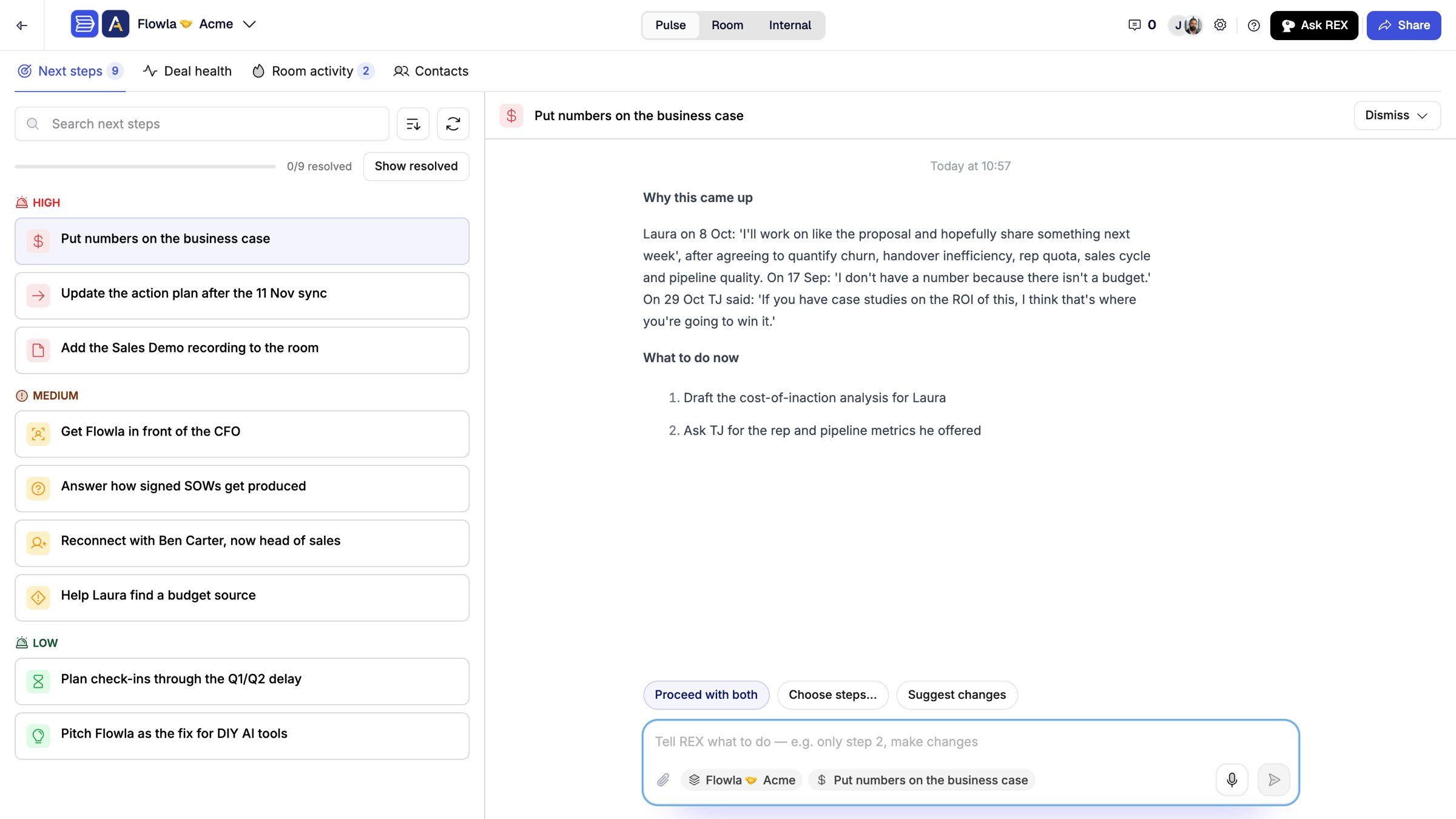
Next steps from REX in a room
- REX chat: ask REX to build or update a room, set up a mutual action plan, update your CRM, find the right asset or draft a follow-up. Learn more
- Signals and next best actions (now Next steps): risks and openings on each deal, each paired with a step REX can take. Learn more
- Deal intelligence: Deal score, MEDDPICC, insight cards and the Contacts tab with your buying committee.
- Asset intelligence: REX recommends content matched to the buyer’s persona and stage. Learn more
Room themes
Style a room with a ready-made theme, your buyer’s brand, or your own colors, fonts and spacing. Learn more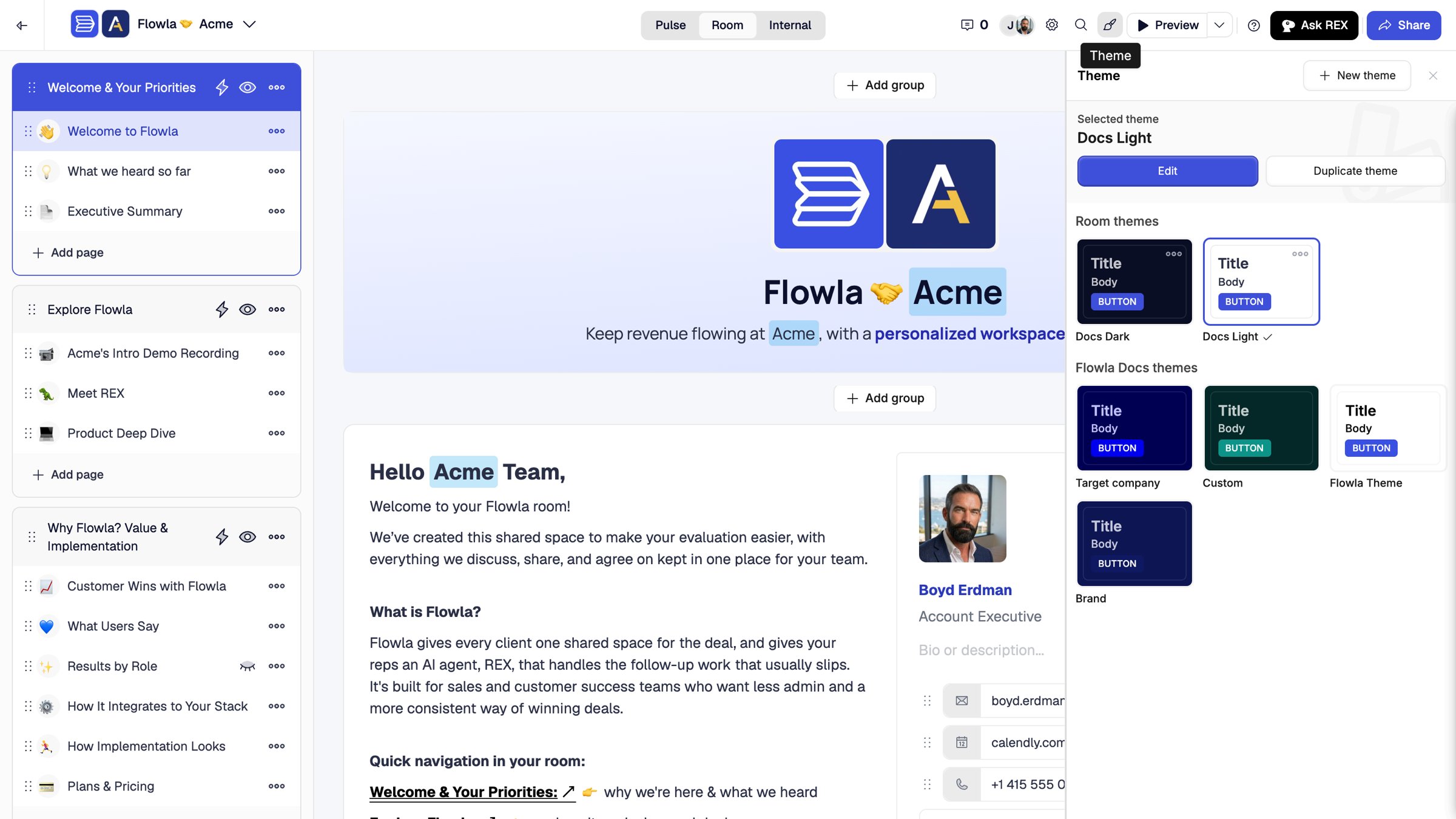
A room with a theme applied
Flowla MCP server
Run your workspace from Claude and other AI assistants: create rooms, add content and action items, and ask how a room is performing. Learn moreREST API v2
Build rooms programmatically, sync action items, pull engagement analytics and trigger workflows from your own tools. Learn moreRooms and content
- Video blocks keep their native aspect ratio and resize from the left and right edges.
- Action item view: open action items in a Side sheet or a Center view, set per room in Room settings > Action items. Learn more
- Meeting list: shows a play button for recordings, clearer dates and the buyer’s logo.
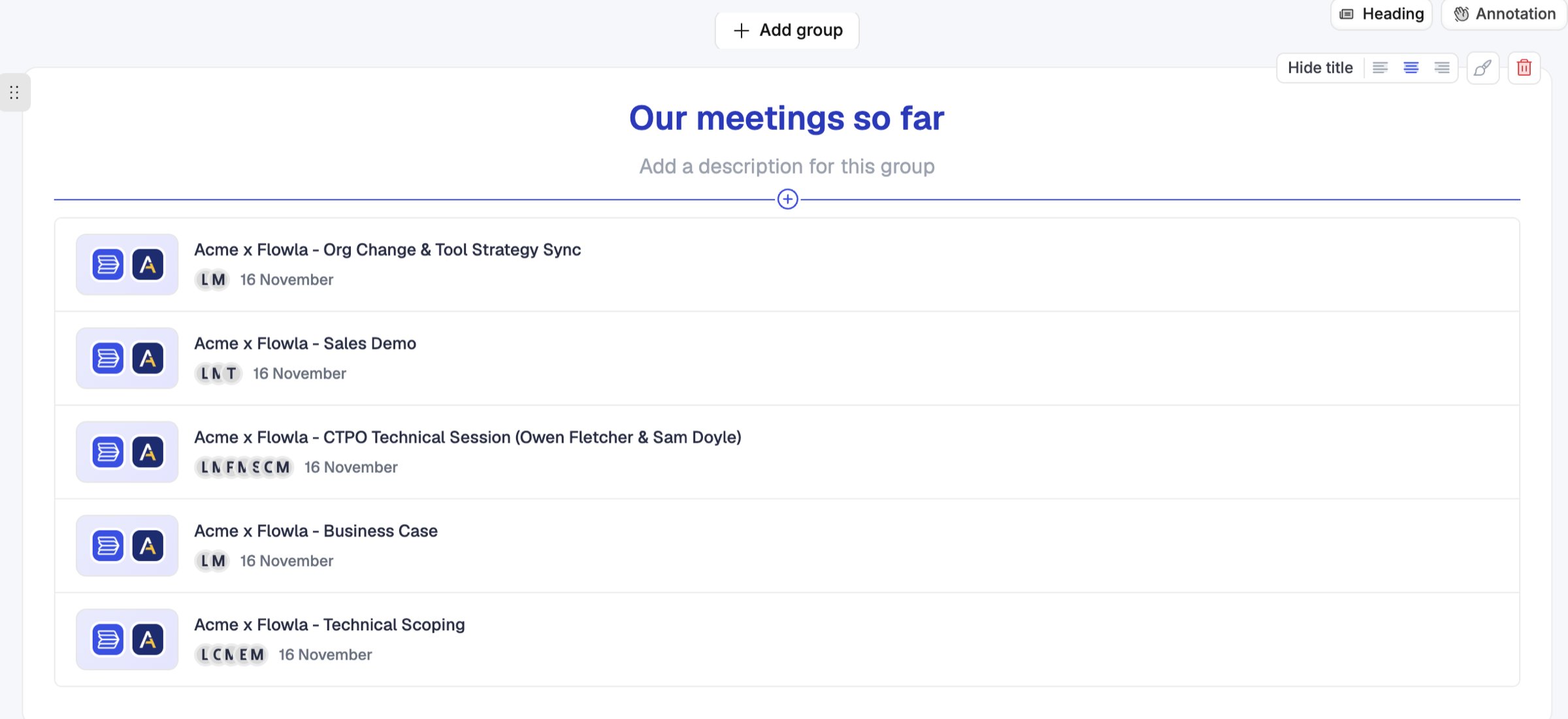
A meeting list block in a room
Admin
- Credits spent: Settings > Credits usage logs every credit used, by month. Learn more
- Integration permissions: roles control viewing, connecting, editing and disconnecting integrations as separate permissions. Learn more