

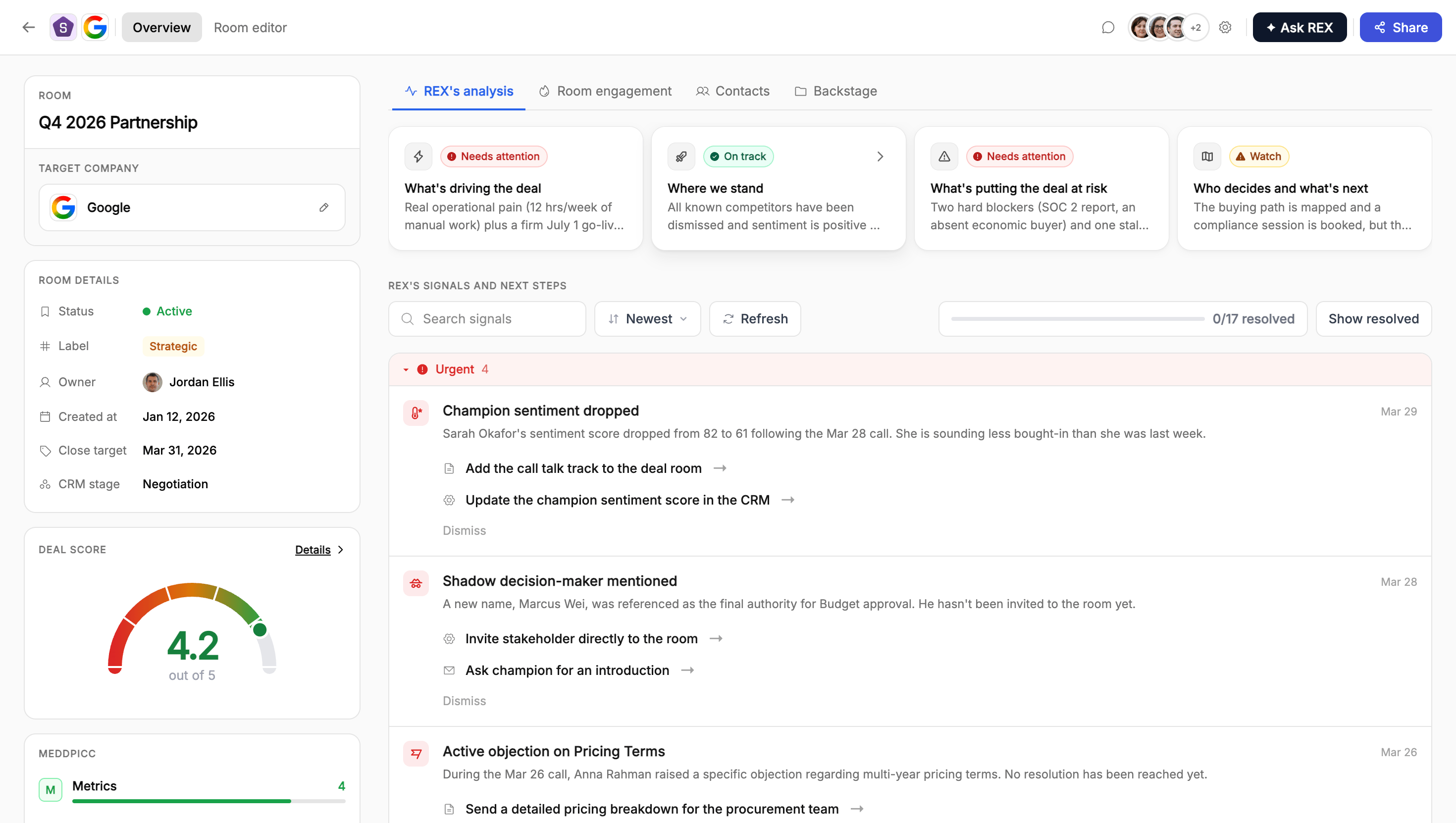
The Dealmeter gauge in the room sidebar, showing a 4.2 out of 5 deal score
How it works
Deal Score is scored on a 0 to 5 scale and is calculated the same way MEDDPICC is. REX continuously reads meeting notes, CRM data, and deal room activity, and rolls all of that evidence up into one calibrated health score with a plain-language explanation. If a deal doesn’t have enough activity yet, the gauge shows Not scored yet instead of a number. Click Details on the gauge to open the score’s detail drawer. It shows the overall analysis, plus the specific pieces of evidence (“score factors”) that pushed the score up or down, each with its own justification and source, sortable by date, impact, or urgency.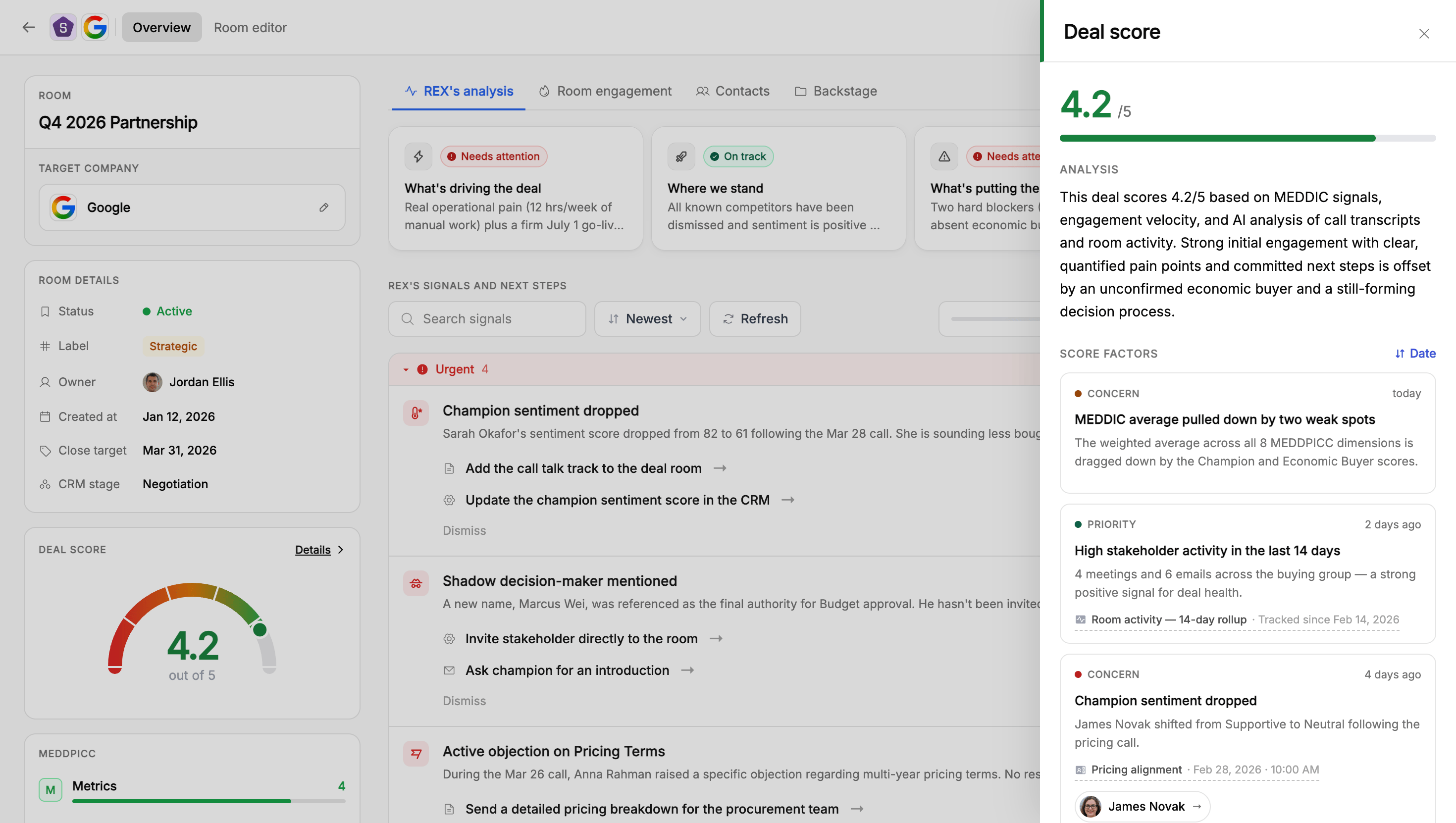
The Deal Score detail drawer, showing the overall analysis and the specific score factors behind it
How it relates to MEDDPICC
Deal Score is the aggregate, single-number view of deal health. MEDDPICC is the breakdown of that same underlying evidence across eight specific sales-qualification dimensions.Improving accuracy
Accuracy improves the same way MEDDPICC’s does. Connecting your CRM, connecting a call-recording or note-taker integration, and sharing the room with more stakeholders all give REX more evidence to work from. See where REX’s data comes from for how those connections work.How different roles use this
Sales reps
Sales reps
Glance at the Dealmeter as your first checkpoint whenever you open a deal.
- Green means the deal has strong supporting evidence across the board. Red or amber is a cue to open the detail view and see specifically what’s dragging the score down.
- Use the Connect your CRM, Connect a note taker, or Share your room prompts on the card if you see them. They exist because REX doesn’t yet have enough signal to score confidently.
- Don’t treat the number as a verdict. Read the justification behind it before deciding how to act.
Onboarding & CS teams
Onboarding & CS teams
If you’re running onboarding, renewal, or expansion work through Flowla, the same Dealmeter applies to that room.
- Use it as a fast health check the same way a rep uses it pre-sale. Green means the evidence is solid, red or amber means something’s off and worth investigating before it becomes a churn risk.
- “Not scored yet” is expected for a brand-new onboarding room. There isn’t enough activity yet to score confidently.
- Connecting a CRM and a note-taker integration improves scoring here too, so make that part of how you set up any new onboarding or account room.
Managers
Managers
Deal Score is built for fast pipeline triage.
- Scan a rep’s pipeline by Deal Score to prioritise which deals need attention in a review, rather than opening each room individually.
- A deal that’s red or amber despite the rep reporting it as “on track” is worth a direct conversation. The score is grounded in actual meeting and CRM evidence, not the rep’s own summary.
- Pair Deal Score with MEDDPICC in reviews: Deal Score tells you which deals to look at, MEDDPICC tells you why.
FAQ
What does a Deal Score of "Not scored yet" mean?
What does a Deal Score of "Not scored yet" mean?
REX doesn’t yet have enough meeting, CRM, or room activity to calculate a confident score. Connecting a CRM or note-taker, or getting more activity in the room, will resolve this.
Is Deal Score the same as MEDDPICC?
Is Deal Score the same as MEDDPICC?
No. Deal Score is one aggregate health number, while MEDDPICC breaks that same underlying evidence down into eight specific qualification dimensions.
Can I manually set or override the Deal Score?
Can I manually set or override the Deal Score?
No, it’s fully calculated by REX from deal activity. If it seems wrong, check whether the underlying meeting and CRM data is current.
How do I improve a low Deal Score?
How do I improve a low Deal Score?
Open the detail view to see the specific evidence driving it down, then address the underlying issue, such as an unresolved objection or a missing economic buyer. Connecting a CRM or note-taker also improves REX’s overall confidence.