

Learning & Coaching is in beta and available to selected organizations.
Set up competencies
Go to Settings → Coaching to define what REX should evaluate.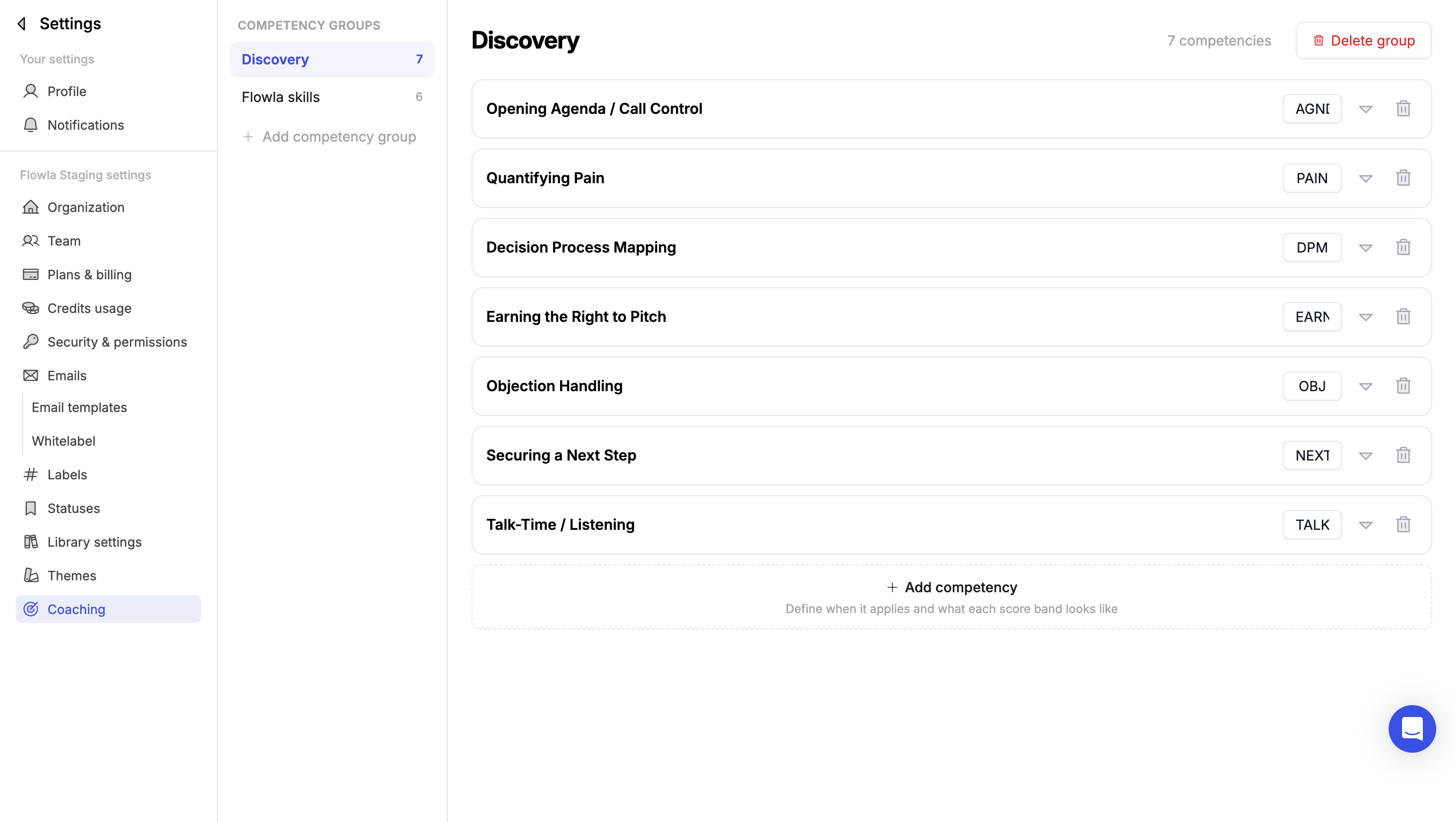
Settings → Coaching: competencies organized into competency groups
Competency groups
Competencies are organized into competency groups, such as Discovery or Product knowledge. Groups keep related competencies together, both on the Coaching page and in how scores are rolled up. Click Add competency group to create one.Competencies
Inside a group, click Add competency and define:Different bars for different roles
One set of criteria covers every role by default. To hold specific groups or roles to a different bar, open a competency and add a tab for them.Review your team
Go to Learning & Coaching → Coaching to see the results.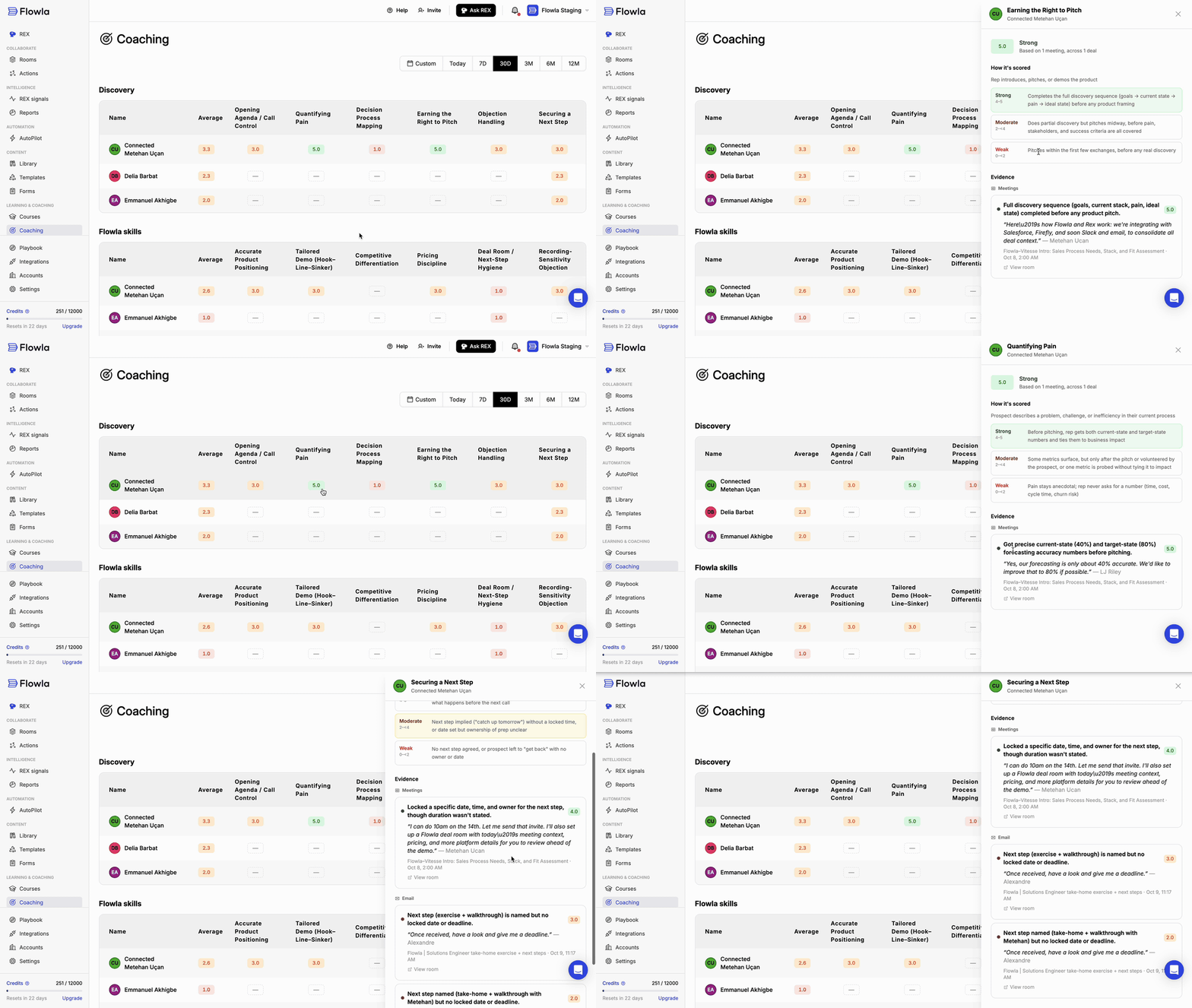
Opening a score to see how it's scored and the evidence behind it
Scores
- Each competency group has its own table, with one row per rep showing their Average and their score for every competency in the group.
- Scores run from 0 to 5 and are color-coded by band: Weak, Moderate, or Strong.
- A dash means the competency hasn’t been relevant in that rep’s interactions yet, so there’s nothing to score.
- Use the date range at the top to change the period: Today, 7D, 30D, 3M, 6M, 12M, or a Custom range.
Evidence behind a score
Click any score to open it in a side panel. The panel shows:- The score and its band, and how many meetings and deals it’s based on.
- How it’s scored: the competency’s description and its Weak, Moderate, and Strong criteria from your settings, with the band the rep landed in highlighted.
- Evidence: the moments REX scored, grouped by source, such as Meetings and Email. Each one has its own score, a short summary of what happened, and a direct quote with who said it, plus the meeting or email it came from and when. Click View room to open the related deal room.