Assignees
Each action should have an assignee so there’s never any confusion about who’s responsible. You can assign actions to a customer (e.g. “Sign the agreement”) or a teammate via internal-only actions (e.g. “Review implementation checklist”). Assignment types:
To assign someone:
1
Click the assignee icon on the action
This opens the assignee search.
2
Type their email address
Search for the person you want to assign.
3
Optionally check Notify selected contacts
This sends them an email letting them know they’ve been assigned.
Dynamic Primary Contact
The Dynamic Primary Contact is automatically set to the first person you share the room with. When you create a room from a template, that person is assigned to any actions where Dynamic Primary Contact was selected — no manual updates needed. This is especially useful in templates, so you never have to re-assign actions every time you create a new room. If rooms are created by AutoPilot, use the Add a contact to room action and select the primary contact option to make sure the right person becomes the primary contact. See AutoPilot actions. Assignees receive notifications when actions are assigned (if enabled), reminders for upcoming and overdue actions, and completion notifications to keep everyone in the loop.Due dates & start dates
Fixed due dates
Set a specific deadline like “May 15” or “End of week” — useful when you’ve already agreed on timelines with the customer.Relative due dates
Tie the deadline to something that happens in the process, such as:- “3 days after the room is created”
- “2 days after this section is completed”
- “1 day after another action is due or completed”
Task statuses
Actions dashboard
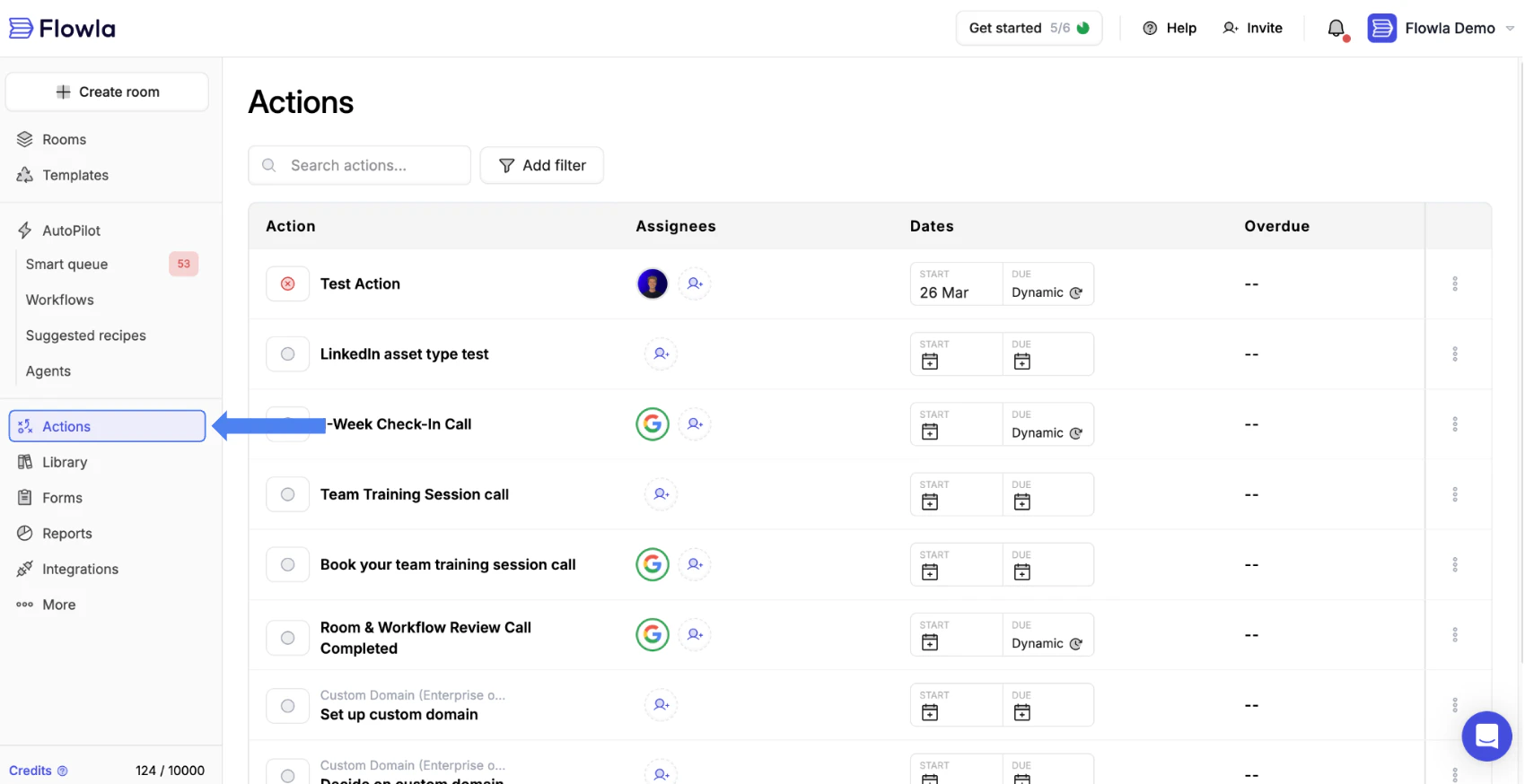
The actions dashboard gives you a single view of every action across all your rooms — without having to open each room individually. It’s the fastest way to stay on top of what’s overdue, what’s coming up, and what your team is working on. To access:1
Click Actions in the main navigation
This opens the actions dashboard.
2
View all actions from rooms you have access to
All actions across your rooms are listed here.
3
Use filters to narrow the list
Filter by status, assignee, due date, or room.
- Update status — Mark actions as complete, in progress, or pending
- Change assignee — Reassign tasks to different team members
- Edit due dates — Extend or adjust deadlines
- Navigate to room — Click the room name to open the full context