

What is a room?
A room is your shared workspace. It’s a branded hub where customers or teammates find everything they need in terms of content, forms, timelines and next steps. It allows you to guide sales, onboarding, or internal processes in one shared link.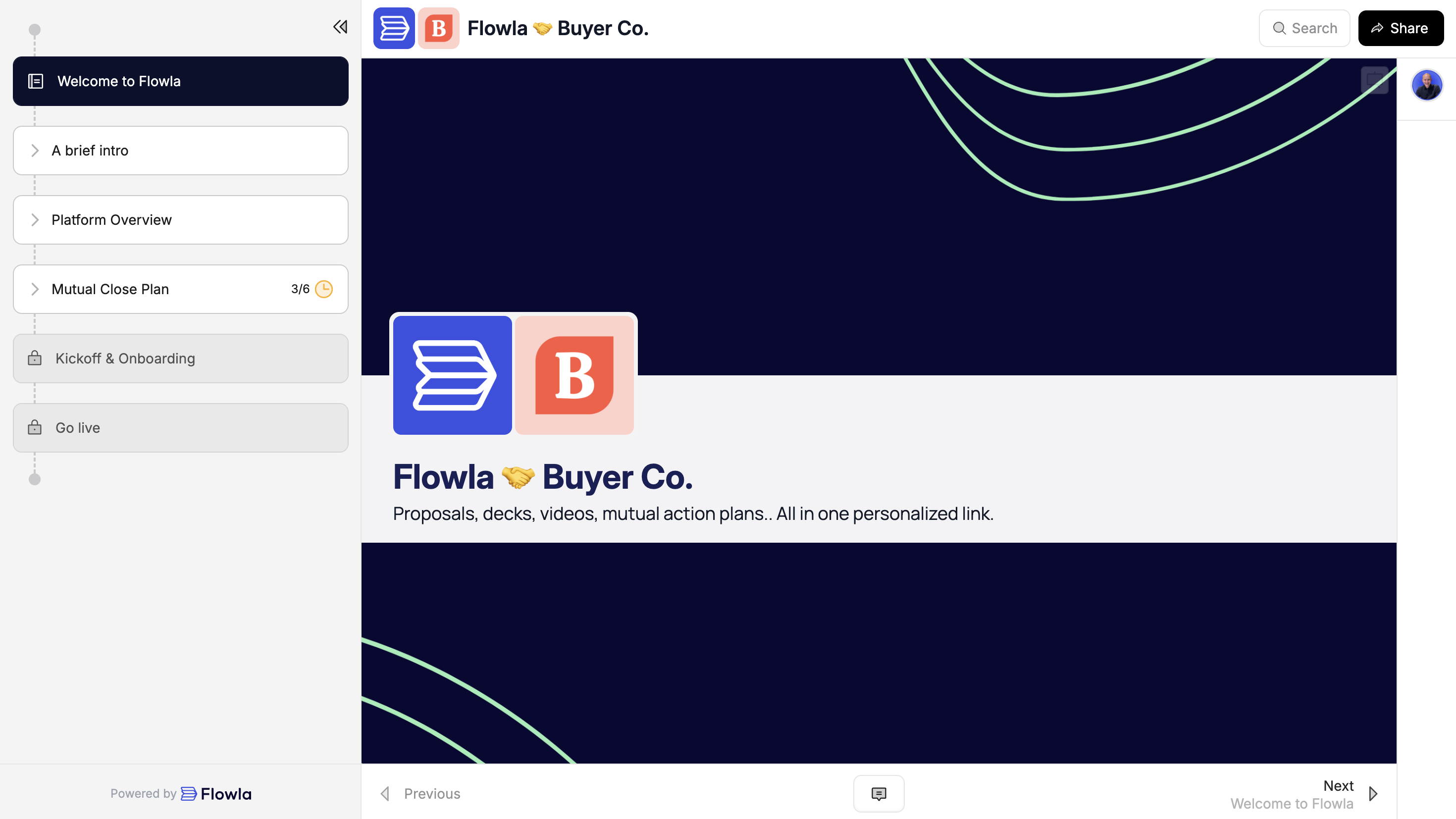
Step by step guide
Step 1: Create a template
Templates are the foundation of Flowla. They allow you to centrally manage your processes and ensure consistency across your team. Start by creating a template for your main use case, then create rooms from it. Create more templates as you go.Need help getting started?
Your customer success manager can help you build your first template with a personalized workshop.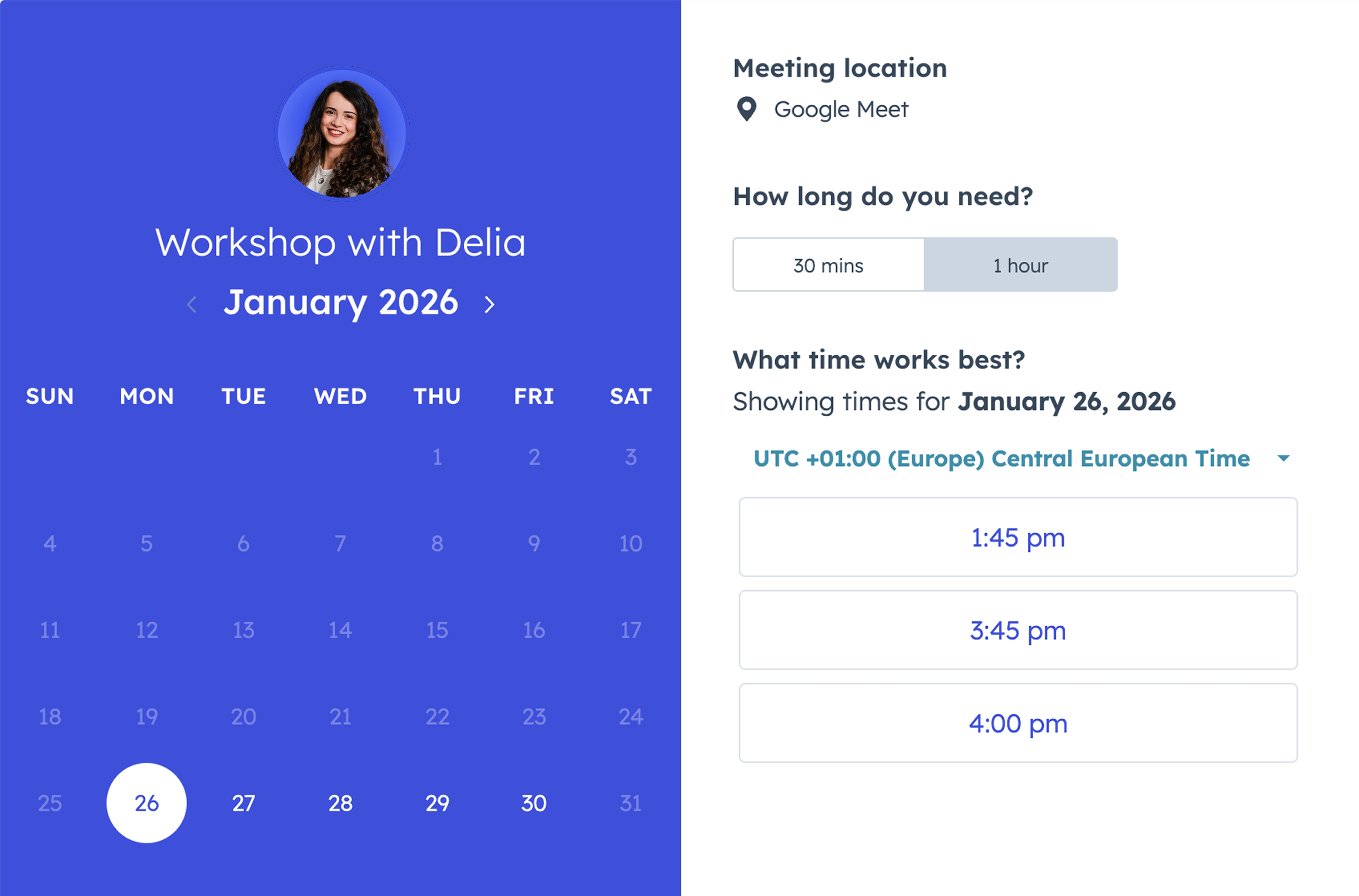
This service is only available depending on your plan.
- Start from a Flowla template
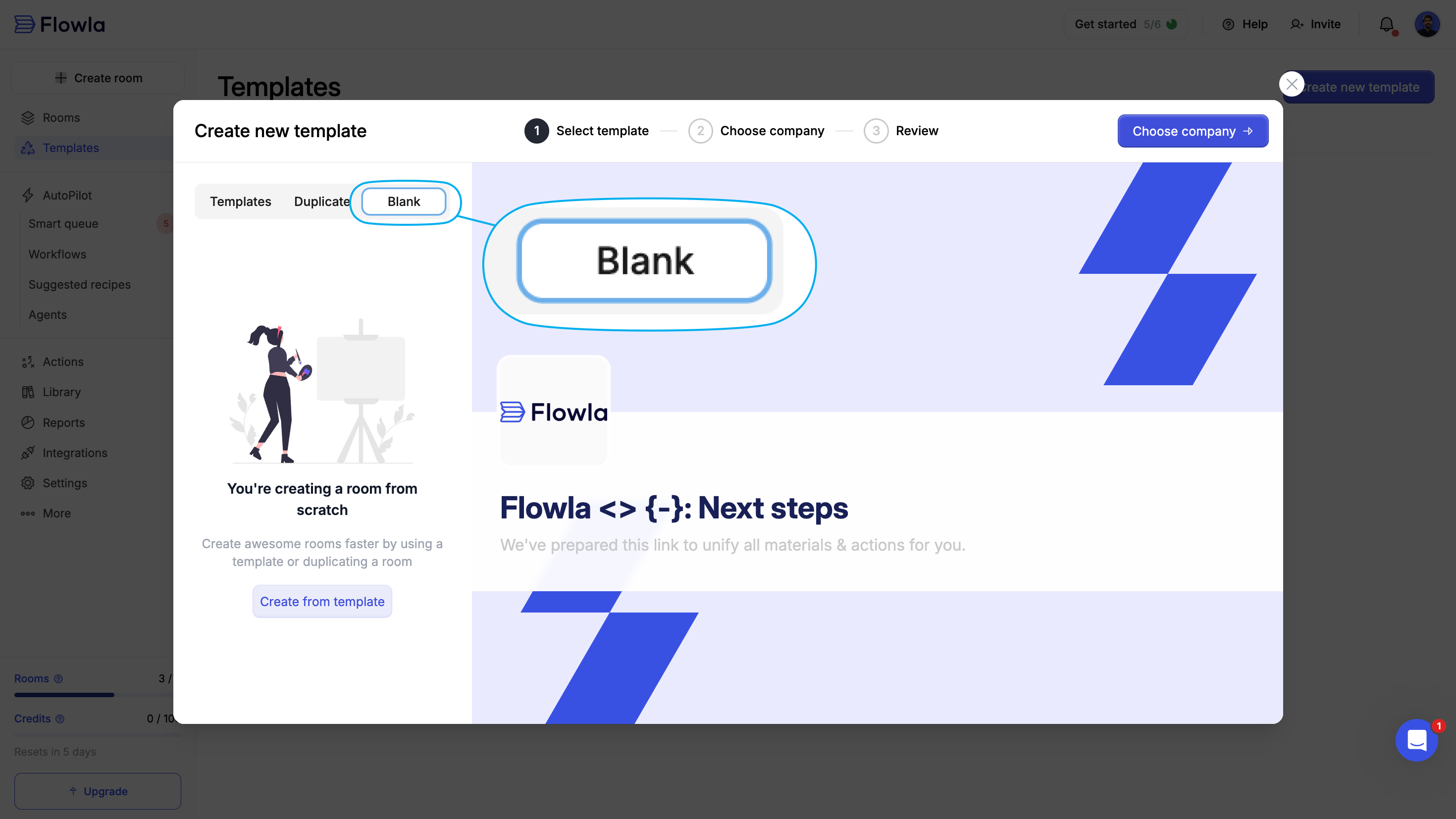
- Create and edit a blank template
Flowla templates are built with best practices in mind and designed to get you started quickly.
1
Go to Templates in your Flowla dashboard
Navigate to the Templates section from the sidebar.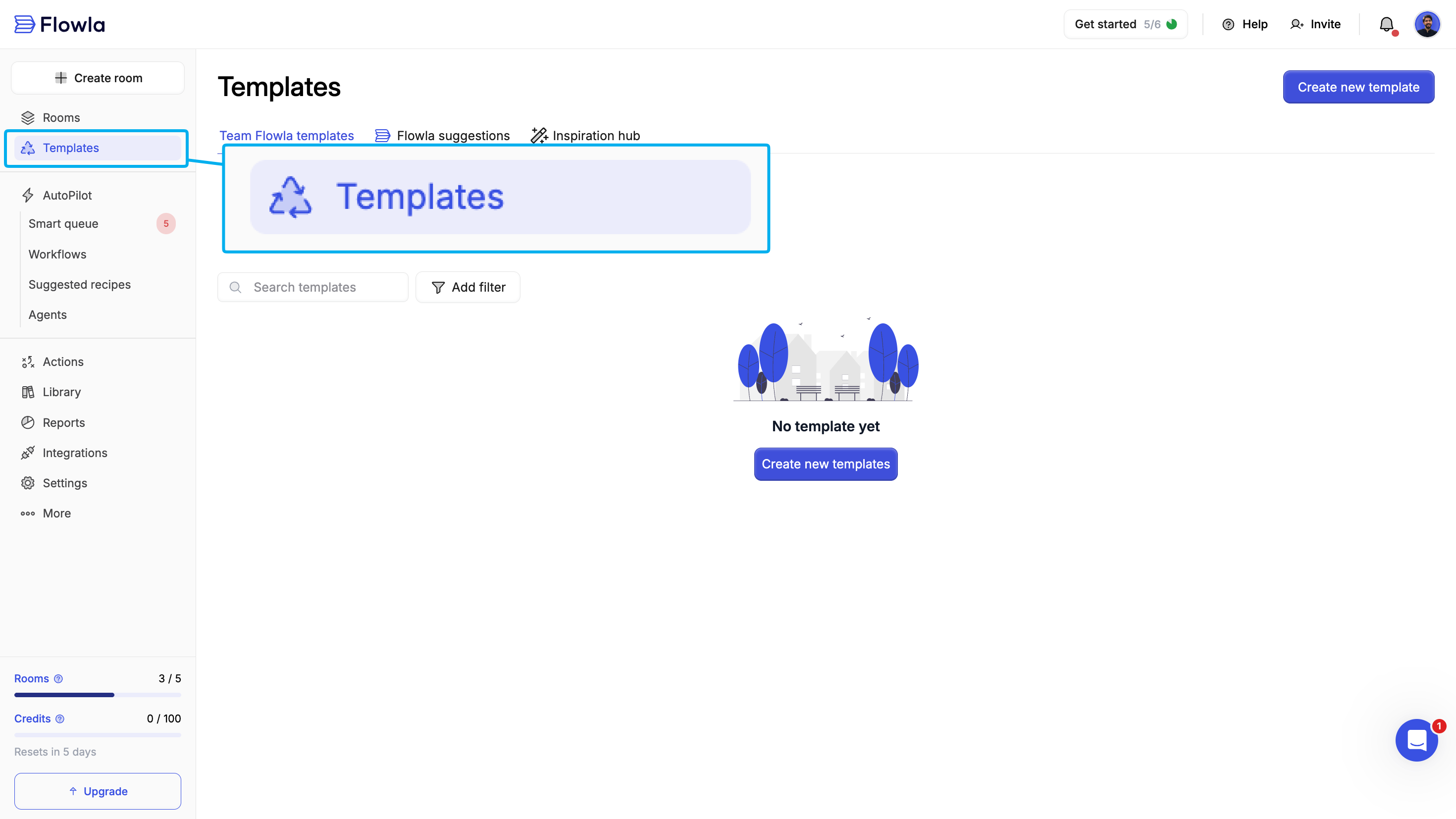
2
Click 'Create new template'
Explore Flowla’s pre-built templates organized by use case (e.g., Sales, Onboarding, Customer Success).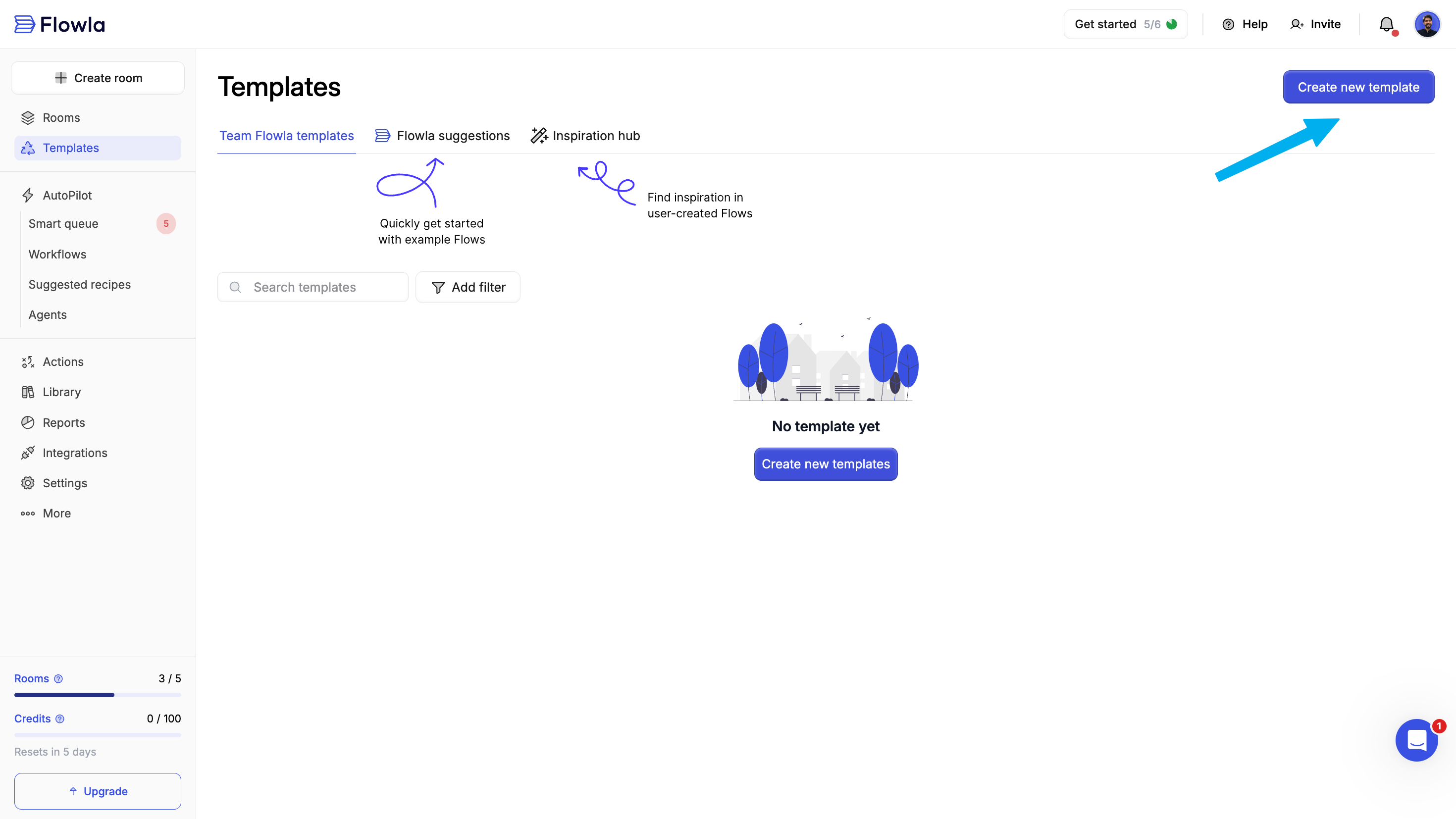
3
Select a template to start with
Choose the template that fits your needs and copy it to your organization to make it on your own. Proceed to ‘Review’ step to name your template.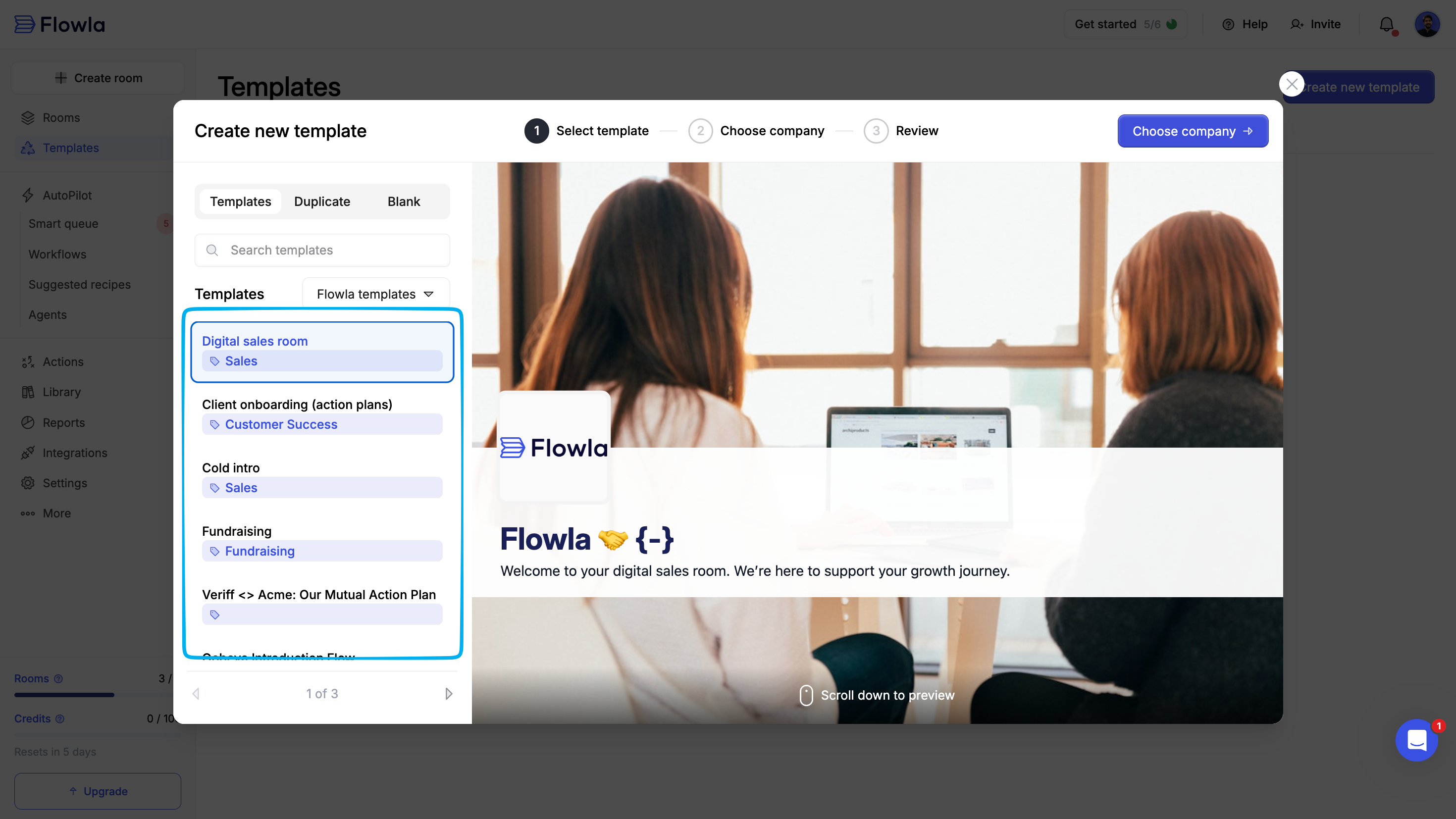
1
Review and name your template
Give it a clear, descriptive name so teammates can find it easily.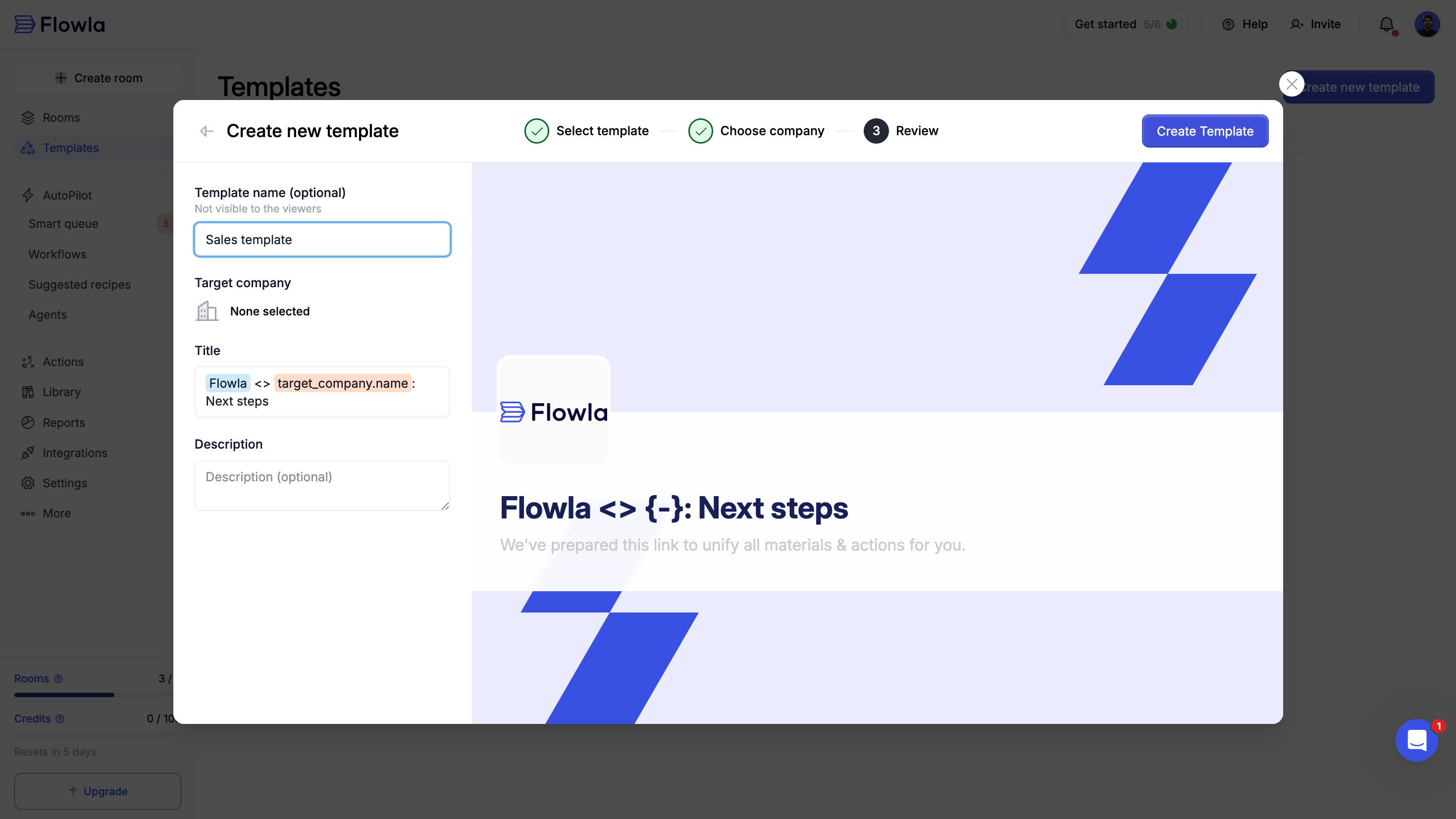
Step 2: Edit your template
Customize your template with sections, content, and actions that match your process.Customize sections
Sections represent stages in your process and create a clear plan for both your team and your prospects.1
Open your template in edit mode
Click on your template from the Templates dashboard to open it.
2
Navigate to the section panel
Look at the left-hand navigation to see your template’s structure.
3
Click 'Add new section'
Add sections to organize your template into logical stages (e.g., “Discovery”, “Proposal”, “Implementation”).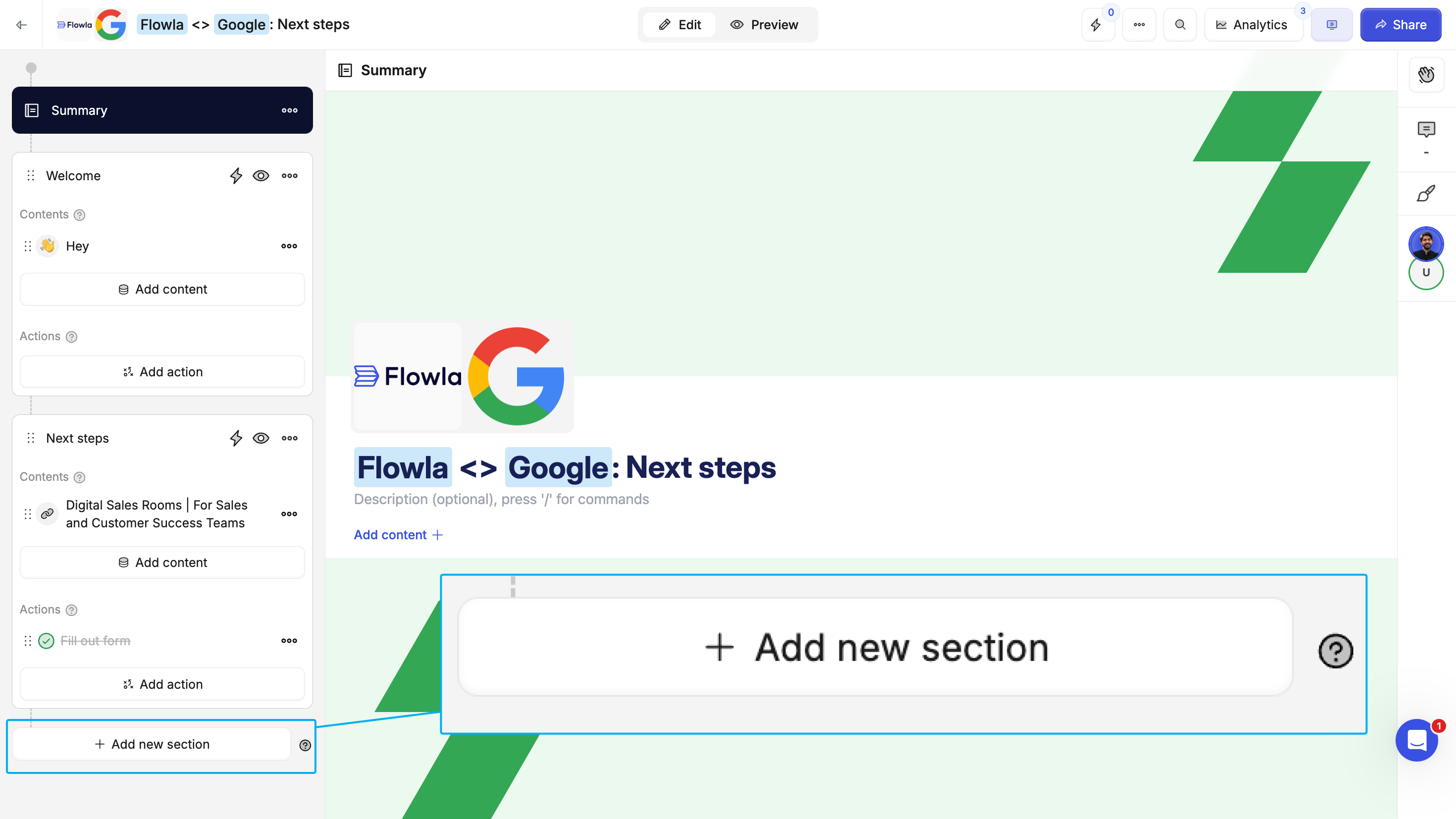
Customize content
Add the materials your customers need to move forward.1
Select a section
Click on the section where you want to add content.
2
Click the 'Add content' button
Use the content menu to add different types of content.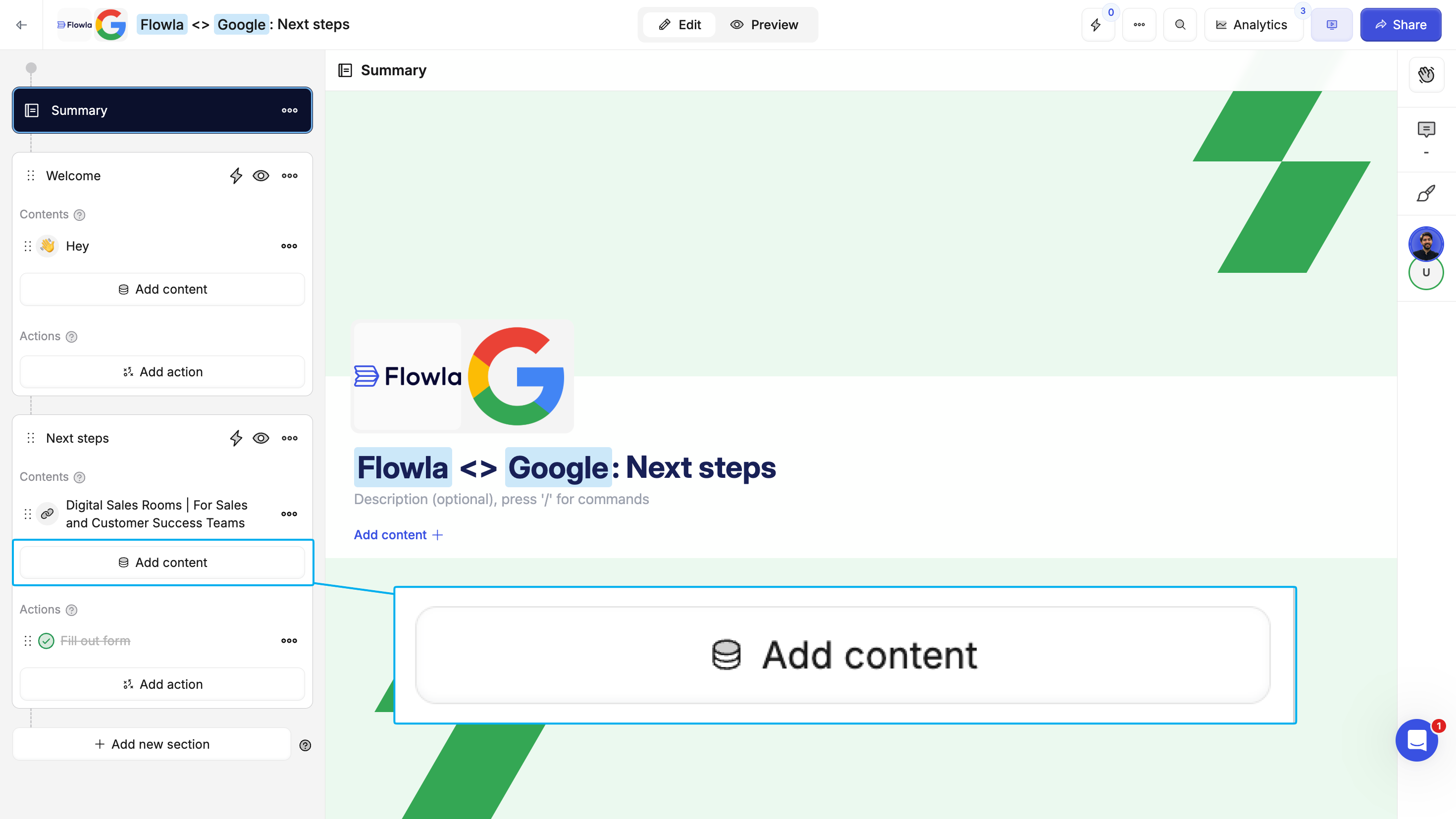
3
Choose your content type
Add files, videos, links, embedded calendars, forms, or rich text blocks.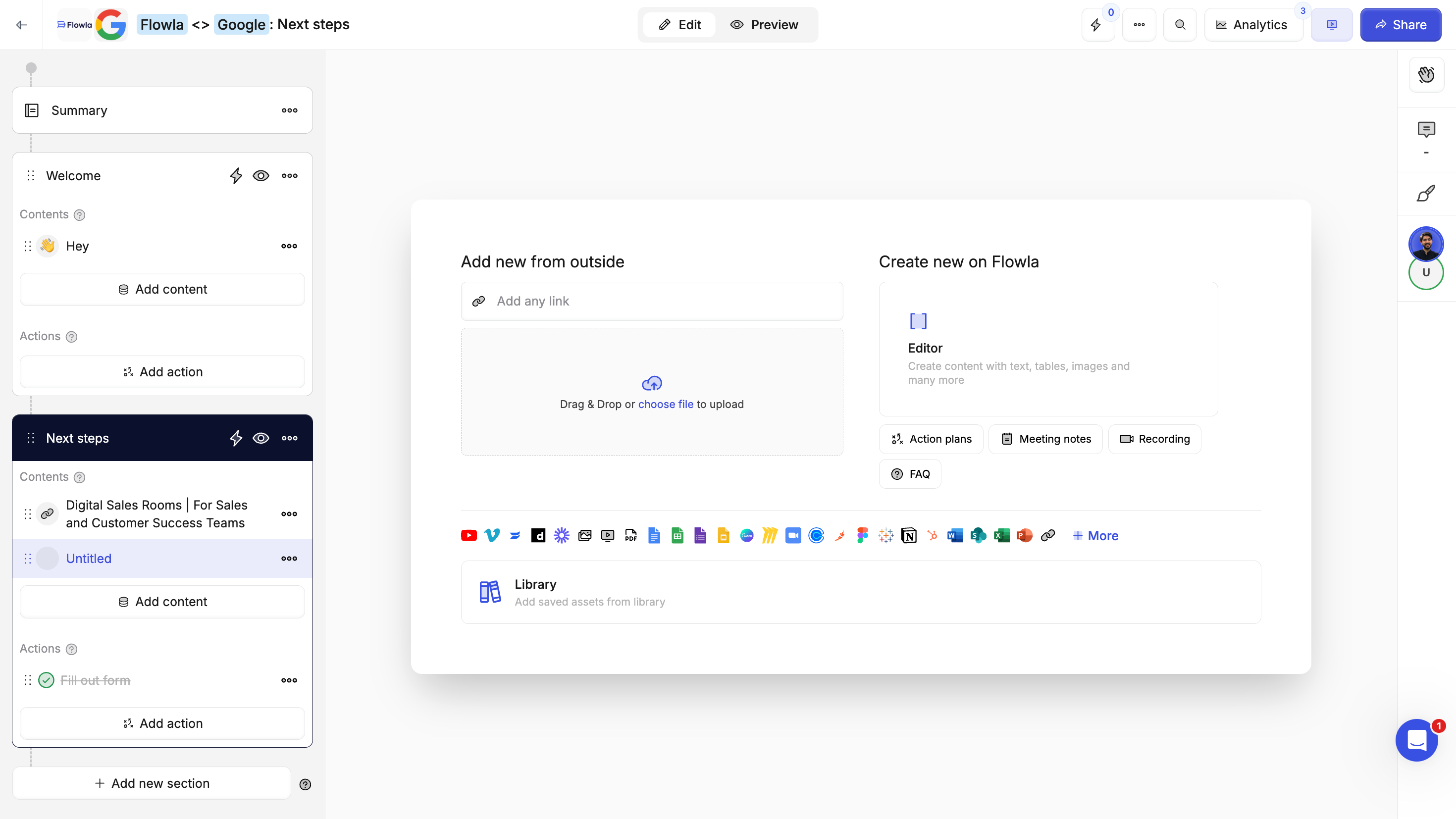
4
(Optional) Add variables if your content is an editor
These variables help ensure every room feels tailor-made without repetitive work.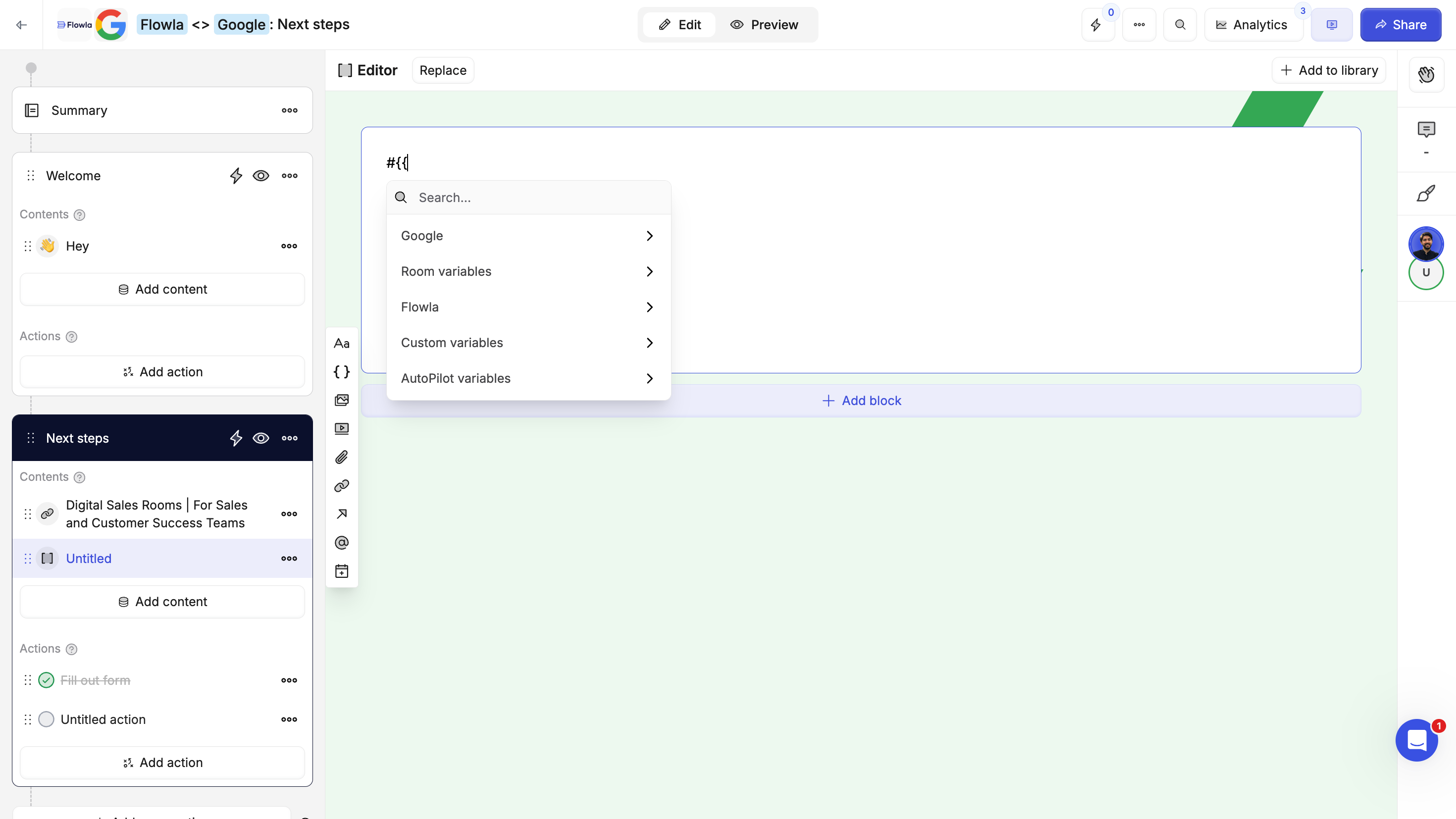
Add actions
Actions are structured, trackable steps that move the process forward. They help you:- Set clear goals and expectations
- Assign action items to team members or customers
- Keep both sides aligned on next steps
- Collect information
1
Create an action
Click on the section where you want to add content.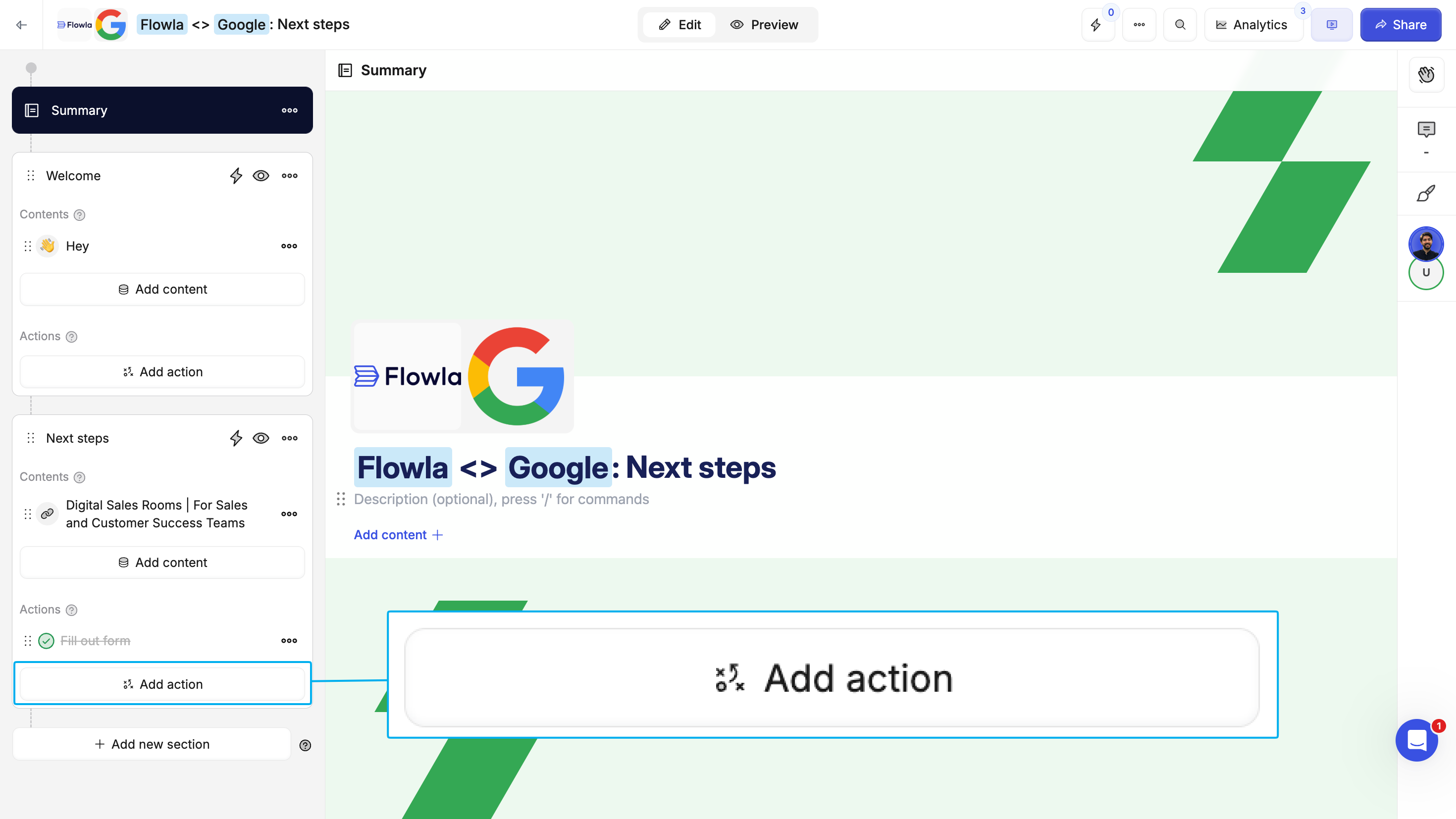
2
(Optional) Add and action type
Use the content menu to add different types of content.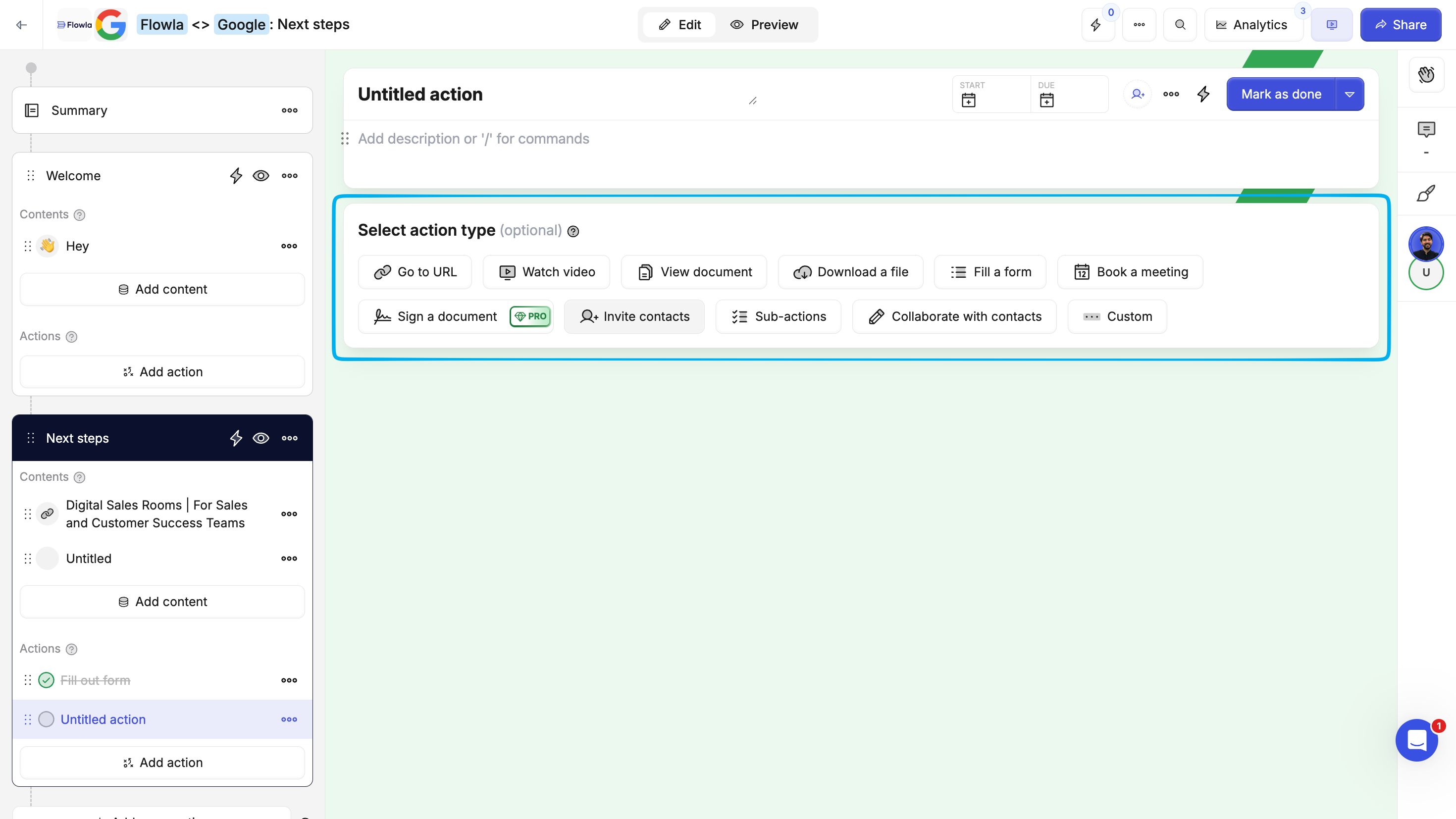
3
Assign people or companies
Add files, videos, links, embedded calendars, forms, or rich text blocks.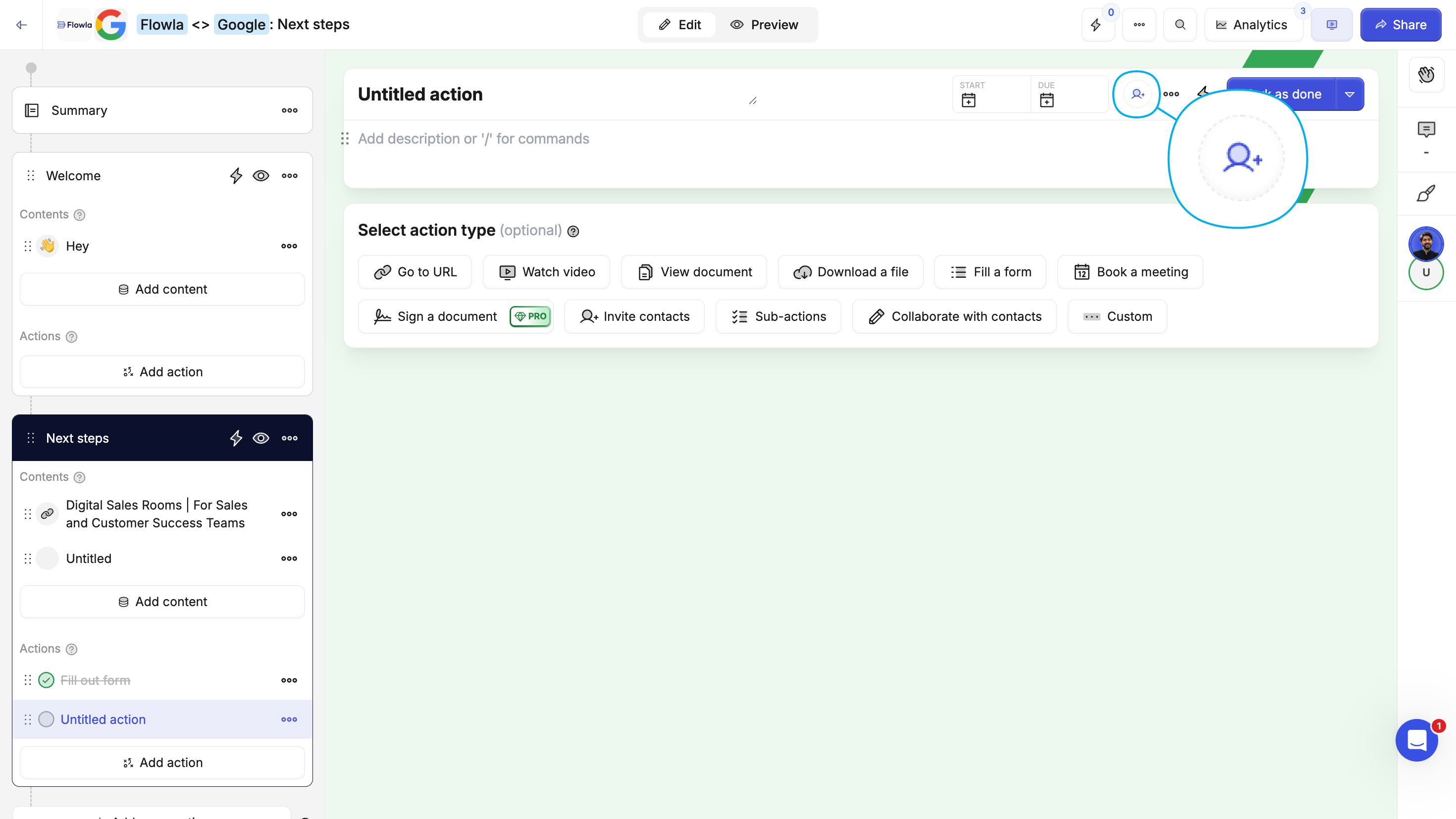
4
(Optional) Set due dates
Create accountability with clear deadlines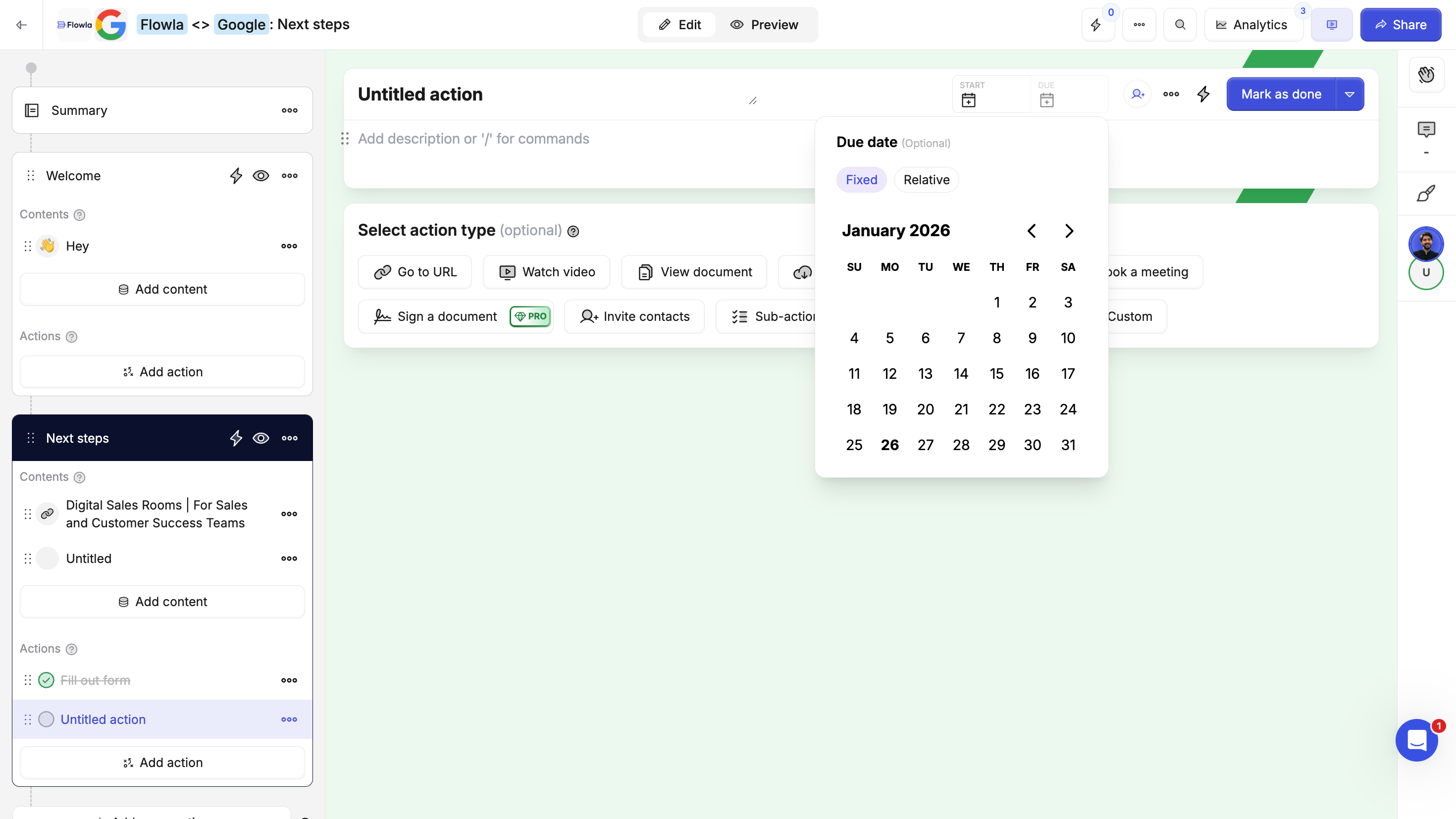
Step 3: Create a room from your template
Now that your template is ready, create a room for a specific company or deal.1
Click 'Create new room' in your dashboard
From the main dashboard, click the Create new room button.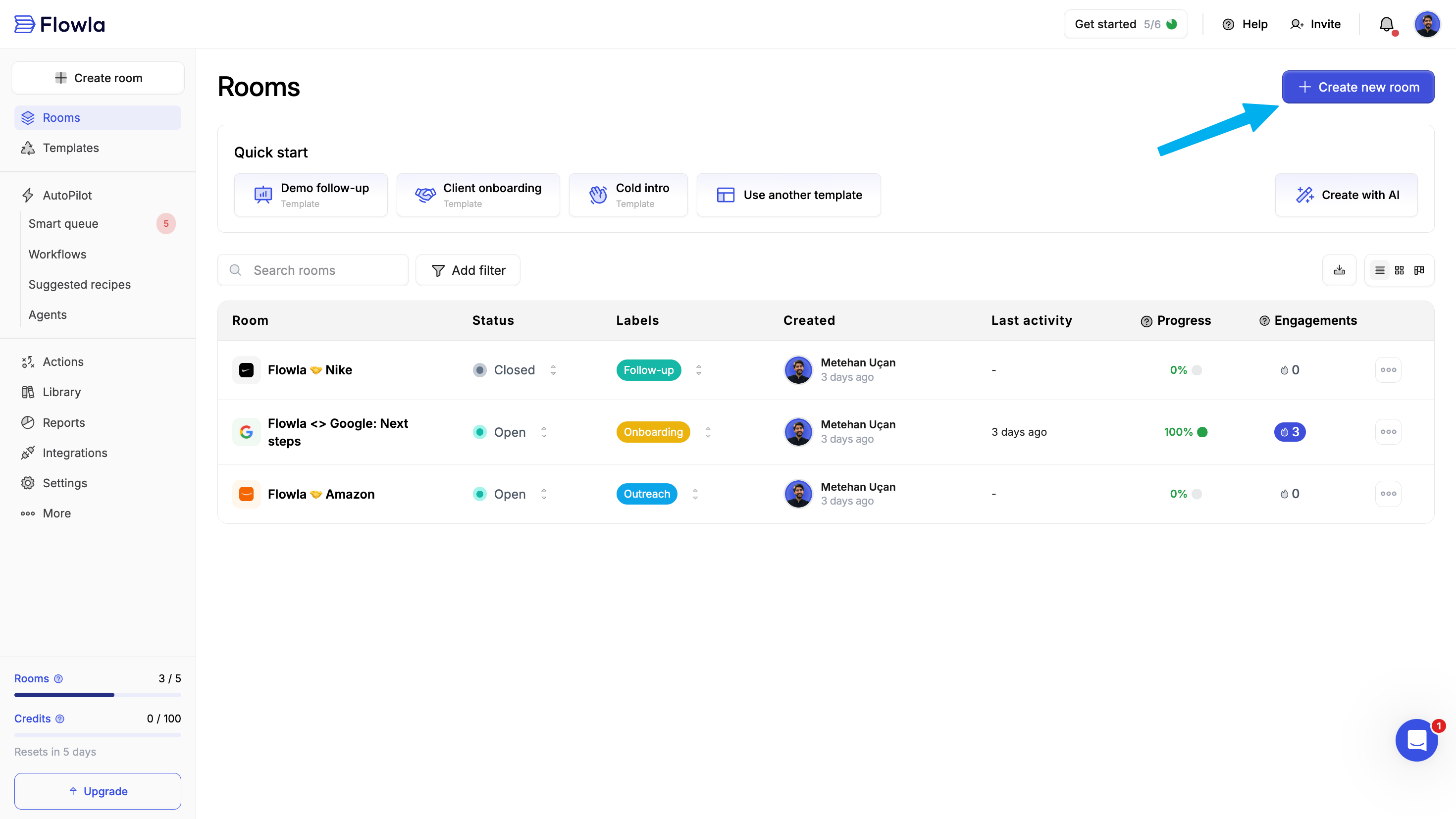
2
Select your template
Choose the template you just created from your organization’s templates.
3
Proceed to company selection
Click to move to the next step where you’ll assign a target company.
Step 4: Choose a company
The target company tailors the room automatically: personalizing branding and content while keeping stakeholder and engagement data organized. Option A: Create or select a company in Flowla Search by domain or name to quickly create and link a target company.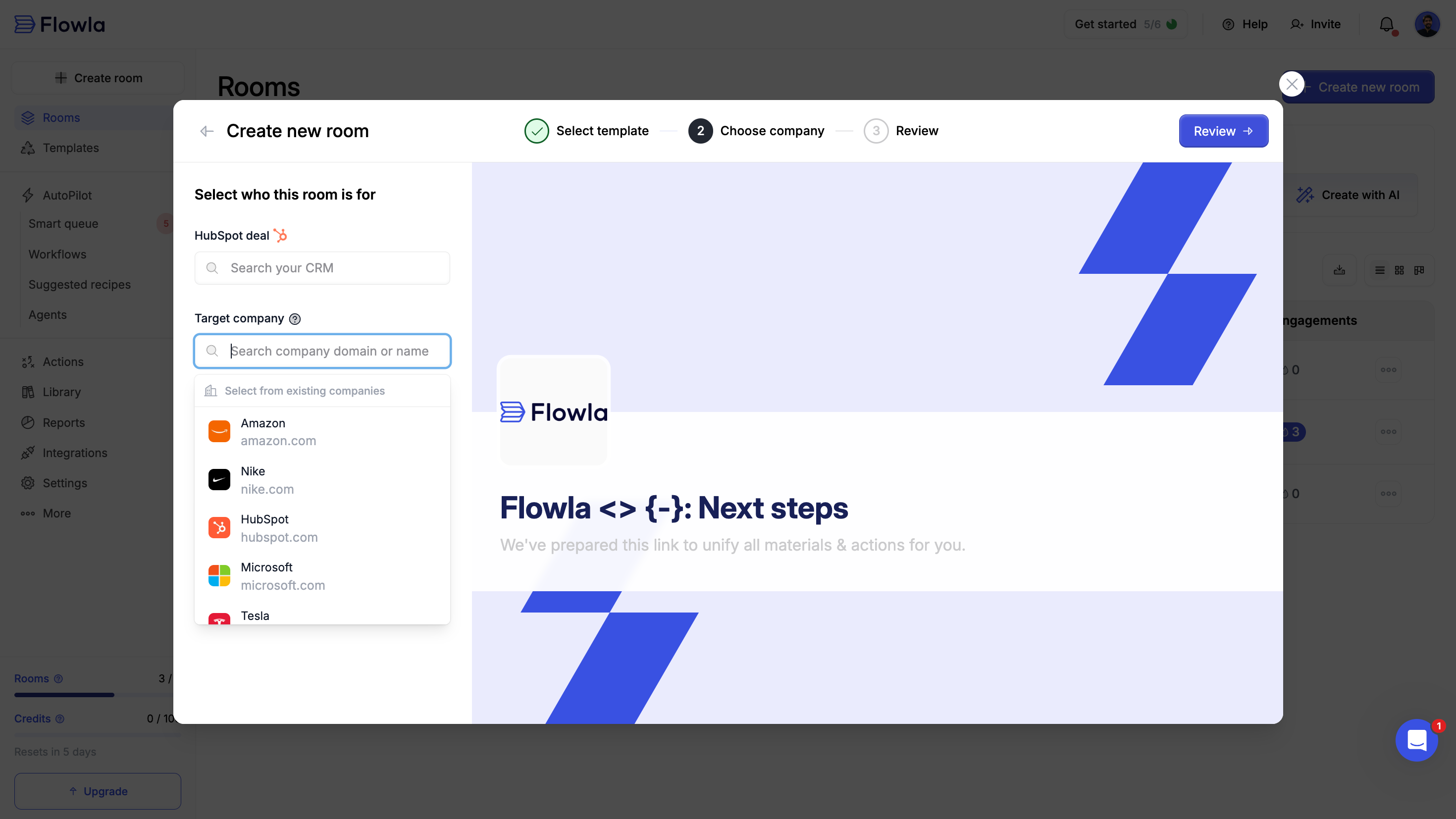
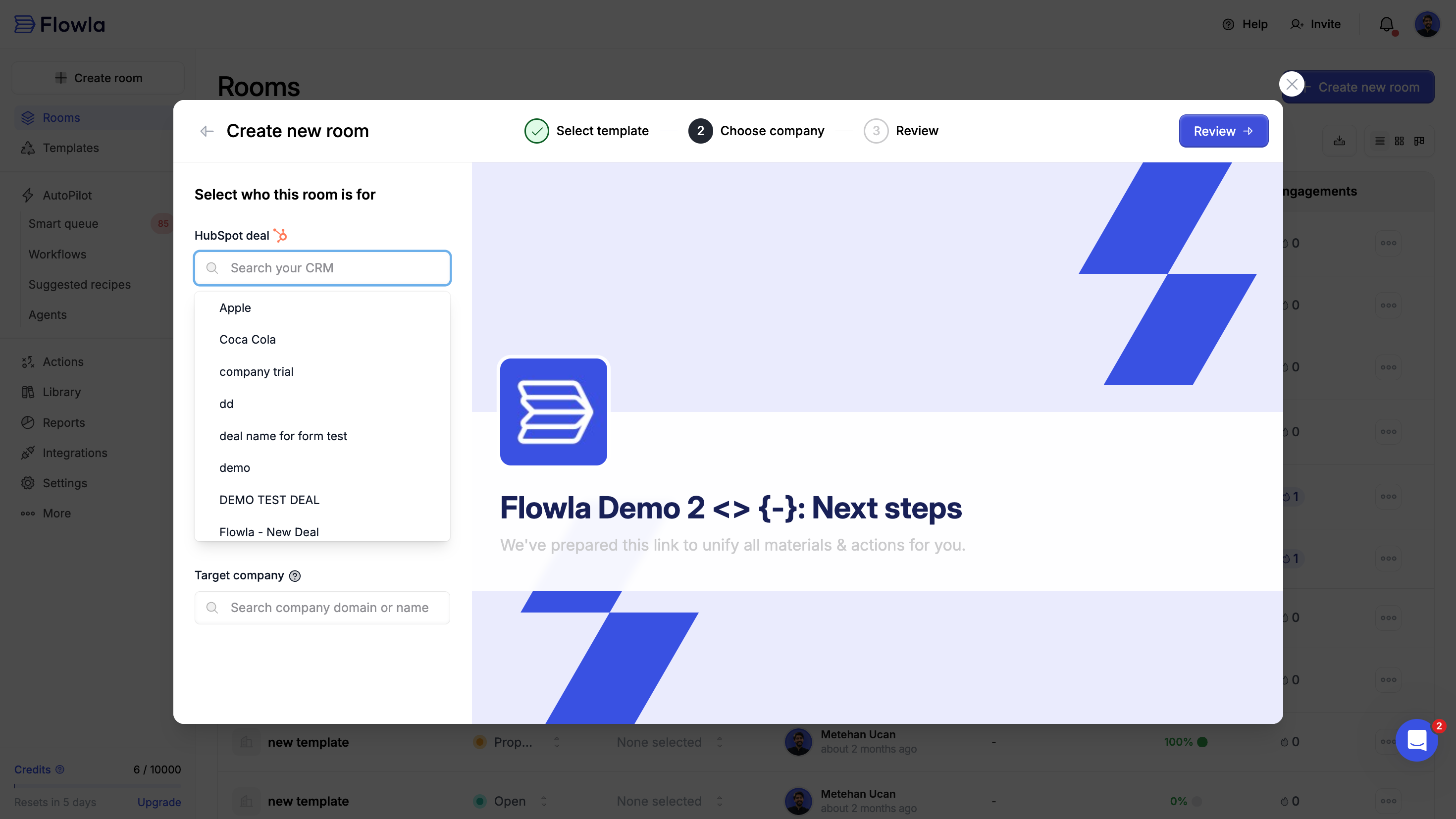
- Flowla automatically pulls the deal’s company information and enriches branding and logo
- Deal information will be synced to your room
- Room information and engagements will be synced to your CRM
Step 5: Share your room
Your room is ready—now share it with your prospects or customers. You can edit content and actions to1
Click the 'Share' button
Find the Share button in the top right corner of your room.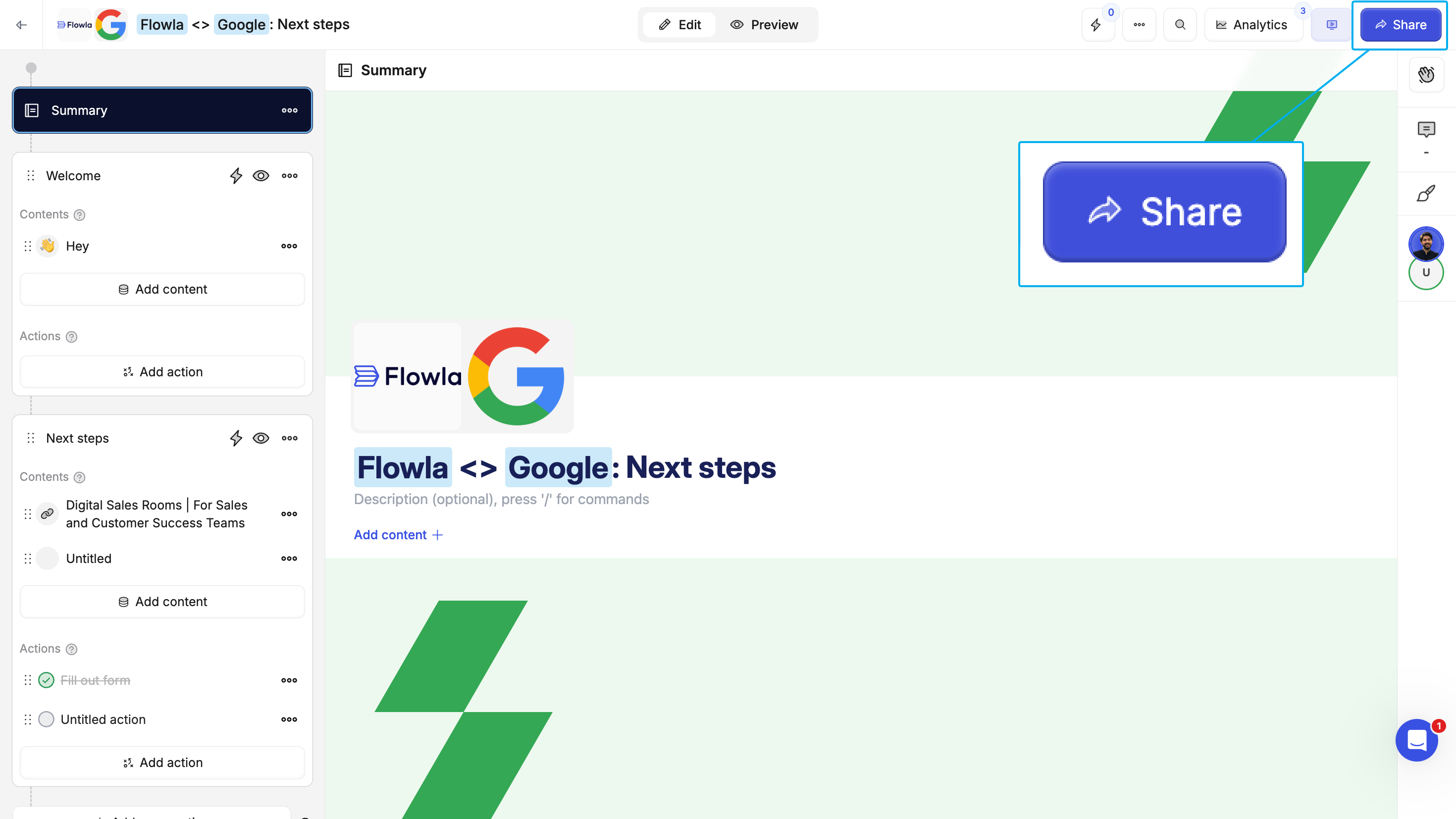
2
Copy the room link or send an email with an email template
Copy the unique URL to share via email, Slack, or any channel or send a personalized email.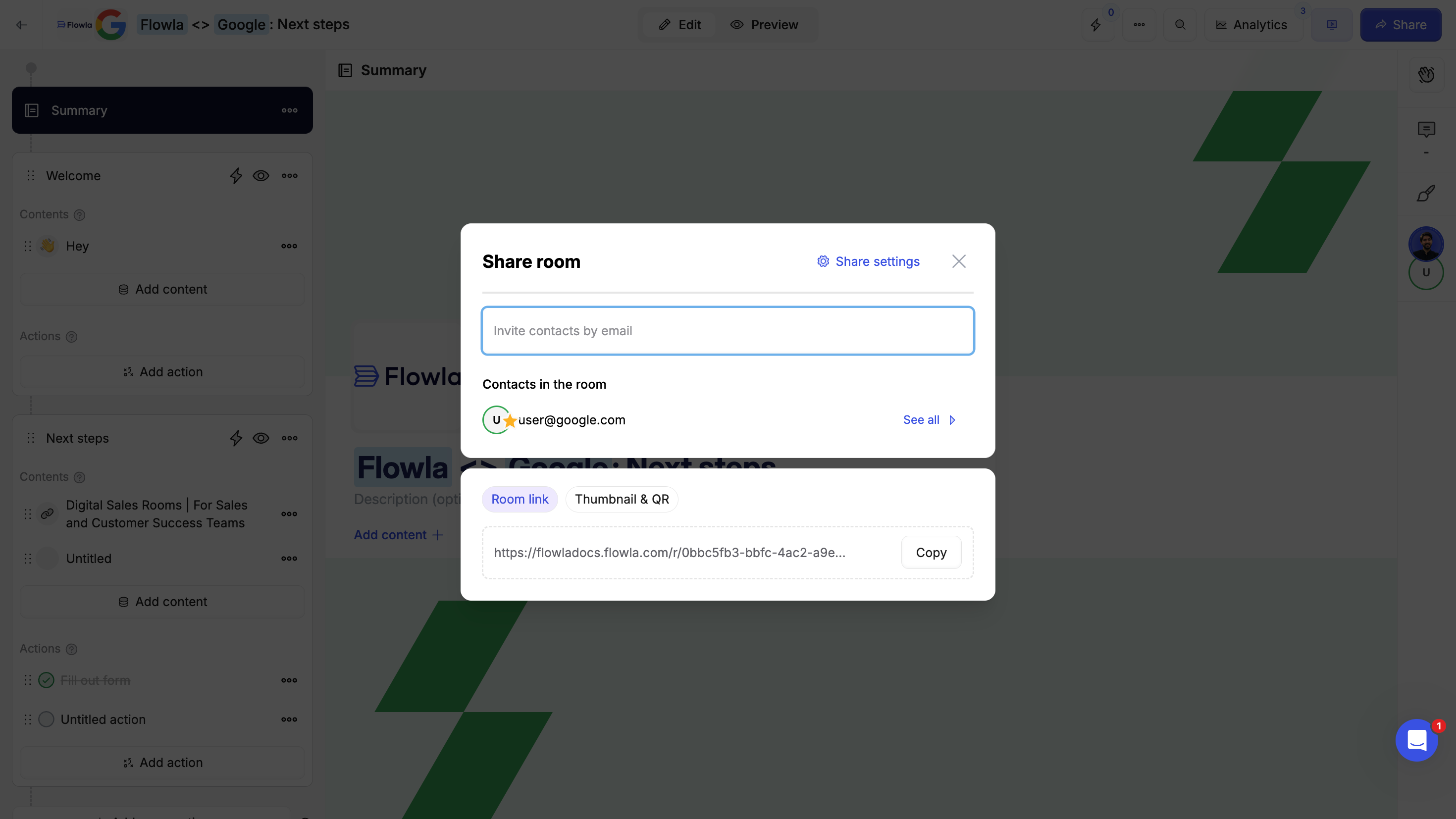
Step 6: Analyze room analytics
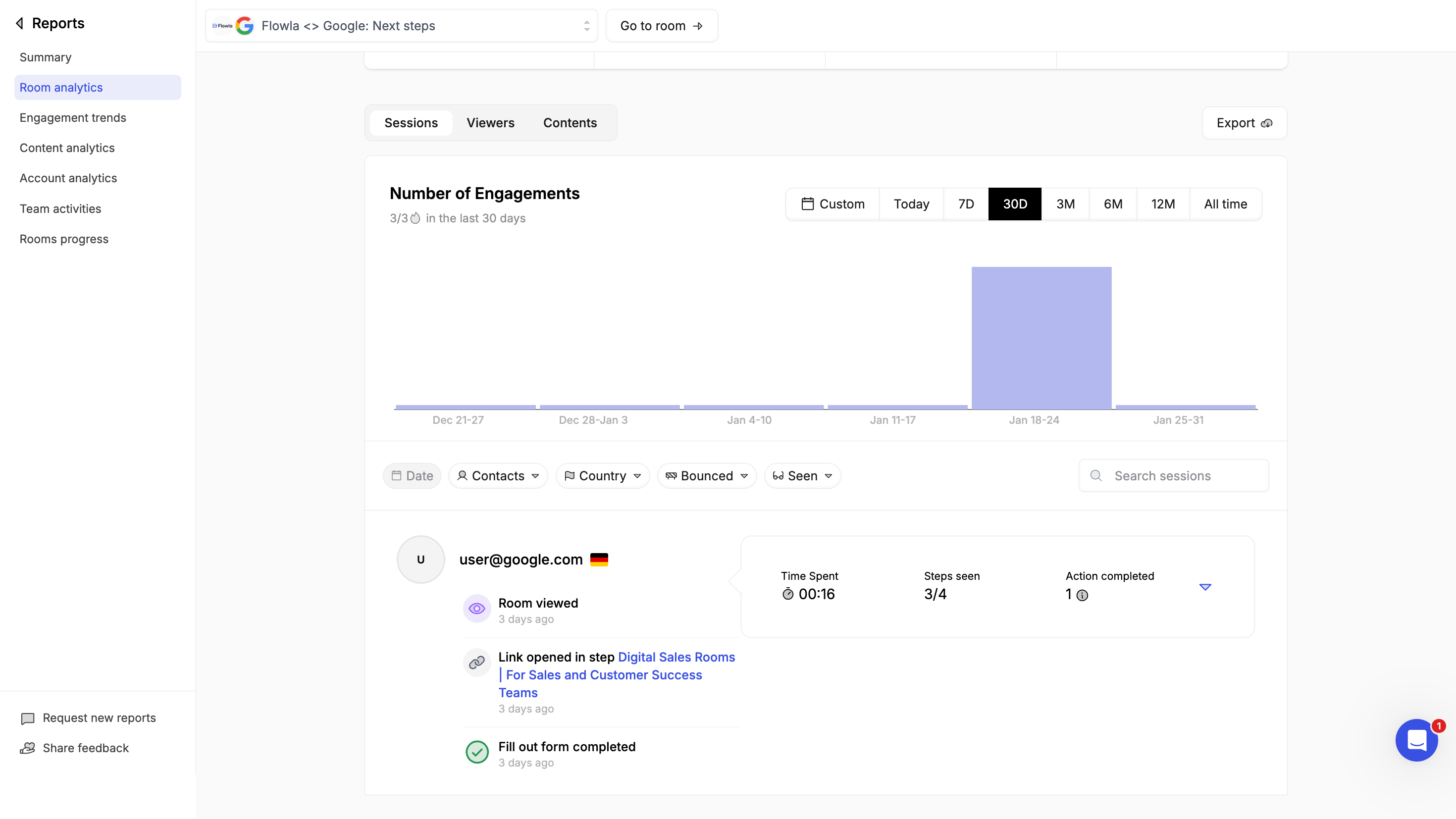
Analytics are accessible from inside the room or navigating to reports -> Room analytics -> selecting the room.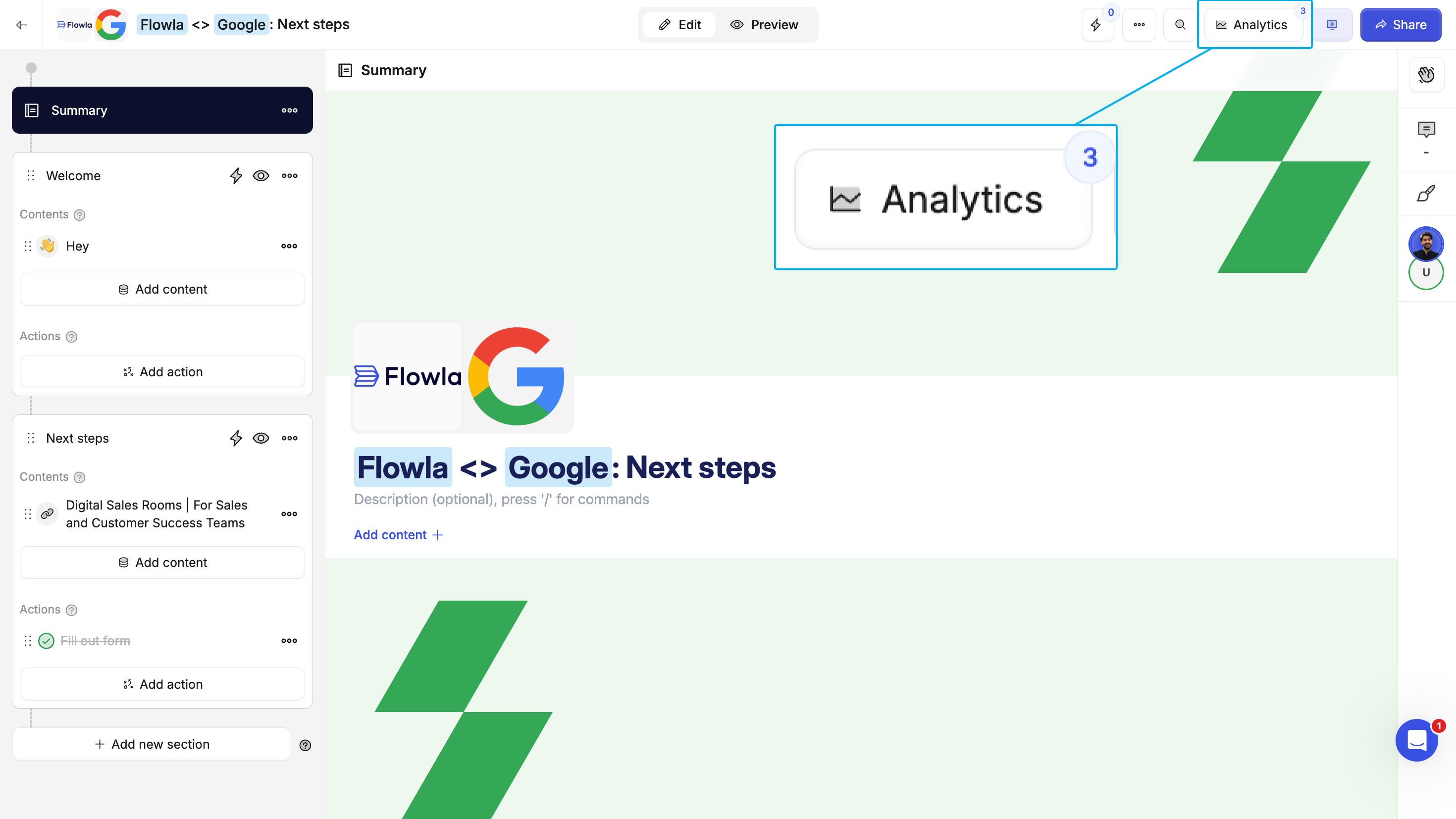
- Who viewed - See which stakeholders opened your room
- When and how often they viewed - Track views over time
- What they engaged with - See which content and sections got the most attention
- Task progress - Monitor action completion times and rates
Best practices
- Start with a template - Don’t reinvent the wheel. Use existing templates and customize from there.
- Keep it focused - Include only what’s relevant to move the deal forward. Too much content overwhelms buyers.
- Use clear section names - Make it obvious what each stage of the process involves.
- Assign actions with due dates - Create accountability on both sides.
- Save successful rooms as templates - When something works, make it repeatable for your whole team.
- Review analytics regularly - Use engagement data to prioritize follow-ups and identify stuck deals.