

TL;DR
Sections are the stages of your room. They group content and actions into logical phases that guide your prospect through their journey — in the right order, at the right time. By controlling what buyers see and when, you can guide them through a complex process without overwhelming them all at once.Section visibility
Control how and when sections appear to room visitors. Every section can be set to one of four states.Visible
The default state. The section and all its content are visible to anyone viewing the room.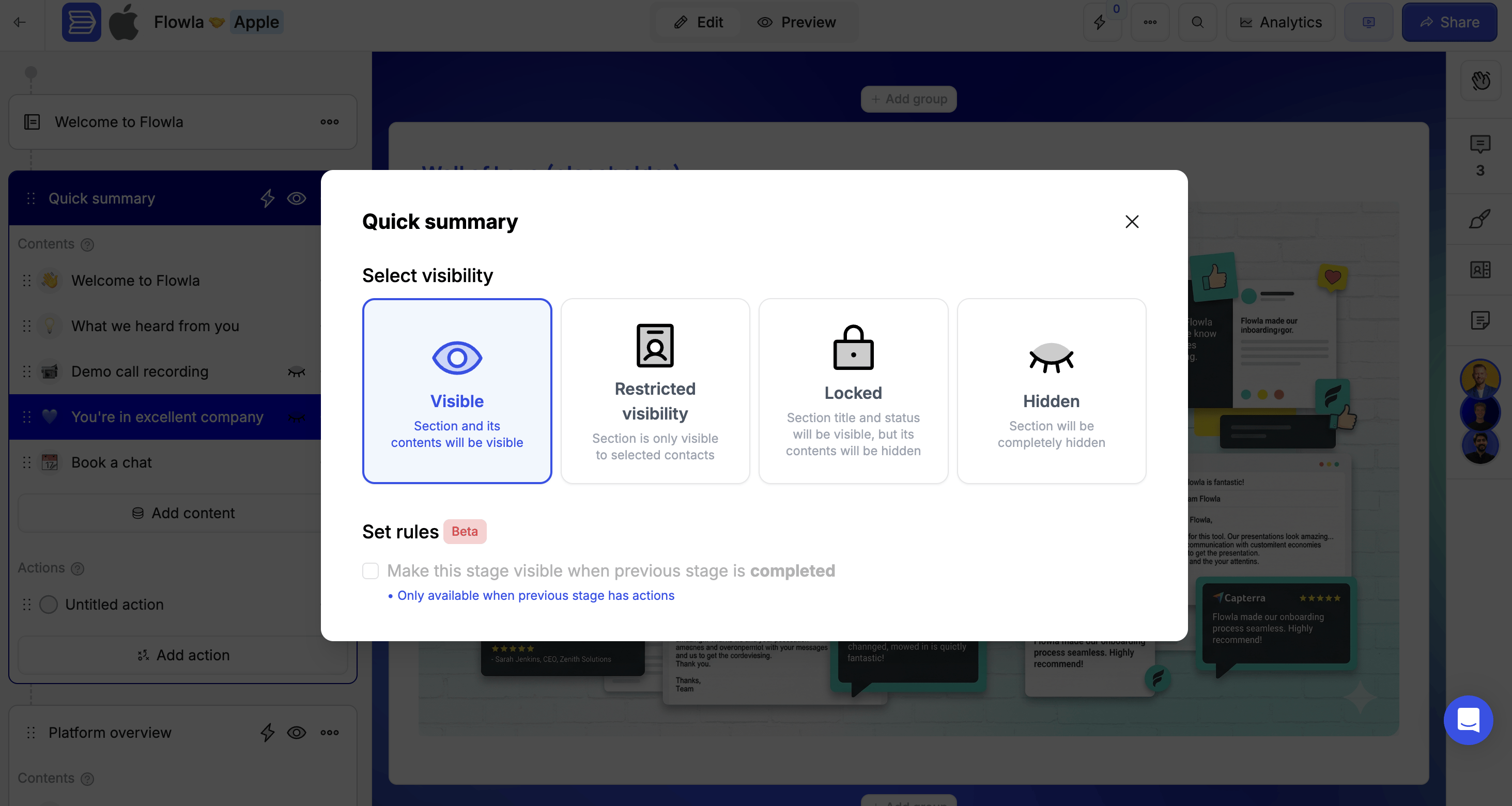
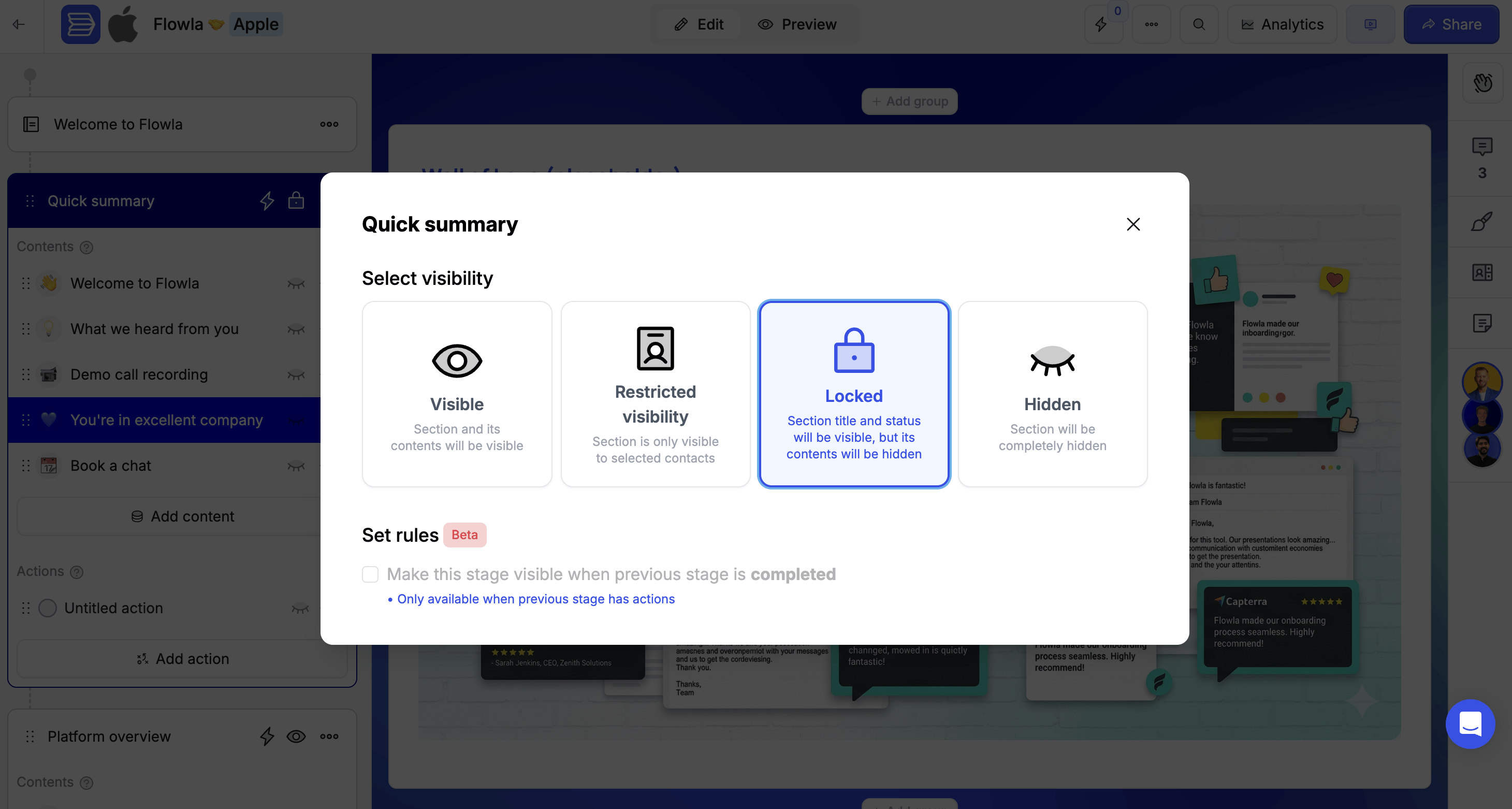
Locked
The section title is visible, but the content and actions inside are hidden. Visitors can see that a phase exists — they just can’t access it yet. This is a powerful way to show buyers there’s a structured plan in place, which builds confidence even before they’ve reached those stages. Use locked sections to:- Show buyers there’s a plan without overwhelming them upfront
- Keep later phases ready but hidden during early stages
- Build anticipation for what’s coming next
1
Click the visibility icon on the section
This opens the visibility options.
2
Select Locked
Visitors will see the section title but not its content.
3
Optionally add an unlock rule
Set it to auto-unlock when a previous section is completed.
Hidden
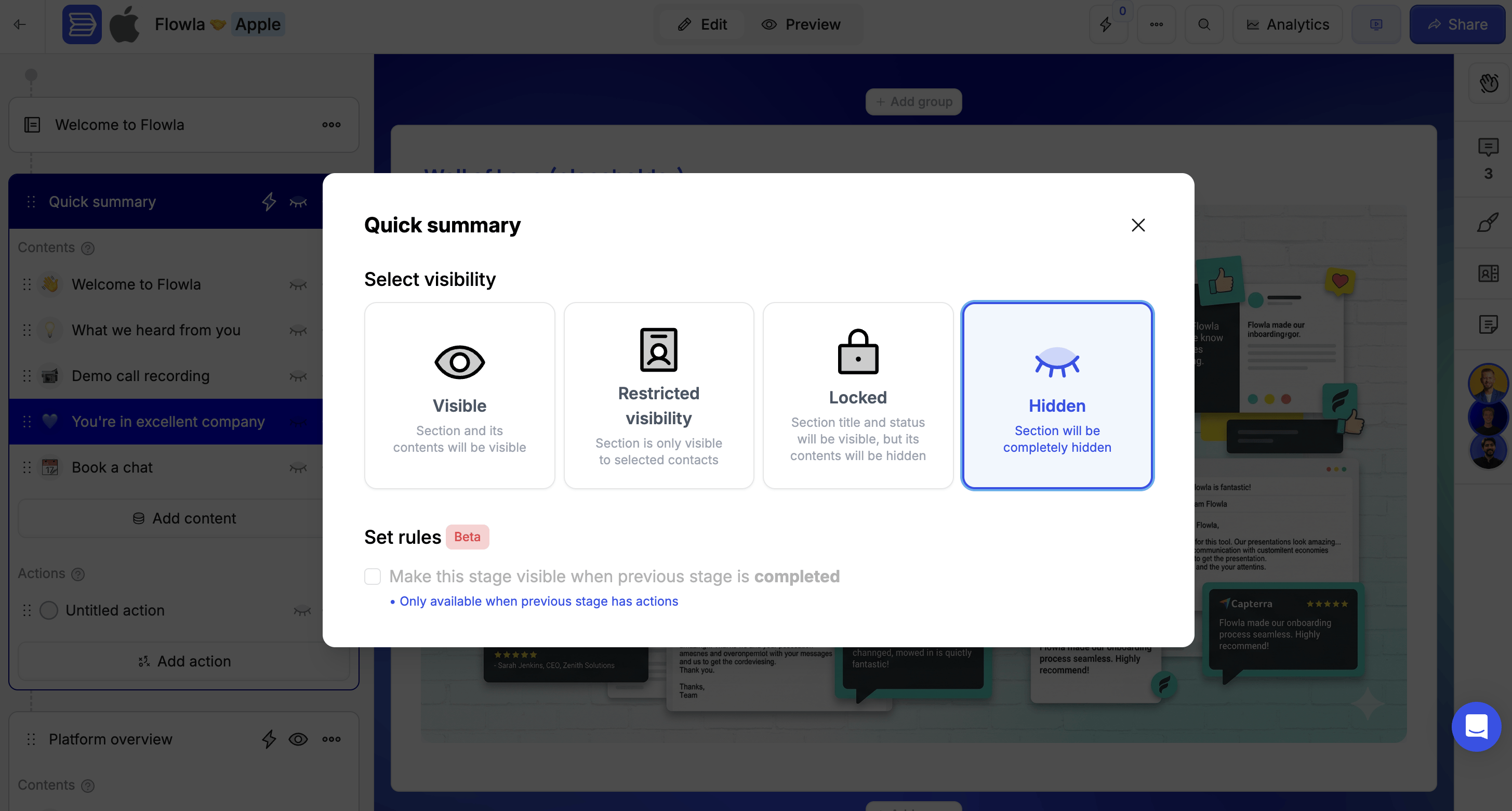
The section is completely invisible to visitors. They won’t know it exists until you make it visible. Use hidden sections for:- Content that isn’t ready yet
- Phases that only apply to certain prospects
- Internal preparation sections
1
Click the visibility icon on the section
This opens the visibility options.
2
Select Hidden
Visitors won’t see the section at all.
3
Optionally add a rule to make it visible later
Set it to appear automatically based on progress or an external event.
Restricted visibility
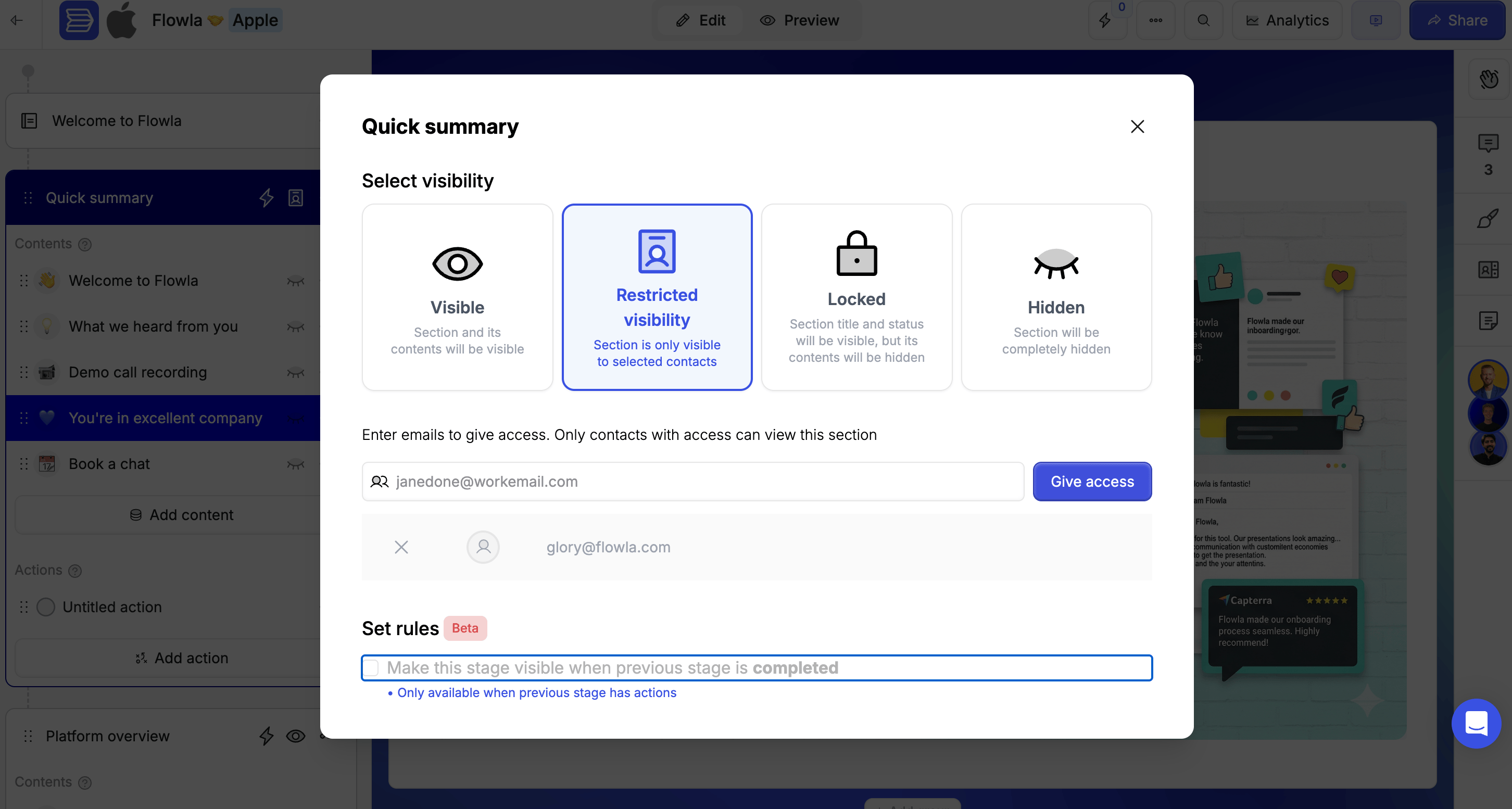
The section is only visible to specific users — useful for sensitive content that shouldn’t be seen by all stakeholders. To restrict a section:1
Click the visibility icon on the section
This opens the visibility options.
2
Select Restricted visibility
This opens the access control field.
3
Enter the emails of prospects who should have access
Everyone else won’t see the section.
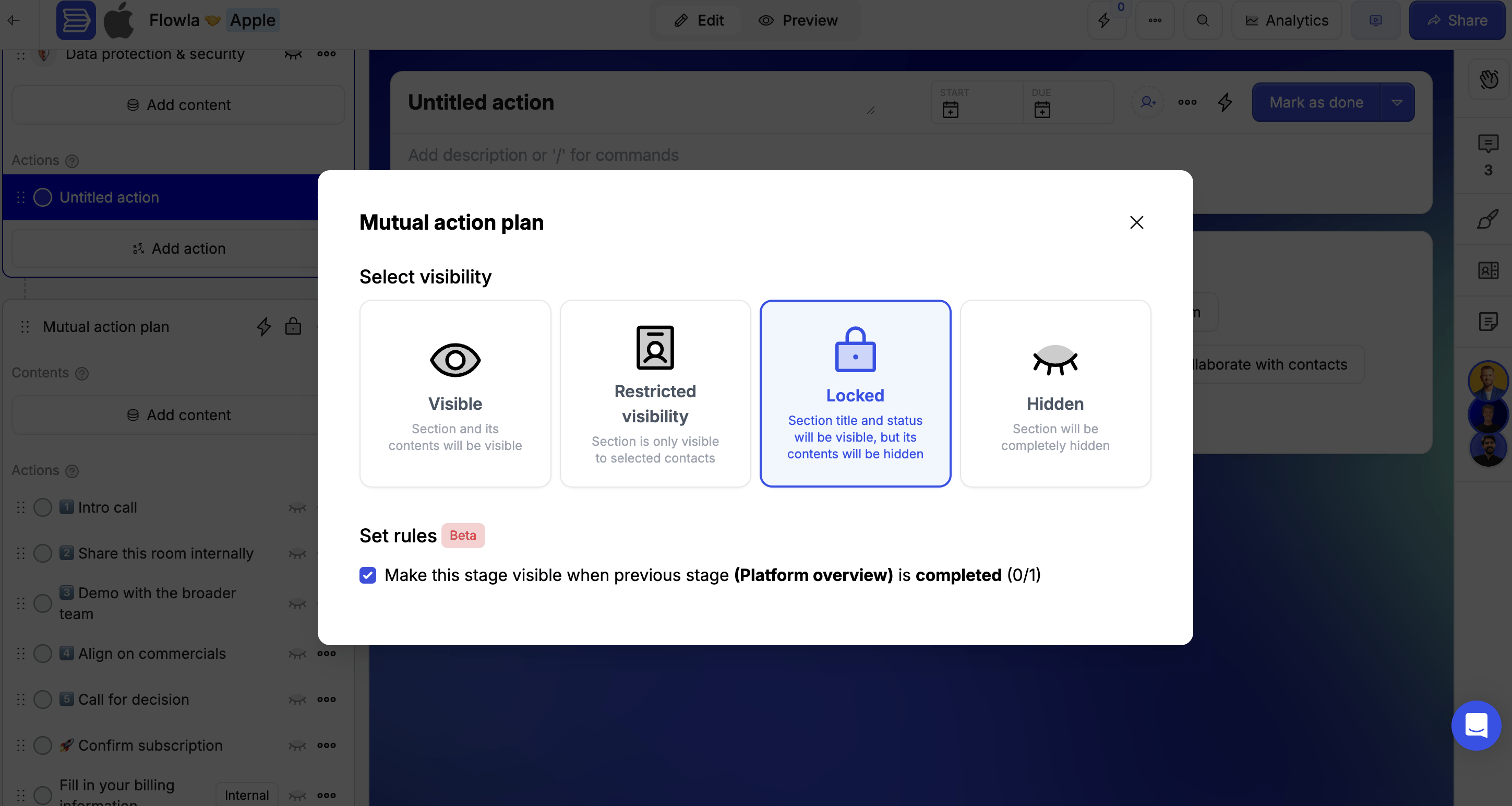
Auto-unlock when the previous section is completed
Set a section to appear automatically once the buyer finishes the section before it. To enable:1
Click the visibility menu on the section you want to unlock
This opens the visibility options.
2
Enable Make this stage visible when previous stage is completed
The section will unlock automatically when your prospect completes the previous section.
Automate sections with workflows
Use workflows to control section visibility based on external events — not just in-room progress. Examples:- Deal moves from “Proposal” → “Closed Won” → Unlock “Onboarding” section
- CRM property updates to “Contract Signed” → Unlock “Implementation” section
- A form is submitted → Reveal personalised next steps
- Deal stage changes — Unlock the “Proposal” section when a deal moves to proposal stage
- Property updates — Show the “Legal” section when contract status changes
- Form submissions — Reveal next steps when a qualification form is completed
Best practices for sections
- Keep each section focused — One clear purpose per section (e.g. “Introduction”, “Scheduling”, “Contract”)
- Lead with context — Start each section with brief instructions so prospects know what to expect
- Use progressive unlocks — Reveal sections as prospects move through the journey
- Leverage engagement data — Track which sections get attention to improve sequencing
- Name sections clearly — Use action-oriented names that guide the prospect
Troubleshooting
Steps are blocked / I can't reorder steps
Steps are blocked / I can't reorder steps
Likely cause: A UI bug, or steps are locked due to a room setting.Fix: Try refreshing the page. If steps are still stuck, contact support — this may be a platform bug.