TL;DR
Trigger Flowla workflows from HubSpot events — like a deal moving to a new stage or a contact property being updated — to automatically create rooms, send follow-ups, and keep your CRM in sync.Why it matters
Your HubSpot deals hold the source of truth for every customer relationship. When something happens in HubSpot, that’s the perfect moment to act. By using HubSpot as a trigger, you can:- Create a personalised room the moment a deal is created or moves to a new stage — auto-fill company name, logo, and contact details so your team doesn’t start from scratch
- Update HubSpot when something happens inside the room — when a buyer completes an action or submits a form, automatically update a HubSpot property or deal field
- Change the room status based on deal stage updates — if a deal moves to “Closed Won” in HubSpot, Flowla can update the room’s status and unlock onboarding sections automatically
What you can use as triggers
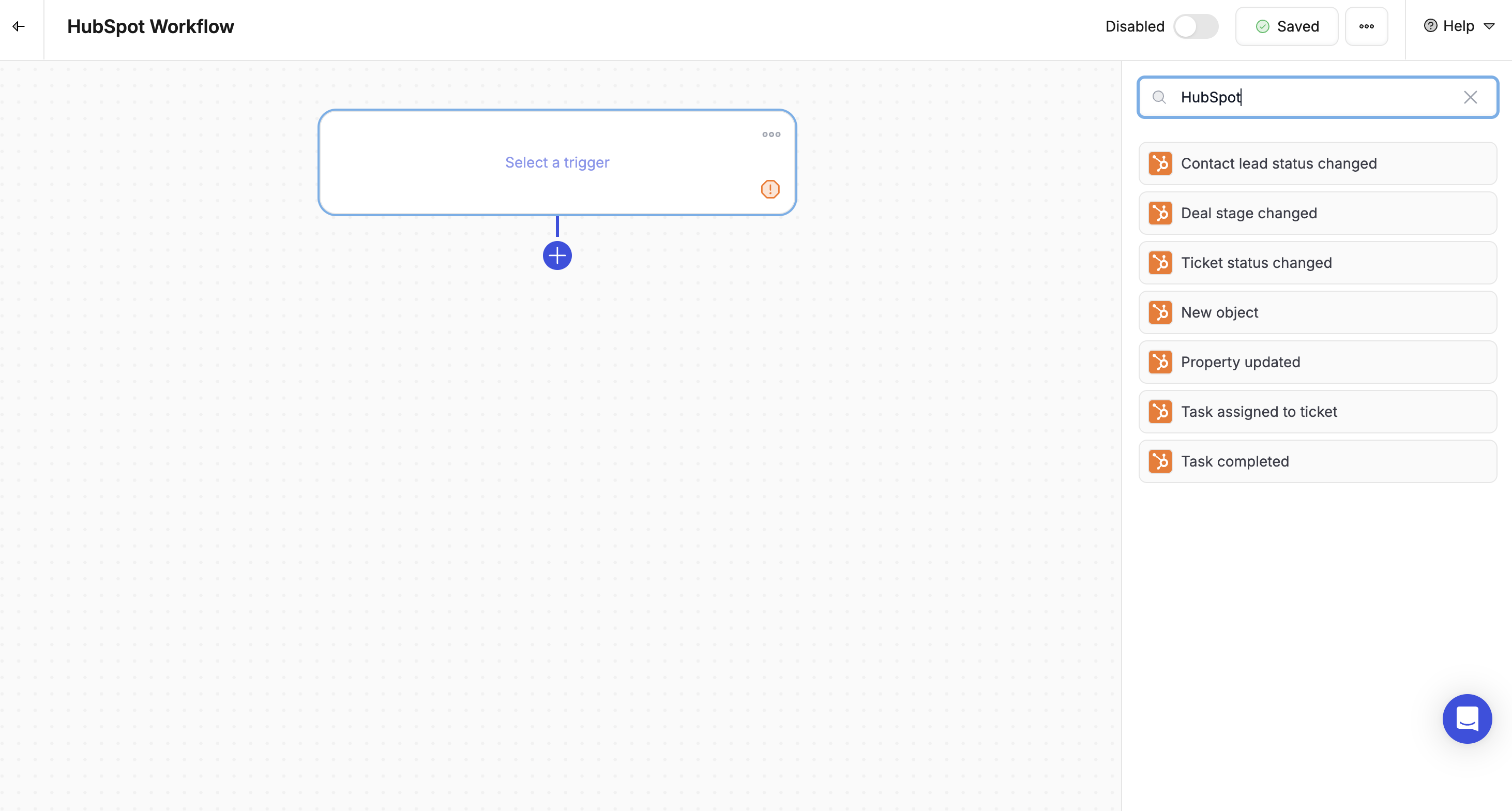
Flowla currently supports the following HubSpot-triggered workflows:- New Deal Created — when a new deal is created in HubSpot, trigger a room automatically
- Deal Stage Changed — when a deal moves to a specific stage (e.g. Proposal Sent or Closed Won), trigger room creation, content updates, or a sync back to HubSpot
- Property Updated — when a contact or deal field is updated (e.g. “Contract Signed = True”), trigger room actions or field updates
Actions you can trigger from HubSpot events
Using the HubSpot triggers above, you can:- Create a room from a template
- Assign the room creator based on the deal owner
- Fill variables using contact, company, or deal data from HubSpot
- Update HubSpot fields (e.g. mark onboarding as started when a room section is completed)
- Unlock room sections based on deal stage progression
- Track room status changes back into HubSpot
How to set it up
1
Go to Workflows
In Flowla, navigate to Workflows in the main navigation.
2
Create a new workflow
Click + Create New Workflow then Add Trigger.
3
Choose HubSpot as the trigger
Select HubSpot as the trigger type, then choose the event:
- New deal — when a new deal is created
- Deal stage changed
- Property updated — e.g. “Contract Signed = True”
4
Add your actions
Add the actions you want to trigger:
- Create a room from a template
- Unlock a section
- Update HubSpot fields
- Change the room’s status
- Add CRM data as variables